
UBS vs EloERP: Which Accounting Software Is Right for Malaysian Businesses in 2026?
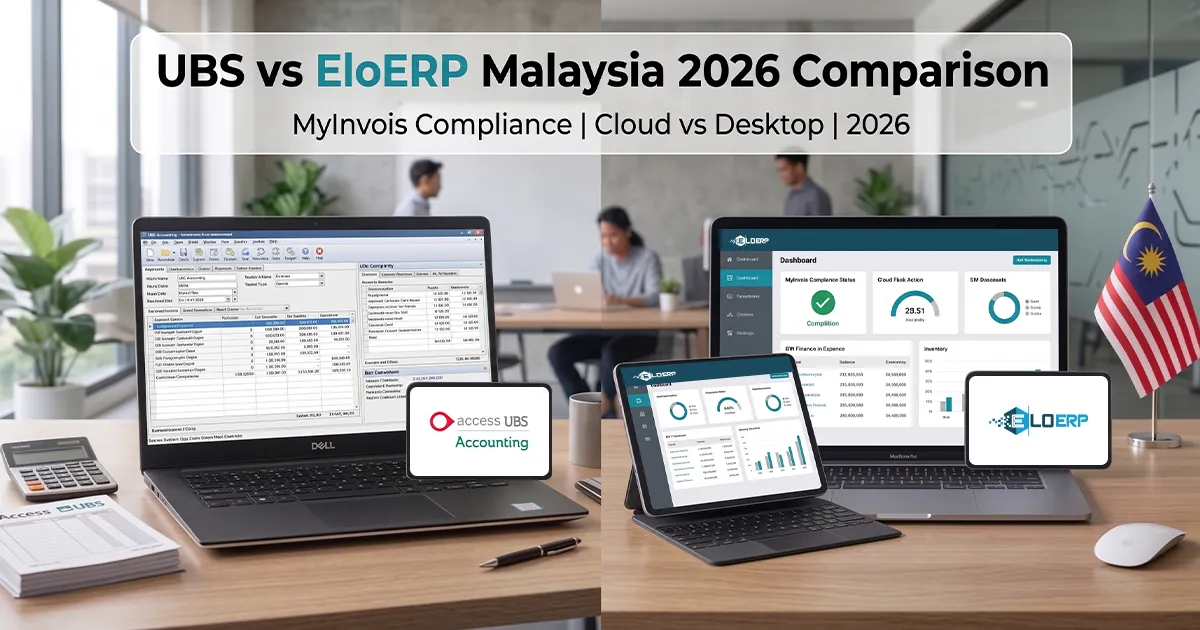
UBS is a desktop accounting package; EloERP is a cloud ERP with POS, inventory and accounting in one system that integrates with MyInvois. For Malaysian businesses that want the till, stock and books together in the cloud — especially with more than one branch — EloERP is our recommendation. The questions below show how to decide.
Malaysia's MyInvois e-invoicing rollout is prompting SMEs to re-examine their accounting software. This guide doesn't describe UBS's features, modules or prices — those change, so get them from UBS directly. It sets out the questions that decide the choice, what EloERP does on each, and how to switch if you decide to.
Quick Comparison Summary
| Decision point | Ask about UBS | EloERP Cloud |
|---|---|---|
| Deployment | Where does it run, and how do you reach it from a second site? | Cloud — runs in the browser, nothing to install |
| MyInvois e-invoicing | How is it delivered, set up and priced? | Integrates with MyInvois |
| Multiple branches | How do branches share one set of data? | Branch-level stock, transfers, consolidated reports |
| POS | Is POS part of the same system or separate? | Built in — retail and restaurant modes, posting to the same ledger |
| Mobile access | What works on a phone or tablet? | Browser on any device; POS, Waiter and Field Service mobile apps are add-ons |
| Pricing model | Get a written three-year quote | Subscription billed yearly (monthly on request); pricing on request |
About UBS: Questions to Put to UBS
UBS is a desktop accounting package. We don't describe another vendor's product here, so get these answers from UBS in writing:
- How is MyInvois e-invoicing delivered — part of the core product or a separate module — and what does setup involve?
- What does each module you need cost (accounting, inventory, POS, payroll, e-invoicing), and for how many users?
- How do you work from a second branch or from home?
- How are backups taken, and who is responsible for them?
- What will you be able to export if you ever leave, and in what format?
About EloERP Cloud
EloERP is a cloud ERP and POS system built by IT Vision for businesses that want point of sale, inventory, purchasing and accounting in a single system.
Core capabilities:
- Point of sale: retail and restaurant modes (tables, KOT and kitchen display), plus a game-zone mode; split payments, held orders, cash registers with X/Z reports, offline POS
- Inventory & warehouse: multi-warehouse stock, batch/expiry tracking, IMEI/serial tracking, variants, multi-UOM, reorder levels, stock transfers and counts
- Purchasing: procure-to-pay with three-way matching of purchase order, goods receipt and supplier invoice
- Accounting: double-entry general ledger, maker-checker approvals, bank reconciliation, trial balance, P&L and balance sheet
- CRM: leads and a deals pipeline
- E-commerce: Shopify, WooCommerce and Daraz orders and stock in the same system
- Add-ons (priced separately): HRM & Payroll, Project Management, Manufacturing/Production, and the POS, Waiter and Field Service mobile apps
Deployment: cloud, in the browser — nothing to install, updates applied automatically. Where the internet is unreliable, the offline POS keeps selling and pushes the data to the cloud when the connection returns.
E-invoicing: EloERP integrates with MyInvois (Malaysia), ZATCA Phase 2 (Saudi Arabia), FBR digital invoicing through PRAL (Pakistan) and UAE e-invoicing.
Target market: retailers, restaurant groups, pharmacies, wholesalers and distributors that want POS, inventory and accounting in one cloud system.
MyInvois E-Invoicing: What to Check in Both
Malaysia's LHDN is phasing in MyInvois e-invoicing by business size, with in-scope businesses submitting invoices to the MyInvois platform for validation. Check LHDN's current MyInvois guidance (or ask your tax adviser) for what applies to your business and when.
Whichever system you choose, test these before you commit:
- Delivery: is e-invoicing part of the product you're buying, or a separate module with its own setup and price?
- Volume: submit test invoices from your busiest workflow — POS receipts as well as sales invoices if you sell at a counter.
- Rejections: what does the user see when an invoice is rejected, and how is it corrected and resubmitted?
- Updates: when LHDN changes requirements, who updates the software and how quickly?
EloERP: integrates with MyInvois, and as a cloud system its updates are applied automatically. See our MyInvois e-invoicing page and the MyInvois guide for Malaysia.
Deployment & Access: Desktop vs. Cloud
The deployment model shapes multi-branch work, remote access, backups and total cost. Questions to settle for any desktop package: where the data lives, how a second branch or a remote accountant reaches it, and who takes and tests the backups.
EloERP deployment model:
- Cloud: runs in the browser at e.eloerp.net from any device with an internet connection; nothing to install.
- Branches: every branch works on the same live data, with branch-level stock and sales reports, transfers between branches, and consolidated reports for the owner.
- Access control: role-based permissions down to field level, so each user sees only what their job needs.
- Backups: create database backups and download them whenever you want.
- Offline: the offline POS keeps the counter selling during an outage and syncs when the connection returns; the back office runs in the browser and needs a connection.
Feature Comparison: Accounting-Only vs. All-in-One ERP
The real question is scope. If you only need accounting and already have POS and stock systems you're happy with, an accounting package may be enough. If you're juggling separate systems for POS, inventory and accounting, an all-in-one ERP removes the re-keying and reconciliation between them. Here is what EloERP covers beyond the books:
1. Point-of-sale integration: retail and restaurant POS modes posting straight to inventory and the ledger — no end-of-day import or export.
2. Inventory depth: batch/expiry tracking (pharmacy, F&B), IMEI/serial tracking (electronics), multi-warehouse stock, reorder levels with purchase orders from shortages, and transfers between branches.
3. Purchasing: purchase orders, goods receipts and supplier invoices with three-way matching, plus approval thresholds and maker-checker.
4. HR & Payroll (add-on): attendance, leave, payroll runs and an employee self-service portal. The statutory items documented today are Pakistan's, so confirm Malaysian EPF, SOCSO, PCB and EIS handling in a demo before relying on it.
5. CRM: leads and a deals pipeline.
6. Manufacturing (add-on): multi-level bills of materials and work orders, make-to-stock or make-to-order.
7. E-commerce: Shopify, WooCommerce and Daraz orders pulled in automatically, with stock kept in step.
8. Approval workflows: per-voucher-type thresholds and maker-checker — one user records, another approves before it posts to the ledger.
Pricing & Total Cost of Ownership
We don't quote other vendors' prices. Get a written quote from UBS for the modules, users and access you need, and put it next to EloERP's quote over three years.
What to include for every option:
- Licences or subscription for three years, for every user and branch you'll have
- Each module you need — inventory, POS, payroll, e-invoicing
- Remote or multi-branch access
- Implementation, data migration and training
- Support and maintenance
- IT costs — Windows licences, a server, and backups if anything runs on-premise
EloERP pricing (on request): a subscription billed yearly (monthly on request), in tiered packages that differ in what's included and in limits such as branches and users. Ask us for a quote for your business in Malaysia.
- 15-day free trial, no credit card
- Browser access from any device; automatic updates
- Add-ons priced separately on request: HRM & Payroll, Project Management, Manufacturing/Production, and the POS, Waiter and Field Service mobile apps
When Switching Isn't Worth It Yet
Switching has real costs, and sometimes staying put is the right call:
1. Your team is fluent in your current package. Retraining takes time. If your accounting team is productive and your needs aren't changing, the disruption may outweigh the gain.
2. You only need accounting. If you have no POS, stock or branches to connect, the case for an all-in-one ERP is weaker.
3. The timing is wrong. Moving at a year-end, with opening balances, is simpler than switching mid-period — it can be worth waiting for.
Key caveat: if MyInvois applies to you, check what e-invoicing will cost and involve in your current setup before deciding to stay — it can change the sums.
When EloERP Is the Right Choice
EloERP is our recommendation for Malaysian businesses that want:
1. MyInvois with POS and inventory in the same system. Invoices come from the same sales, POS and stock records your team already uses.
2. Multi-location operations. Retail chains, F&B groups and multi-branch wholesalers work on the same live data, with branch-level reporting and transfers between branches.
3. All-in-one consolidation. One system for POS, accounting, inventory and e-commerce, removing:
- Double data entry (sales keyed into the POS, then again into accounting)
- Reconciliation errors (POS totals not matching the ledger)
- Several subscriptions and vendors to manage
- Integration work between disconnected systems
4. Remote and browser access. The owner checks the dashboard from home, branch managers pull reports on a tablet, the accountant works remotely — all in the browser.
5. Industry workflows.
- Pharmacy: batch/expiry tracking with a near-expiry report and the value at risk
- Restaurant: tables, KOT and kitchen display, modifiers, takeaway, delivery and drive-thru
- Retail: variants (size/colour), barcode generation and label printing, multi-tier pricing, loyalty
- Jewellery: weighing in grams and tola/masha/ratti, daily rate per karat, making and wastage charges
6. E-commerce. Shopify, WooCommerce and Daraz orders flow into EloERP, with stock kept in step.
7. Financial control. Maker-checker approvals: one user records a transaction, another approves it before it posts to the ledger.
Migration Considerations
Switching to EloERP:
Data export: check with UBS what you can export and in which format. The data you'll want:
- Chart of accounts
- Customer and supplier lists with opening balances
- Items with stock quantities and costs
- Historical transactions, if you plan to bring them across
EloERP import tools: a three-step product import wizard (CSV or Excel) that flags errors row by row; customer and supplier import from CSV, with ledgers and opening balances created for customers; opening stock entry or import from a barcode-and-quantity file; and opening balances on the chart of accounts.
Historical data decision:
- Opening balances only: chart of accounts, customer/supplier balances and opening stock as of the cutover date — simpler and faster
- Full history: useful for comparisons, but more work to map and check
Many businesses bring across opening balances only and keep the old system's data archived for reference.
Plan the cutover:
- Export and map your data
- Import it and configure taxes, users and roles
- Run both systems side by side for a short period to check the numbers agree
- Go live on EloERP and archive the old data
Talk it through in a free demo: bring a sample of your data and your timeline.
Ready to Choose?
Try EloERP for free: see how EloERP's cloud ERP and MyInvois integration work for your business. Start your 15-day free trial — no credit card required.
Planning a switch? Book a free demo to discuss your data, training needs and timeline.
Compare pricing: ask us for an EloERP quote for your Malaysia business, and ask UBS for theirs.
Related Resources
- MyInvois E-Invoicing Guide for Malaysia — LHDN MyInvois implementation phases and requirements
- MyInvois e-invoicing with EloERP
- EloERP Pricing Plans — plans and what each includes (pricing on request)
- Schedule a Demo — free demo or migration discussion
- Start Free Trial — 15-day trial, no credit card required
- Pharmacy POS Software — batch/expiry tracking for pharmacy businesses
- Restaurant POS Software — KOT/KDS for F&B operations
- Retail POS Software — variants and barcodes for retail chains
Sources
- EloERP Official Site — product specifications, features
- EloERP Pricing — subscription plans (pricing on request)