
Distributor ERP Software Pakistan – Cloud Distribution Management System
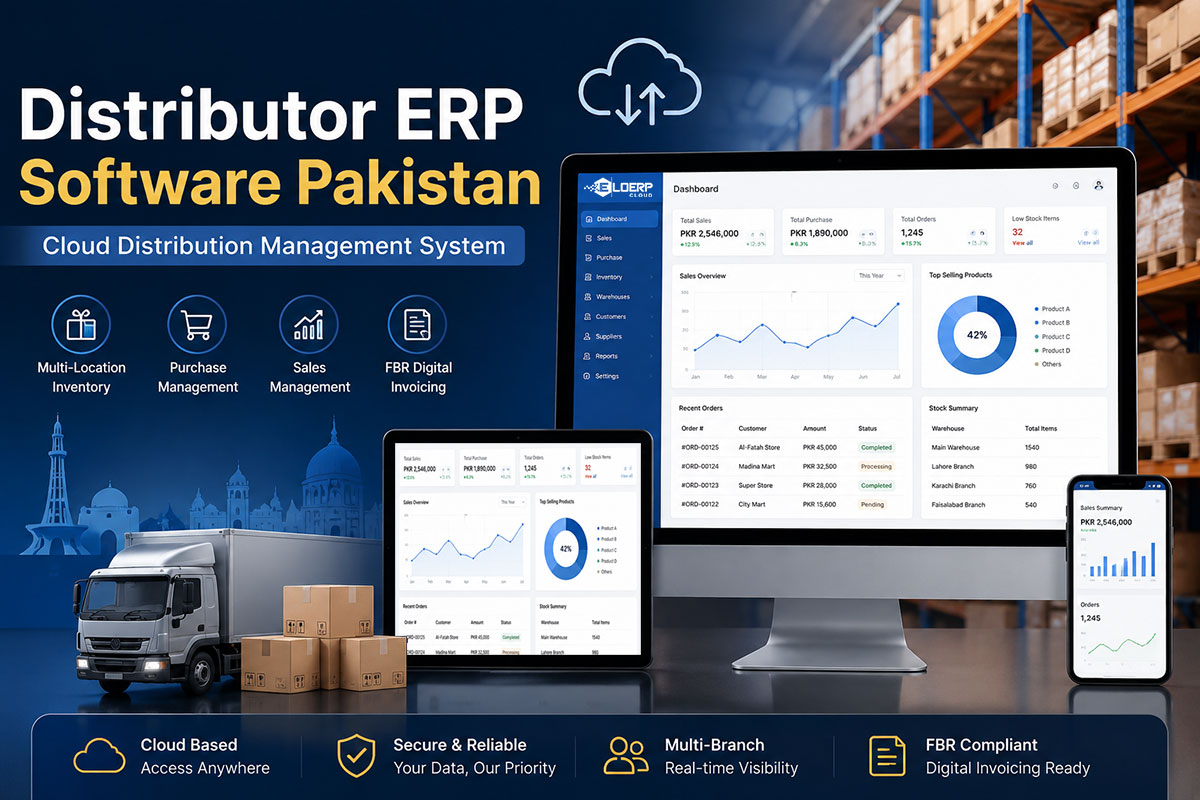
Distributor ERP software is a cloud-based system that manages multi-location inventory, purchase orders, supplier payments, and sales for wholesale distributors. EloERP combines distribution management with built-in FBR digital invoicing for Pakistan, offering real-time stock visibility, automated purchase workflows, and multi-warehouse tracking in one platform.
If you run an FMCG distribution business, a pharmaceutical wholesale operation, an electronics distributor, or any multi-branch wholesale company in Pakistan, you need a system that tracks stock across warehouses, manages supplier ledgers, automates purchase workflows, and handles FBR digital invoicing — without stitching together three different software packages.
Why Pakistani Distributors Need Specialized ERP Software
Manual systems and disconnected software cost distributors money every day:
Stock discrepancies across branches. You have 5,000 units in "the system," but warehouse A says 1,800, warehouse B says 2,100, and the rest disappeared in transit. Excel can't tell you where your stock is right now. Overstocking ties up capital, while stockouts damage customer trust — and without integrated systems, leadership lacks real-time insight into order status and inventory levels. [6]
Delayed supplier payments. You owe 12 suppliers different amounts on different terms, and tracking what's due when lives in spreadsheets. Miss a payment window and you lose your early-payment discount — or worse, your credit terms.
FBR compliance burden. You're distributing to retailers across three cities, and each invoice needs real-time FBR integration. A bolt-on invoicing tool satisfies the law but creates reconciliation work because your stock and accounts live somewhere else.
No visibility into branch operations. Your Karachi warehouse just sold 300 units of your fastest-moving SKU, but your Lahore warehouse is sitting on 1,200 units of slow stock. You find out at month-end, not today. Geopolitical instability affects freight availability and delivery timelines, while demand volatility makes accurate forecasting significantly more difficult. [7]
Distributor ERP software solves this by putting your inventory, purchasing, supplier ledgers, sales, and FBR digital invoicing in one system. One sale updates stock, ledger, and FBR simultaneously — no reconciliation, no data entry twice, no month-end surprises.
EloERP Distributor Management Features
Multi-Location Inventory Control
Track stock in real time across every warehouse and branch from one dashboard:
- Real-time stock visibility — See available stock, in-transit stock, and committed stock per warehouse and per SKU. No manual stock reports, no phone calls to branches asking "how many do we have?" Multi-warehouse inventory management is one of the top requirements distributors prioritize when evaluating ERP systems. [5]
- Inter-branch stock transfers — Transfer 500 units from Warehouse A to Warehouse B with automatic accounting entries (debit Warehouse B inventory, credit Warehouse A inventory). The system posts the journal entry, not your accountant.
- Batch and expiry tracking — Critical for FMCG and pharmaceutical distributors. Track every batch by supplier, production date, and expiry date. Set expiry alerts so you sell older batches first (FEFO — first expiry, first out). Lot and serial tracking capabilities are essential for distributors managing regulated products. [5]
- IMEI and serial number tracking — For electronics distributors handling phones, laptops, and appliances. Track every unit by IMEI or serial number from goods receipt to final sale.
- Low-stock alerts — Set reorder points per SKU. The system alerts you when Warehouse A hits 200 units so you reorder before you stock out.
Purchase Order & Supplier Management
Automate your procure-to-pay workflow:
- 3-way match workflow — Create a purchase order (PO), receive goods (goods receipt note / GRN), match the supplier invoice against the PO and GRN. The system flags discrepancies (ordered 1,000, received 950, invoice says 1,000) before you pay.
- Supplier ledger with payment aging — See what you owe each supplier, when it's due, and how long it's been outstanding. Filter by 0-30 days, 31-60 days, 61-90 days, 90+ days overdue.
- Multi-currency support — Import goods from China or the UAE? Record supplier invoices in USD, CNY, or AED and settle them in PKR. The system tracks exchange-rate differences automatically.
- Approval workflows — Set maker-checker rules for large purchases. A warehouse manager creates a PO for Rs 500,000; the finance director approves it before it's sent to the supplier.
EloERP's purchasing module follows the procure-to-pay workflow from requisition through payment, with every transaction posting to the general ledger in real time.
Sales & Distribution
Manage customer orders, credit limits, and deliveries:
- Customer credit limit enforcement — Set a Rs 500,000 credit limit for Customer A. If they try to place an order that puts them Rs 50,000 over their limit, the system blocks the sale until they pay down their balance.
- Accounts receivable aging — See which customers owe you money and for how long. Filter by overdue 0-30 days, 31-60 days, 61-90+ days.
- Integration with Pakistan couriers — EloERP integrates with TCS, Leopards, M&P Express, and BlueEx for delivery tracking. Generate consignment notes and track shipments without leaving the ERP.
FBR Digital Invoicing Integration
Built-in FBR digital invoicing — no bolt-ons, no middleware, no manual uploads:
- Real-time IRN & QR code generation — Every sales invoice generates an Invoice Registration Number (IRN) and QR code at the moment of sale. The invoice is transmitted to FBR, stamped, and returned in real time before you hand it to the buyer. [1]
- Automated FBR submission — No manual upload to FBR portals. The system transmits invoices automatically under your NTN and PSID registration. [2]
- PSID registration & tax calculation — FBR's Point of Sale Identifier (PSID) is configured per branch. Each location transmits invoices under the company's single NTN. Sales tax is calculated automatically per invoice line. [2]
- FBR audit trail & reports — Every transmitted invoice is logged with IRN, timestamp, and FBR acknowledgment. Generate FBR invoicing reports for audit purposes in seconds, not hours.
- Per-company toggle — If you operate multiple legal entities (Company A for pharmaceuticals, Company B for FMCG), toggle FBR integration on or off per company within one EloERP instance.
SRO 1852(I)/2025 brings sales-tax-registered persons into FBR digital invoicing. [1] Check the current notifications on FBR's website (or ask your tax adviser) for what applies to your business and when.
Financial Management for Distributors
Double-entry accounting — every sale, purchase, and stock transfer updates your books in real time:
- Double-entry accounting built in — A sale for Rs 100,000 debits Accounts Receivable (or Cash) Rs 100,000, credits Sales Revenue Rs 86,957, credits Sales Tax Payable Rs 13,043, and reduces inventory by cost. One transaction, four ledger entries, posted instantly.
- Accounts payable aging — See what you owe suppliers and when payments are due (supplier payment aging covered above in Purchasing).
- Accounts receivable aging — See what customers owe you and how overdue their balances are (customer credit aging covered above in Sales).
- Purchase vs. sales margin analysis — Compare what you paid your supplier (purchase cost) vs. what you sold to your customer (sales price). Track gross margin per SKU, per product category, per customer, per branch.
- GST and sales tax reports — Generate Annexure-C (sales tax monthly return schedules) from your sales data. Your accountant files the return; the ERP gives them the numbers.
Multi-Branch & Warehouse Management
Centralized control with branch-level autonomy:
- Unlimited branches and warehouses — Run 10 warehouses in Karachi, Lahore, Islamabad, Faisalabad, and Multan from one ERP instance. Each branch sees its own stock and sales; head office sees everything.
- Centralized inventory control with branch autonomy — Head office sets pricing, reorder points, and supplier terms. Branch managers fulfill customer orders, transfer stock between warehouses, and manage local deliveries.
- Inter-company transactions — If you run two separate companies under one group (e.g., ABC Pharma Distribution and ABC FMCG Distribution), record inter-company sales and purchases. The system tracks which entity owes which entity, even across separate legal registrations.
- Consolidated financial reporting — Generate profit & loss statements and balance sheets by branch, by company, or consolidated across the entire group. Compare branch A profitability vs. branch B profitability in one report.
- Branch-wise profitability analysis — See which branches are profitable and which branches are dragging down your margin. Allocate overhead costs by branch if needed (e.g., head-office rent split across 5 branches).
EloERP's multi-branch and multi-company architecture supports unlimited locations under one cloud account.
Distribution Workflows – How EloERP Works
Here's what a full distribution cycle looks like in EloERP:
Purchase Workflow
- Create purchase order (PO) — Your purchasing manager creates a PO for 10,000 units of Product X at Rs 50/unit from Supplier A. Total: Rs 500,000. The PO is sent to the supplier.
- Receive goods (GRN) — Warehouse staff receive 9,800 units (200 short). They create a Goods Receipt Note (GRN) for 9,800 units. Stock increases by 9,800 units in the warehouse.
- Match supplier invoice — Supplier A sends an invoice for 10,000 units (Rs 500,000). The system flags the discrepancy: GRN says 9,800, invoice says 10,000. You contact the supplier and negotiate a credit note for 200 units.
- Schedule payment — Once the invoice is corrected to Rs 490,000, you schedule payment for 30 days from invoice date. The system adds Rs 490,000 to Accounts Payable (Supplier A ledger) with a due date.
Sales Workflow
- Customer places order — Customer B orders 500 units of Product X at Rs 75/unit. Total: Rs 37,500 + 13% sales tax = Rs 42,375.
- Pick from warehouse — Warehouse staff pick 500 units from Warehouse A. Stock reduces by 500 units instantly.
- Generate delivery note — Print a delivery note for the courier (TCS or Leopards). The delivery note lists the SKUs, quantities, and consignment number.
- FBR digital invoice — Generate the sales invoice. The system transmits it to FBR, receives the IRN and QR code, and prints the invoice with the QR code. The customer receives the invoice.
- Payment collection — Customer B pays Rs 42,375 by bank transfer. You record the payment in EloERP. The system debits Bank Rs 42,375, credits Accounts Receivable (Customer B) Rs 42,375.
Stock Transfer Workflow
- Branch A requests stock — Your Lahore warehouse is low on Product X (150 units remaining, reorder point is 200). The Lahore warehouse manager requests 1,000 units from the Karachi head warehouse.
- HQ approves transfer — Head office reviews the request and approves it. A stock transfer order is created: Karachi → Lahore, 1,000 units.
- Transfer note generated — Karachi warehouse staff pick 1,000 units and create a transfer note. Stock reduces in Karachi by 1,000 units (status: in-transit).
- Lahore receives stock — Lahore receives the 1,000 units and confirms receipt in the system. Stock increases in Lahore by 1,000 units. The accounting entries are posted automatically: Debit Lahore Inventory Rs 50,000 (1,000 units × Rs 50 cost), Credit Karachi Inventory Rs 50,000.
Industries We Serve
EloERP serves distributors across industries:
- FMCG distributors — Food, beverages, household goods. Batch and expiry tracking for perishable goods; multi-warehouse stock visibility for city-wide distribution.
- Pharmaceutical distributors — Batch/expiry/lot tracking required by DRAP regulations. Track every batch from supplier to pharmacy with full audit trail.
- Electronics distributors — IMEI and serial number tracking for phones, laptops, appliances, and consumer electronics. Track warranty, purchase date, and customer details per device.
- Auto parts distributors — SKU complexity (thousands of part numbers). Multi-location stock visibility so you find the right part in the right warehouse instantly.
- Construction material distributors — Unit conversions (tons to kilograms, bags to pallets). Track cement, steel, and aggregate across multiple sites.
- Textile and garment distributors — Size, color, and style variants. Track "Blue Shirt – Size L" as a separate SKU from "Blue Shirt – Size M."
Why Choose EloERP Over Competitors
| Feature | EloERP | CloudPOS | Generic ERP | Excel/Manual |
|---|---|---|---|---|
| Native FBR integration | ✓ Real-time IRN & QR | Bolt-on module | Plugin or manual | None |
| Multi-warehouse inventory | ✓ Unlimited warehouses | Limited multi-location | Complex setup | Manual tracking |
| Purchase workflow automation | ✓ 3-way match (PO → GRN → Invoice) | Basic PO | Yes (complex) | None |
| Supplier payment aging | ✓ Built-in AP aging | Limited | Yes (reports) | Manual spreadsheets |
| Pakistan courier integration | ✓ TCS, Leopards, M&P, BlueEx | No | Varies | None |
| Cloud-based (access anywhere) | ✓ | ✓ | Varies | Desktop files only |
| Pricing transparency | On request (ask for a quote) | On request | Varies | N/A |
CloudPOS has a distributor management module and multi-branch support, but their approach is POS-first with bolt-on accounting and inventory. FBR compliance is available but not natively integrated into the purchase-to-pay workflow. Pricing is not publicly disclosed on their website (requires demo request). [3]
Generic ERP platforms (Odoo, ERPNext) offer distributor workflows but require plugins or integrator setup for FBR compliance. Setup is complex, often taking weeks or months, and Pakistan-specific features (FBR integration, local courier support) are add-ons, not native capabilities.
Excel and manual systems give you no real-time visibility, no automated FBR compliance, and massive reconciliation work at month-end. Every stock transfer is a manual journal entry; every supplier payment is tracked in a spreadsheet.
EloERP gives you real-time FBR integration, multi-warehouse inventory, procure-to-pay automation, and double-entry accounting in one cloud platform — no bolt-ons, no middleware, no reconciliation.
Pricing & Plans
EloERP pricing is on request — ask us for a quote. Plans (Cloud Suite, Cloud Suite Pro and Cloud Suite Plus) are billed yearly, or monthly on request, and add-ons are priced separately on request.
All plans include FBR digital invoicing, ZATCA Phase 2 (KSA), MyInvois (Malaysia), and UAE FTA e-invoicing. Pricing is per branch/per company, not per user — a distributor with 10 sales reps, 5 warehouse staff, and 2 accountants pays the same as a distributor with 3 people. [4]
14-day free trial — No credit card required. Register at e.eloerp.net/register/eloerp and test the full system (FBR invoicing, multi-warehouse inventory, purchase orders, supplier ledgers) with your own data.
Getting Started
Start a 14-day free trial — No credit card required. Test FBR invoicing, multi-warehouse inventory, and purchase workflows with your real data.
Book a 30-minute demo — See how EloERP handles distributor workflows specific to your industry (FMCG, pharma, electronics, auto parts).
Talk to sales — If you have custom requirements (API integrations, third-party logistics, white-label reseller program), email sales@eloerp.net or call the number on the contact page.
Ready to manage your distribution business with real-time visibility and built-in FBR digital invoicing? Start a 14-day free trial — no credit card required — or book a 30-minute demo tailored to your industry.
Sources
- FBR — Digital Invoicing FAQs: https://fbr.gov.pk/faqs/173967/173969
- FBR — Digital Invoicing Technical Assistance: https://fbr.gov.pk/di-technical-assistance/173967/173970
- CloudPOS — Distributor Management: (verified: CloudPOS has distributor module and multi-branch support; pricing not disclosed publicly)
- EloERP — Pricing: https://eloerp.net/pricing (plans and 14-day free trial, no credit card; pricing on request)
- Proton.ai — Best ERP Software for Distributors 2026 Buyer's Guide: (verified: multi-warehouse inventory, customer-specific pricing, lot/serial tracking, unit-of-measure handling as top distributor requirements)
- SimplyDepo — Wholesale Distribution 2026 Guide: (verified: overstocking ties up capital, stockouts damage trust, margin compression from manufacturer direct sales, operational inefficiency from disconnected systems)
- LaceUp Solutions — Distribution Industry Challenges 2026: (verified: geopolitical impact on freight costs, demand volatility affecting forecasting, margin compression from persistent inflation)
- EDICOM — Pakistan B2B Electronic Invoicing Schedule: (verified: SRO 1852(I)/2025 and its phased rollout for sales-tax-registered persons)