
POS Software for Pakistan — Cloud Point of Sale with Built-In FBR Digital Invoicing
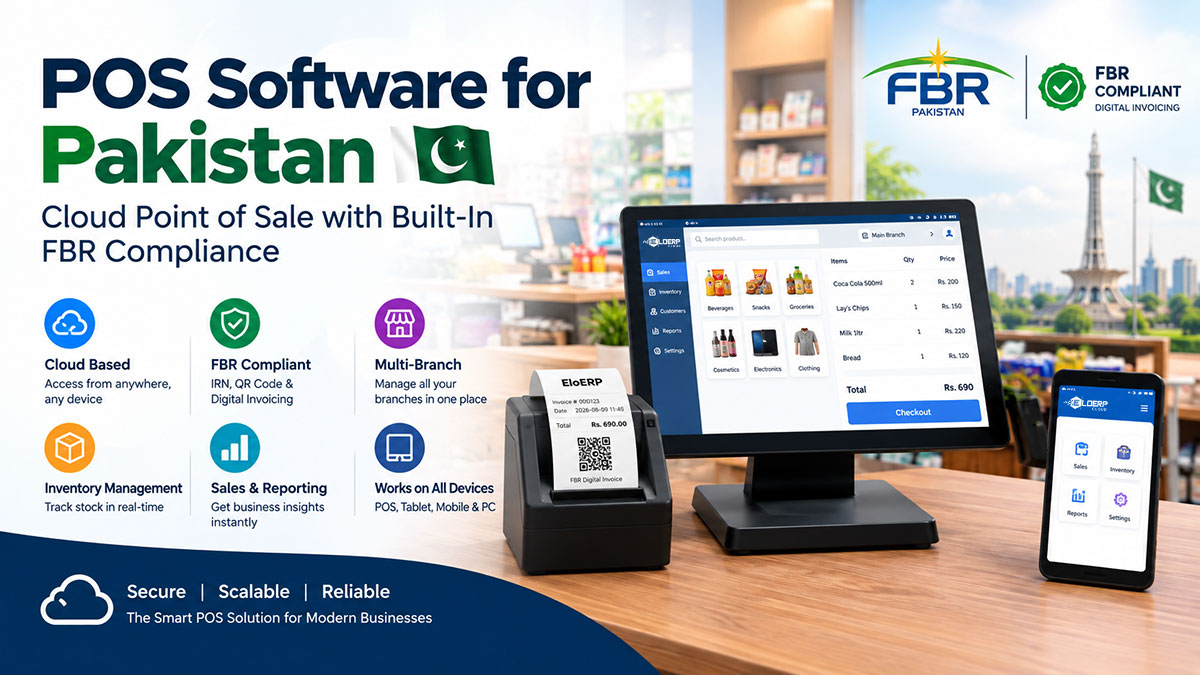
POS software is a cloud-based point-of-sale system that processes sales transactions, manages inventory, generates receipts, and integrates with accounting. In Pakistan, modern POS software includes FBR Digital Invoicing integration (real-time IRN and QR code generation), multi-branch management, offline mode, and industry-specific features like batch/expiry tracking for pharmacies or KOT printing for restaurants.
FBR Digital Invoicing — Is Your Business Ready?
Pakistan's Federal Board of Revenue is extending Digital Invoicing in phases, beginning with Tier-1 retailers [1]. Check the current notifications on FBR's website (or with your tax adviser) for what applies to your business and when.
Your POS software must generate real-time Invoice Registration Numbers (IRN) and print QR codes on receipts. But FBR digital invoicing is just the starting point. The right POS software eliminates month-end reconciliation nightmares, gives you real-time visibility across multiple branches, and integrates sales with inventory and accounting in a single system.
EloERP is Pakistan's all-in-one cloud POS + ERP platform with built-in FBR Digital Invoicing, offline mode for unreliable internet, flat-rate pricing (no per-user or per-terminal fees), and industry-specific modules for pharmacy, restaurant, retail, wholesale, and 30+ other sectors.
Start your 15-day free trial (no credit card required) or book a 30-minute demo to see FBR digital invoicing receipts, offline mode, and multi-branch dashboards in action.
What Is POS Software?
POS (Point of Sale) software is a digital system that processes sales transactions at the point of purchase. It combines hardware (barcode scanners, receipt printers, cash drawers, card readers) with software to handle sales, inventory updates, payment processing, receipt generation, and customer data collection.
Modern POS software runs in the cloud — accessible from any device, auto-updated without manual software installation, and synchronized across all locations in real-time. Cloud POS systems cost less upfront than traditional desktop systems, scale easily as your business grows, and integrate with accounting, e-commerce, payment gateways, and compliance systems like FBR Digital Invoicing.
For a complete guide to POS systems — including hardware requirements, types of POS systems, and implementation steps — see our comprehensive POS system guide.
Why POS Software Matters for Pakistan Businesses
1. FBR Digital Invoicing Compliance
FBR is rolling Digital Invoicing out in phases, starting with Tier-1 retailers. Where it applies, your POS must transmit every sale to FBR's IRIS portal, generate an Invoice Registration Number (IRN), and print a QR code on each receipt [2]. Manual compliance is impossible at scale — you need software that automates FBR integration.
Learn more: FBR Digital Invoicing Complete Guide
2. Real-Time Inventory Accuracy
Every sale updates inventory instantly — no more stockouts during peak hours or discovering overstocked slow-movers during month-end audits. Industry-specific tracking eliminates costly errors:
- Pharmacies: Batch and expiry tracking (FIFO/FEFO) ensures DRAP compliance and prevents selling expired medicines
- Electronics stores: IMEI/serial number tracking for warranty claims and repair management
- Garments: Size/color variant matrix prevents "we have it in blue, not red" customer disappointment
- Restaurants: Recipe ingredient tracking calculates food cost and triggers reorder alerts before you run out mid-service
3. Multi-Branch Visibility
Head office sees all branches' sales, stock levels, and performance in real-time. No more waiting for branch managers to email Excel sheets. Inter-branch stock transfers are tracked automatically. Branch-wise profit/loss reports show which locations need support and which deserve replication.
4. Integrated Accounting
In disconnected systems, sales staff enter invoices in POS, then accounting staff re-enter the same transactions in accounting software — doubling work and creating month-end reconciliation pain. All-in-one POS + accounting software creates accounting entries automatically from sales. A customer purchase updates three things simultaneously: cash/bank account (debit), sales revenue (credit), and inventory (reduced). No month-end reconciliation needed.
5. Customer Loyalty & Data
Track repeat purchases, customer preferences, and purchase history. Offer loyalty points, targeted promotions, and personalized discounts. Build a customer database that drives retention — especially critical for pharmacies (prescription refills), restaurants (regulars), and retail chains (membership programs).
6. Tax Compliance Beyond FBR
Provincial sales tax (Sindh Revenue Board, Punjab Revenue Authority), GST, and sector-specific regulations all require compliant invoicing. Modern POS software handles multi-jurisdictional tax calculation automatically — no manual lookup of tax rates or compliance tracking spreadsheets.
Key Features of Modern POS Software
FBR Digital Invoicing Integration
This is the differentiator for Pakistan businesses. Your POS must:
- Generate real-time Invoice Registration Numbers (IRN) from FBR's PRAL system at the point of sale
- Print QR codes on thermal receipts (scannable by FBR mobile app for verification)
- Transmit sales data to IRIS portal automatically
- Generate compliance reports for daily/monthly sales tax returns
- Handle invoice corrections and credit notes in the format FBR digital invoicing requires
Most international POS systems (Square, Loyverse, Clover) have zero FBR support. Even some Pakistan-based competitors treat FBR as a paid plugin or "coming soon" feature. EloERP has built-in FBR Digital Invoicing — real-time IRN and QR code generation included in the base platform.
Also see: FBR-Integrated POS Software Guide
Inventory Management
Core inventory features in modern POS software:
Product Management:
- Barcode/SKU scanning for fast checkout
- Product categories, brands, and custom attributes
- Size/color/variant matrix (garments, footwear, furniture)
- Product images and descriptions
- Multi-unit handling (sell by piece, buy by carton)
Advanced Tracking:
- Batch & expiry tracking: FIFO (First-In, First-Out) or FEFO (First-Expiry, First-Out) for pharmacies, food retail, and perishable goods
- IMEI/serial number tracking: Electronics, appliances, mobile phones — warranty claims and theft recovery
- Stock reconciliation: Periodic physical counts vs. system stock with variance reports
Multi-Location:
- Multi-warehouse and multi-branch stock visibility
- Inter-branch stock transfers with approval workflows
- Reorder level alerts (by location and product)
- Supplier-wise stock purchase history
Multi-Branch Management
Run multiple locations from a single dashboard:
- Centralized view: Head office sees all branches' sales, stock, and performance in real-time
- Branch-level permissions: Restrict access by role (branch manager can't see other branches' costs)
- Inter-branch transfers: Move stock between locations, track in-transit inventory
- Branch-wise reporting: Sales, profit/loss, employee performance, inventory turnover per location
- Consolidated financials: Roll up all branches into company-level P&L and balance sheet
Integrated Accounting
Double-entry bookkeeping built into POS — sales automatically create accounting journal entries:
- Accounts receivable/payable: Credit sales, customer payments, supplier invoices
- Bank reconciliation: Match POS cash/card deposits to bank statements
- GST/sales tax compliance: Auto-calculate tax, generate tax reports, file returns
- Financial statements: Profit & Loss, Balance Sheet, Cash Flow — updated in real-time
Why integrated accounting matters: Separate POS + accounting software means paying for two systems, manual data export/import, and month-end reconciliation delays. All-in-one platforms eliminate duplicate data entry and keep books current every day.
Payment Processing
Pakistan-specific payment methods + global standards:
- Cash sales: Cash drawer tracking, daily cash reconciliation
- Card payments: Integration with bank EDC terminals (Meezan, HBL, UBL, MCB)
- Mobile wallets: JazzCash, Easypaisa, SadaPay (Pakistan's top digital payment methods)
- Split payments: Partial cash + card, or cash + loyalty points
- Credit sales: Customer accounts with credit limits, aging reports, payment follow-ups
- Payment links: WhatsApp/SMS invoicing for remote orders (especially post-COVID)
Reporting & Analytics
Make decisions from data, not guesswork:
- Sales reports: Daily, weekly, monthly, year-over-year comparisons, custom date ranges
- Top-selling products: Identify bestsellers and slow-movers
- Employee performance: Sales per cashier, average transaction value, items per sale
- Branch performance: Compare branches by revenue, profit margin, inventory turnover
- Profit margin analysis: Product-wise, category-wise, supplier-wise gross profit
- FBR compliance reports: Daily sales tax summary, monthly return preparation, IRN logs
Offline Mode (Critical for Pakistan)
Internet reliability in tier-2 and tier-3 cities is a business risk. Most cloud POS systems require continuous internet — one outage = zero sales = lost revenue and frustrated customers.
EloERP's offline mode keeps your business running:
- Continue making sales during internet outages
- Transactions are queued locally on the POS device
- Auto-sync when internet connection is restored
- No data loss, no manual re-entry
This is rare in the market. Odoo, ERPNext, Loyverse, and most cloud POS competitors are cloud-only — no internet = no sales.
POS Software for Your Industry
Different businesses need different POS features. Generic retail POS software won't work for a pharmacy (no batch/expiry tracking), and restaurant POS without Kitchen Order Ticket (KOT) printing creates chaos in the kitchen.
Retail POS Software
General merchandise, clothing, electronics, footwear, bookstores, cosmetics, gifts — retail stores need:
- Barcode scanning for fast checkout
- Size/color variant matrix (garments, footwear)
- Seasonal inventory planning and promotions
- Customer loyalty programs and membership tiers
- Multi-store inventory visibility
Learn more: Retail POS Software for Pakistan
Pharmacy POS Software
Pharmacies have strict regulatory requirements and inventory complexity:
- Batch & expiry management: FEFO (First-Expiry, First-Out) ensures oldest expiring stock is sold first — prevents selling expired medicines (DRAP violation) and reduces wastage
- Controlled substance tracking: Narcotic and psychotropic drug logs for regulatory inspections
- Medicine database: Search by generic name, brand name, salt composition
- Prescription management: Link sales to prescriptions, track refills
- Insurance billing: Panel/corporate billing for health insurance claims
Learn more: Pharmacy POS Software
Restaurant POS Software
Restaurants, cafés, QSR, cloud kitchens, bakeries — food service needs:
- Table management: Assign orders to tables, split bills, merge tables
- Kitchen Order Ticket (KOT): Print orders to kitchen printers, track order status (pending, preparing, ready)
- Recipe/ingredient tracking: Calculate food cost per dish, track ingredient consumption, prevent over-portioning
- Modifiers & combos: Handle customizations (no onions, extra cheese), meal deals, combo offers
- Delivery integration: Foodpanda, Cheetay, in-house delivery riders
Learn more: Restaurant POS Software
Grocery & Supermarket POS
Supermarkets, mini-marts, convenience stores — high-volume, low-margin retail needs:
- Perishable goods expiry tracking (dairy, fresh produce, bakery)
- Bulk quantity handling (loose items sold by weight)
- Promotional pricing (buy-2-get-1, weekend discounts)
- Weighing scale integration (fruits, vegetables, meat counters)
Learn more: Grocery Store POS Software
Electronics & Appliances
Mobile phones, laptops, TVs, refrigerators, ACs — high-value electronics need:
- IMEI/serial tracking: Every unit tracked individually for warranty claims, returns, theft recovery
- Warranty management: Track warranty periods, claim history, service center coordination
- Installation & delivery: Schedule technician visits, track installation status
- Trade-in & buyback: Accept used devices in exchange, track refurbished inventory
Learn more: Electronics & Appliances POS
Garments & Footwear
Clothing, shoes, accessories — fashion retail needs:
- Size/color variant matrix: Track stock by size AND color (M-Blue, L-Red, XL-Black)
- Seasonal collections: Manage summer/winter inventory, clearance sales
- Exchange & return handling: Size exchanges without re-billing
- Tailor integration: Track alteration requests and pickup schedules
Learn more: Garments Store POS Software
Jewelry Stores
Gold, silver, diamonds, watches — high-value, regulated retail:
- Gold rate integration (real-time per-gram pricing)
- Stone weight and purity tracking (22K, 24K, 18K gold purity)
- Unique SKU per item (weight, design, craftsmanship)
- Repair/maintenance job cards
Learn more: Jewelry Store POS Software
Wholesale & Distribution
Distributors, wholesalers, importers — B2B sales need:
- Multi-warehouse management: Track stock across warehouses, godowns, container yards
- Bulk pricing & tiered discounts: Different pricing for different customer tiers (retailer, distributor, end-user)
- Credit terms: 30-day, 60-day, 90-day payment terms, aging reports
- Purchase order management: PO creation, 3-way matching (PO, goods receipt, invoice), vendor performance tracking
- Courier integration: TCS, Leopards, M&P, BlueEx — auto-generate airway bills, track shipments
Learn more: Wholesale & Distribution ERP
POS Software Pricing in Pakistan
Pricing models vary dramatically across POS vendors — and hidden fees can double your 3-year total cost. Here's how different models work:
Pricing Model Comparison
| Model | How It Works | Who Uses It | Pros | Cons |
|---|---|---|---|---|
| Per-User | Monthly fee × number of users | Odoo, Zoho, ERPNext cloud hosting | Scales with team size | Expensive for multi-user teams — the bill multiplies with every user |
| Per-Terminal | Monthly fee × number of POS devices | Some Pakistan competitors | Simple for single-store | Penalizes multi-branch growth — 5 terminals = 5× cost |
| Freemium | Free tier with limits, paid upgrades for advanced features | Some international POS apps | Low entry barrier, test before buying | Hidden caps (inventory SKUs, reporting, multi-store) — free tier rarely enough for serious businesses |
| Flat-Rate | Single subscription price, unlimited users/terminals/branches | EloERP | Predictable cost, no surprises as you grow | Rare in market |
EloERP Pricing Positioning
Flat-rate yearly subscription (monthly on request) — no per-user, per-terminal, or per-branch fees. Your cost stays the same whether you have 3 employees or 30, 1 branch or 10 branches, 500 SKUs or 50,000 SKUs.
What's included:
- ✅ FBR Digital Invoicing (real-time IRN + QR code) — not a paid plugin
- ✅ Unlimited users, unlimited POS terminals, unlimited branches
- ✅ Core modules (POS, inventory, purchasing, accounting, CRM, e-commerce integrations); HRM & Payroll and Manufacturing/Production are add-ons priced separately on request
- ✅ Industry-specific features (pharmacy batch/expiry, restaurant KOT, electronics IMEI, jewelry gold rate)
- ✅ Offline mode (keep selling during internet outages)
- ✅ Multi-branch dashboards and inter-branch transfers
- ✅ JazzCash, Easypaisa, local courier integrations
- ✅ Free migration support + staff training
- ✅ 15-day free trial, no credit card required
Pricing: on request — ask us for a quote for your business.
Compare total cost of ownership: POS System Cost in Pakistan — 2026 Pricing Guide
Total Cost of Ownership (TCO) Example
Scenario: 5-user, 3-branch retail business, 3-year period
Per-User Model:
- Per-user monthly fee × 5 users × 36 months
- FBR digital invoicing plugin (if available): often a one-time fee plus annual renewal
- Training & setup: often charged separately
- Total 3-year cost: rises with every user you add
Flat-Rate Model (EloERP):
- Flat-rate yearly subscription (pricing on request)
- FBR Digital Invoicing: Included
- Training & migration: Included
- Total 3-year cost: does not rise as you add users or branches
Hidden costs to watch:
- FBR digital invoicing plugins (charged separately by some vendors)
- Per-branch fees (even within same company)
- User license creep (adding seasonal staff = new licenses)
- Feature paywalls (advanced reports, API access, multi-company support often premium tiers)
- Setup and training fees (charged hourly or per-session)
How to Choose the Right POS Software for Your Business
Use this checklist to evaluate any POS vendor:
1. FBR Digital Invoicing Built-In
Not a future promise or paid add-on. Verify it's included and actively maintained today. Ask: "Can I see a sample FBR digital invoicing receipt with IRN + QR code from your live system?" If they show a mockup or say "coming soon," that's not a working integration.
2. Industry-Specific Features
Generic POS won't fit specialized needs:
- Pharmacy: Batch/expiry tracking, controlled substance logs
- Restaurant: KOT printing, table management, recipe costing
- Electronics: IMEI/serial tracking, warranty management
- Jewelry: Gold rate integration, stone weight tracking
If the vendor says "we can customize it for you," ask about cost and timeline — custom development often takes months and costs thousands.
3. Cloud + Offline Mode
Cloud gives you access anywhere, but offline mode is critical for Pakistan's internet reliability challenges. Verify: "What happens to sales if internet goes down? Can I continue billing customers, or do I lose sales until connection is restored?"
4. Integrated Accounting
Sale should automatically create accounting entry. If you need separate accounting software, you'll pay double (POS license + accounting license) and face month-end reconciliation nightmares. Ask: "Does a sale transaction update my general ledger automatically, or do I export/import between systems?"
5. Multi-Branch Ready
If you plan to open a second location (or already have multiple branches), verify multi-branch support is included, not a paid upgrade. Ask: "Can head office see all branches' sales and stock in real-time? Can I transfer stock between branches without manual Excel sheets?"
6. Transparent Pricing
Avoid per-user or per-terminal pricing traps. Ask: "What is my total cost for 5 users, 3 branches, 10,000 SKUs, over 3 years? Are there any hidden fees (setup, training, FBR plugin, multi-branch, API access)?"
7. Local Support
Pakistan time zone, Urdu/English support, local payment method knowledge (JazzCash/Easypaisa), and FBR/GST/provincial tax expertise. International vendors often have zero Pakistan compliance knowledge — their support teams in Belgium or India won't understand SRB or PRA requirements.
8. Free Trial
Never commit without testing on your actual workflow and data. 14-day minimum trial. Verify: "Can I import my current products and test FBR receipt generation during the trial, or is it a limited demo?"
9. Migration Support
If switching from another system, verify data import is included (not charged separately). Ask: "Will you import my products, customers, and opening stock from [current system], or do I manually re-enter everything?"
10. Scalability
System should handle business growth (more products, more branches, more transactions) without performance degradation or forced re-licensing. Ask vendors with per-user/per-terminal pricing: "If I double my branches next year, does my cost double, or is multi-branch growth included?"
For a detailed buyer's guide, see: How to Choose a POS System for Your Business
EloERP vs. Competitors — POS Software Comparison (Pakistan Market)
Here's an honest comparison of EloERP against the top POS software options available in Pakistan:
| Feature | EloERP | Odoo | ERPNext | Loyverse | Asaan POS | OneClick POS | Moneypex |
|---|---|---|---|---|---|---|---|
| FBR Digital Invoicing | ✅ Built-in, real-time IRN + QR | ⚠️ Third-party plugin (paid) | ⚠️ Community plugin (no official support) | ❌ No | ✅ Yes | ✅ Yes | ✅ Yes |
| Offline Mode | ✅ Yes | ❌ Cloud-only | ❌ Cloud-only | ❌ Cloud-only | ❌ Cloud-only | ❌ Cloud-only | ❌ Cloud-only |
| Integrated Accounting | ✅ Full double-entry | ✅ Full (complex setup) | ✅ Full (complex setup) | ❌ No (basic reports only) | ⚠️ Basic | ⚠️ Basic | ✅ Full |
| Pricing Model | ✅ Flat-rate | ❌ Per-user | ❌ Per-user + hosting | ⚠️ Tiered plans (capped) | Contact for pricing | Contact for pricing | Contact for pricing |
| Multi-Branch | ✅ Unlimited (included) | ✅ Yes (per-user cost applies to all branches) | ✅ Yes (per-user cost) | ⚠️ Paid upgrade for advanced features | ✅ Yes | ✅ Yes | ✅ Yes |
| Industry Depth | ✅ 19 modules, 30+ industries | ⚠️ Generic (customization needed) | ⚠️ Generic (customization needed) | ❌ Basic retail only | ⚠️ Specialized for jewelry/watches | ⚠️ Limited verticals | ⚠️ Accounting-first, POS secondary |
| Local Support | ✅ Pakistan office, Urdu/EN | ❌ International (Belgium HQ) | ❌ International (India-based) | ❌ International | ✅ Pakistan | ✅ Pakistan | ✅ Pakistan |
| Batch/Expiry Tracking | ✅ FIFO/FEFO | ✅ Yes (complex setup) | ✅ Yes (complex setup) | ❌ No | ❌ No | ❌ No | ✅ Yes |
| IMEI/Serial Tracking | ✅ Yes | ✅ Yes | ✅ Yes | ❌ No | ✅ Yes (core feature for luxury goods) | ❌ No | ⚠️ Limited |
| Payment Integrations (PK) | ✅ JazzCash, Easypaisa, local banks | ⚠️ Limited Pakistan support | ⚠️ Limited Pakistan support | ⚠️ Limited Pakistan support | ✅ Yes | ✅ Yes | ✅ Yes |
| Free Trial | ✅ 15 days, no card | ❌ Demo only | ✅ Yes (self-host) | ✅ Yes (limited) | ✅ Demo available | ✅ Demo available | ✅ Demo available |
| Best For | Multi-branch retail, pharmacy, restaurant, wholesale — all-in-one POS + ERP | Large enterprises with a substantial customization budget | Tech-savvy teams (self-host/customize) | Small single-store (café, salon, boutique) | Jewelry & watch retailers | Pakistan SMBs needing FBR POS | Accounting-heavy businesses |
When EloERP Wins
Choose EloERP if you need:
✅ FBR Digital Invoicing built in — not a paid plugin, not "coming soon," not a third-party integration that breaks when FBR updates their API
✅ Multi-branch growth without pricing penalties — flat-rate means your cost doesn't multiply when you open branches 2, 3, 4, and 5
✅ Offline mode for unreliable internet — tier-2/3 cities in Pakistan face frequent outages; offline mode keeps you selling
✅ All-in-one POS + ERP — avoid paying for separate POS, inventory, accounting, payroll systems and wrestling with integrations
✅ Industry-specific depth — pharmacy batch/expiry, restaurant KOT, electronics IMEI, jewelry gold rate tracking built-in (not custom development)
✅ Predictable pricing — no per-user traps, no per-terminal fees; one flat-rate quote for your business
When Competitors Win
Choose Odoo or ERPNext if:
- You have an enterprise-scale implementation budget
- In-house technical team to manage hosting and customization
- Deep manufacturing workflows (multi-level BOM, work orders, job costing) requiring heavy customization
Choose Loyverse if:
- You run a single small shop (café, salon, small boutique)
- You need only basic POS features
- You don't need accounting integration or FBR compliance
Choose Asaan POS if:
- You run a jewelry or luxury watch store
- You need specialized tracking by model, weight, karat, or serial number
- You value niche vertical focus over all-in-one breadth
Choose Moneypex if:
- Accounting depth is your primary need (POS is secondary)
- You're an accounting practice or CA firm serving clients
Also compare:
- EloERP vs. Odoo
- EloERP vs. ERPNext
- EloERP vs. Loyverse
- EloERP vs. Asaan POS
- Best POS Software in Pakistan 2026
Get Started with EloERP POS Software
Why choose EloERP for your Pakistan business:
✅ FBR Digital Invoicing built-in — Real-time IRN generation and QR code printing included (not a paid plugin)
✅ Offline mode — Keep selling during internet outages; transactions auto-sync when connection restored
✅ All-in-one POS + ERP — Inventory, accounting, payroll, purchasing, e-commerce, multi-branch in one platform
✅ Flat-rate pricing — No per-user, per-terminal, or per-branch fees; predictable yearly cost
✅ Industry-specific modules — Pharmacy batch/expiry, restaurant KOT, electronics IMEI, jewelry gold rate tracking
✅ Pakistan-first design — JazzCash, Easypaisa, TCS, Leopards, BlueEx integrations; FBR digital invoicing plus GST, SRB and PRA sales tax handling
✅ 15-day free trial — No credit card required, full access to all features
✅ Free migration support — We import your products, customers, and opening stock from your current system
✅ Local support — Pakistan office (Lahore), Urdu/English support, Pakistan time zone
Next Steps
1. Start Your Free Trial — 15 days, full access, no credit card 👉 Sign Up Now
2. Book a 30-Minute Demo — See FBR digital invoicing receipts, offline mode, and multi-branch dashboards live 👉 Schedule Demo
3. Ask for a Quote — Flat-rate plans, no hidden fees; pricing on request 👉 Request Pricing
Have questions? Contact our team at hello@eloerp.net.
Sources & Citations
[1] Taxonomy.pk — FBR Digital Invoicing: [2] FBR — Digital Invoicing FAQs: https://fbr.gov.pk/faqs/173967/173969 [3] Asaan POS Website: [4] OneClick POS Website: https://oneclickpos.pk [5] Moneypex Website: