
What Is POS? Point of Sale Systems Explained for Pakistan Businesses (2026)
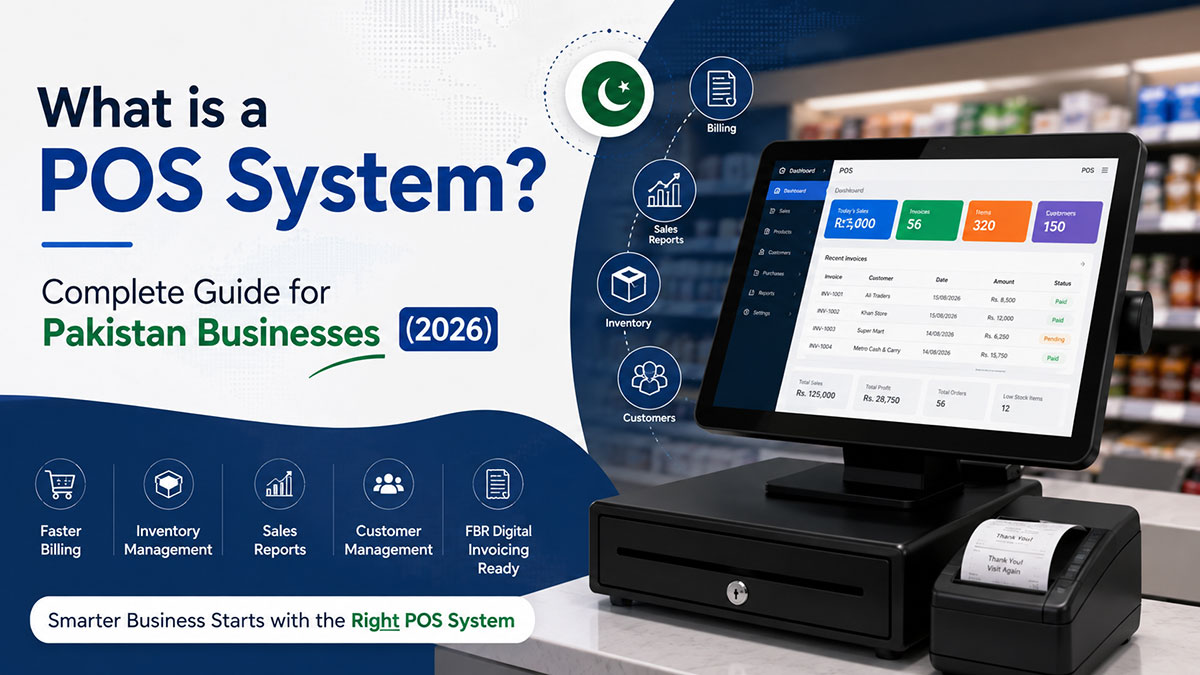
POS stands for point of sale: the counter where a customer pays, and the system that records the sale, takes payment, prints the receipt and updates your stock. In Pakistan, a POS can also report each invoice to FBR where digital invoicing applies to your business.
This guide explains what a POS system is, how it works at the till, the difference between POS hardware and POS software, and how to choose one for a shop, restaurant, pharmacy or wholesale business in Pakistan.
Definition: What Does POS Stand For?
A POS system (Point of Sale system) is a combination of hardware and software that businesses use to process customer transactions, track inventory, and manage accounting. Modern POS systems include a terminal or tablet, barcode scanner, receipt printer, and cloud-based software that syncs sales data in real time across multiple locations.
The term "Point of Sale" refers to the physical location and moment where a customer completes a purchase — your checkout counter, billing desk, or payment terminal. The POS system is the technology that handles everything at that point: recording the sale, accepting payment, printing a receipt, updating inventory, and posting the transaction to your accounting books.
Traditional vs. modern understanding:
- Traditional: A POS was simply a cash register — a device that opened a drawer and printed a receipt.
- Modern: Today's POS systems are comprehensive business management tools that integrate sales, inventory, accounting, compliance (like FBR digital invoicing), and multi-location operations into one platform.
How Does a POS System Work?
When a customer makes a purchase at your store, here's exactly what happens behind the scenes:
Step 1: Product selection and scanning The cashier scans product barcodes or manually selects items from the POS software. Each product's price, tax rate, and inventory details are pulled from your product database.
Step 2: Total calculation The POS software automatically calculates the subtotal, applies any discounts or promotions, adds sales tax (GST/FBR rates in Pakistan), and displays the final amount due.
Step 3: Payment processing The customer pays using cash, credit/debit card, mobile wallet (JazzCash, Easypaisa), or bank transfer. For card payments, the POS integrates with payment gateways to process the transaction securely.
Step 4: Receipt generation Once payment is confirmed, the system generates a receipt. For businesses under FBR's digital invoicing mandate, this step includes real-time transmission to FBR servers, receipt of an Invoice Registration Number (IRN), and generation of a QR code — before the receipt prints.
Step 5: Backend updates This is where modern POS systems shine: the moment the sale completes, your inventory count decreases automatically (the sold items are deducted from stock), the sale is recorded in your accounting ledger (sales revenue posted, cash/bank account updated), and if you have multiple branches, head office sees the transaction in real time.
FBR compliance integration (Pakistan-specific): For sales-tax-registered businesses, step 4 now includes automatic FBR integration. Your POS transmits invoice data to FBR's system, receives back an invoice number and QR code, and prints both on the customer receipt.
POS System Components: Hardware vs. Software
One of the most common questions business owners have is: "Do I need to buy special hardware, or is POS just software?" The answer: it depends on your needs. Let's clarify the difference.
Hardware Components
POS hardware is the physical equipment you use at checkout:
Essential hardware:
Terminal or tablet: The touchscreen device where your staff rings up sales. This can be a dedicated POS terminal, a PC or laptop, or a tablet. Browser-based cloud POS software gives you the "bring your own hardware" (BYOH) option.
Barcode scanner: Reads product barcodes to speed up checkout. Handheld laser scanners read standard 1D barcodes; 2D imagers also read QR and DataMatrix codes.
Receipt printer: Thermal printers are standard for POS receipts. Look for 58mm or 80mm roll width, USB or Bluetooth connectivity. FBR digital invoicing receipts require QR code printing capability — verify this before purchasing.
Cash drawer: Opens when a sale is completed. If you're card-only or mobile-payment-only, you may not need one.
Card reader: For credit/debit card payments, usually supplied by your bank under a merchant agreement.
Optional hardware (industry-specific):
Kitchen Display System (KDS): For restaurants — replaces paper KOT (Kitchen Order Tickets) with screens in the kitchen.
Label printer: Pharmacies and grocery stores use these to print barcode labels for items that arrive without one.
Weighing scale: For produce and bulk items sold by weight.
Customer-facing display: Dual-screen setups show the running total to customers for transparency.
Pakistan sourcing: POS hardware is sold online and in electronics markets such as Hall Road in Lahore and Saddar in Karachi.
Bring-your-own-hardware advantage: EloERP runs in a web browser, so the PC, laptop or tablet you already own can be the till. Add a barcode scanner and a receipt printer.
Software Components
POS software is where the real business value lives. This is the application that runs on your terminal or tablet and manages your entire operation:
Core POS software:
- Sales processing interface (checkout screen)
- Product catalog management (add items, set prices, organize by category)
- Customer records (loyalty programs, credit accounts, purchase history)
- Employee management (user accounts, shift tracking, sales-per-cashier reporting)
- Receipt customization (logo, footer text, terms and conditions)
Inventory management module:
- Real-time stock tracking across all locations
- Low-stock alerts and reorder point notifications
- Stock transfer between branches
- Batch and expiry tracking (critical for pharmacies)
- Serial number and IMEI tracking (for electronics, mobile phones, appliances)
Accounting module:
- Automatic ledger posting (every sale updates your books)
- Double-entry accounting (sales revenue, cost of goods sold, cash/bank accounts)
- Expense tracking
- Financial statements (profit & loss, balance sheet, cash flow)
- Tax calculations (FBR sales tax, provincial sales tax for services)
Reporting and analytics:
- Sales reports (daily, weekly, monthly — by location, by employee, by product)
- Best sellers and slow movers analysis
- Profit margin analysis
- Customer purchase patterns
Integrations:
- Payment gateways: JazzCash, Easypaisa, bank EDC machines, 1Link card processors
- E-commerce platforms: Shopify, WooCommerce, Daraz Marketplace — sync inventory and orders
- Courier services: TCS, Leopards, M&P, BlueEx — generate shipping labels from POS
- Compliance: FBR Digital Invoicing (Pakistan), ZATCA Fatoora (Saudi Arabia), MyInvois (Malaysia), UAE FTA
Cloud-based vs. on-premise POS:
| Feature | Cloud POS | Traditional (On-Premise) POS |
|---|---|---|
| Installation | Browser or app (no server needed) | Installed on local server + PCs |
| Upfront cost | Low (subscription-based) | Higher (licence plus server) |
| Access | Anywhere (phone, laptop, tablet) | Only on-site at the business |
| Updates | Automatic (new features pushed by vendor) | Manual (IT staff required) |
| Data backup | Held by the vendor in the cloud | Manual backups (risk of loss if server fails) |
| Multi-location | Real-time sync across branches | Complex and expensive to set up |
| Compliance updates | Pushed by the vendor | Installed by you or your vendor |
| Internet dependency | Requires internet (most have offline mode for outages) | Works offline (but limited remote access) |
EloERP's approach: A cloud POS with an offline POS option that keeps selling during internet outages and pushes the data to the cloud when the connection returns. FBR digital invoicing (through PRAL), multi-branch management and accounting run in the same system as the POS.
Types of POS Systems
Different industries need different POS features. Here's how systems are categorized:
Retail POS
Best for: Clothing stores, electronics shops, supermarkets, convenience stores, gift shops
Key features:
- SKU and barcode scanning for fast checkout
- Inventory tracking with size/color variant matrices (garments) or IMEI/serial numbers (electronics)
- Multi-location stock visibility
- Supplier and purchase order management
- Customer loyalty programs
Example use case: A 3-branch garment shop in Lahore tracks sales, inventory, and stock transfers in real time. When a customer asks for a size not in stock at one branch, the staff checks the other branches' inventory instantly and arranges a transfer.
Relevant page: Retail POS Software
Restaurant POS
Best for: Restaurants, cafes, quick-service restaurants (QSR), cloud kitchens, dhabas
Key features:
- Table management (assign orders to tables, split bills, merge tables)
- Kitchen Display System (KDS) integration — sends orders directly to kitchen screens
- Modifiers and customizations (e.g., "no onions", "extra cheese")
- Delivery and takeaway order management
Example use case: A fast-food outlet uses a KDS instead of paper KOTs. Orders appear on kitchen screens as they are sent, and the kitchen marks each one as it moves from cooking to ready.
Relevant page: Restaurant POS Software
Pharmacy POS
Best for: Medical stores, pharmacies, pharmaceutical distributors
Key features:
- Batch and expiry tracking (FEFO — First Expiry, First Out)
- Near-expiry reports with the value of stock at risk
- Pack sizes (box, strip, unit) with their own barcodes
- Reorder levels and purchase orders from shortages
Example use case: A pharmacy in Karachi records batch and expiry on every delivery, then checks a weekly near-expiry report to return or discount stock before it expires.
Relevant page: Pharmacy POS Software with Batch Tracking
Wholesale and Distribution POS
Best for: Distributors, wholesalers, importers, stockists
Key features:
- Bulk pricing and tiered pricing (different rates for retailers vs. sub-distributors)
- Goods Received Note (GRN) processing for inbound stock
- Multi-warehouse inventory management
- Credit sales and receivables tracking
- Purchase order and supplier management
Example use case: An FMCG distributor runs several warehouses and many retailer accounts. The system blocks credit sales that would exceed a customer's credit limit and shows which warehouse has stock for each order.
Relevant page: Wholesale Distribution POS Software
Mobile POS (mPOS)
Best for: Pop-up stores, market stalls, field sales, home delivery sales
Key features:
- Runs on smartphones and tablets
- Portable Bluetooth card readers
- GPS location tracking for field sales
- Offline mode for areas without internet
- Lightweight and battery-operated
Example use case: A cosmetics sales representative visits customers at home, takes orders on a tablet, processes card payments via Bluetooth reader, and syncs sales back to head office when she returns.
Benefits of a POS System for Pakistan Businesses
Here's why businesses in Pakistan move from manual billing to a POS system:
1. Faster checkout and higher throughput
Manual billing means a calculator and a handwritten invoice for every customer. Barcode scanning and automatic totals take most of that work away, so queues move faster.
2. Real-time inventory tracking
Know exactly what's in stock at every branch, at every moment. No more "I think we have it in the back" uncertainty. Low-stock alerts notify you before items run out. Prevent overstocking by seeing slow-moving items clearly.
3. Accurate sales reporting and data-driven decisions
Which products sell best? Which branches are most profitable? Which days of the week see the highest sales? Which employees process the most transactions? Modern POS systems answer all these questions with one-click reports — no manual spreadsheets.
4. Tax compliance automation (FBR Digital Invoicing)
For sales-tax-registered businesses brought into FBR's digital invoicing rollout, each invoice has to be reported to FBR and carry the FBR invoice number and QR code. Doing that by hand on a busy counter is not realistic. A POS with FBR integration does it as part of the sale.
In EloERP: FBR digital invoicing is built into the POS and sales invoices and connects through PRAL; each pushed receipt prints with its FBR invoice number and QR code.
5. Employee management and theft prevention
Track which employee processed which sales. If cash doesn't match the POS-recorded total at end of shift, you know exactly where the gap is. Set permission levels (cashiers can't edit prices; managers can process refunds). Shift reports (X and Z) show expected versus counted cash for each cashier.
6. Multi-location visibility and centralized control
Chains and franchises see all branches on one dashboard. Head office views real-time sales across all locations. Transfer stock between branches and see branch-level and consolidated reports.
7. Payment flexibility
Accept cash, cards, mobile wallets (JazzCash, Easypaisa), bank transfers, and installment plans — all from one checkout screen. Customers appreciate the flexibility, and you reduce dependency on cash handling.
8. Integrated accounting (no double-entry errors)
Every sale automatically posts to your ledger. No need to manually enter sales into accounting software at month-end. Your profit & loss, balance sheet, and tax calculations stay up to date in real time. It removes the month-end re-keying of sales.
Cloud-Based vs. Traditional (On-Premise) POS Systems
We touched on this earlier in the software section — let's dive deeper into which type suits your business:
When to choose cloud POS:
- Multi-location businesses: Cloud POS shares one set of data across branches. On-premise needs networking between sites.
- Growth plans: Adding new locations is as simple as logging in on a new device. On-premise requires new server installations.
- Remote management: Owners can check sales and inventory from their phone while traveling. On-premise requires being on-site or complex remote access.
- Budget-conscious startups: A subscription instead of an upfront licence and a server.
- Frequent tax-rule changes: Cloud POS updates are pushed by the vendor; on-premise updates have to be installed at each site.
When to choose traditional (on-premise) POS:
- Unstable internet areas: If your location has frequent, prolonged internet outages and you can't tolerate offline queuing, on-premise may be safer. (Check whether the cloud POS you are considering has an offline mode — EloERP's offline POS does.)
- One-time payment preference: Some owners prefer paying once (high upfront cost) rather than ongoing monthly fees. Compare the total over three years, not just the first payment.
- Data sovereignty concerns: If you want customer and sales data stored on your own server (not a cloud provider's), on-premise gives you full control. Ask any cloud vendor where your data is hosted.
Verdict for most Pakistan businesses: Cloud POS is the better choice. Lower cost, easier scaling, automatic compliance updates, and multi-location support outweigh the minor risk of internet dependency (which offline modes mitigate).
POS System vs. POS Software: What's the Difference?
This is a common point of confusion. Let's clarify:
POS System = the complete package (hardware + software). When a vendor sells you a "POS system," you're getting the terminal, scanner, printer, cash drawer, and the software preloaded.
Cost: Hardware is paid upfront, with the software subscription on top.
POS Software = just the application. You bring your own hardware (Android tablet, iPad, or laptop), install the software, and add peripherals (scanner, printer) separately.
Cost: A software subscription, plus whatever hardware you choose to buy.
When to buy a full system:
- You're starting from scratch (no tablets, no printer, no scanner).
- You want a vendor to set everything up for you (plug-and-play).
- You prefer proprietary hardware optimized for the POS software.
When to buy software-only:
- You already have tablets or laptops.
- You want flexibility to choose your own hardware brands.
- You're budget-conscious and want to save on upfront costs.
EloERP's model: Software subscription, billed yearly (monthly on request), running in the browser on hardware you choose.
How Much Does a POS System Cost in Pakistan?
The cost has two parts, and both vary a lot by setup:
- Hardware (one-time): till device, scanner, receipt printer, cash drawer — plus a KDS for restaurants or a label printer for pharmacies and grocers.
- Software (recurring): priced per terminal, per user, per branch, as a package, or free with transaction fees, depending on the vendor.
Costs to ask about up front: FBR integration (included or extra?), SMS receipts, priority support, card-payment fees from your bank, setup and data import.
EloERP pricing: on request, billed yearly (monthly on request). Add-ons — HRM & Payroll, Project Management, Manufacturing/Production and the POS, Waiter and Field Service mobile apps — are priced separately on request.
For a complete breakdown with total-cost-of-ownership calculations, see our detailed guide: POS System Cost in Pakistan: Complete Pricing Guide 2026.
How to Choose the Right POS System for Your Business
Use this 10-point checklist to evaluate POS options:
1. Industry fit
Does the POS have specialized features for your industry? Restaurants need KDS and table management. Pharmacies need batch/expiry tracking. Retail needs size/color variant matrices.
2. Inventory complexity
Simple SKU tracking (SKU + quantity) vs. advanced tracking (batch numbers, expiry dates, serial numbers, IMEI tracking). Match the POS to your inventory needs — don't overpay for features you won't use.
3. Multi-location needs
Single shop vs. chain/franchise. If you have or plan multiple locations, ensure the POS syncs data in real time across branches and provides centralized reporting.
4. Compliance requirements
Pakistan: FBR Digital Invoicing (mandatory for sales-tax-registered businesses) Saudi Arabia: ZATCA Phase 2 Fatoora (if expanding to Gulf) Malaysia: MyInvois (if expanding to Southeast Asia) UAE: FTA e-invoicing (being rolled out)
Check that the POS integrates with the e-invoicing systems of the markets you operate in. EloERP integrates with FBR (through PRAL), ZATCA Phase 2, MyInvois and UAE e-invoicing.
5. Payment integrations
Does it integrate with your payment gateway (JazzCash, Easypaisa, bank EDC)? Can it handle cash, card, mobile wallet, and credit sales from one screen? Is there a transaction fee on top of gateway fees?
6. Offline mode capability
Can the POS continue processing sales if internet goes down? How does it queue and sync transactions when connection returns? This is critical for Pakistan where internet outages happen.
7. Accounting integration
Does the POS have built-in accounting (double-entry ledger, financial statements), or does it export data to a separate accounting package? Built-in is better — eliminates reconciliation errors and manual data entry.
8. Scalability
Can the POS grow from 1 location to 50+ locations without switching platforms? Can it handle 10,000+ SKUs as your product catalog expands? Will pricing change drastically as you scale?
9. Support and training
Is support available in Urdu and English? Are support staff in Pakistan (same timezone), or international (delayed responses)? Does the vendor provide on-site training, or just videos?
10. Total cost of ownership
Add up hardware cost + software subscription + compliance add-ons + support fees + transaction fees + setup/training costs. Compare 3-year total cost across vendors, not just monthly price.
Pro tip: Take free trials before committing. EloERP offers a 15-day free trial (no credit card required). Test the POS with your own products and workflows before buying.
POS System Compliance in Pakistan: FBR Digital Invoicing
This is the critical differentiator for Pakistan businesses in 2026. Let's break down what you need to know:
What is FBR digital invoicing?
Under SRO 1852(I)/2025 and subsequent notifications, sales-tax-registered businesses brought into the rollout must generate invoices electronically and transmit them in real time to the Federal Board of Revenue before issuing to customers. Each invoice receives a unique Invoice Registration Number (IRN) and QR code from FBR's system.
Who must comply?
Sales-tax-registered persons, under a rollout phased by turnover. [1][2] Check the current notifications on FBR's website (or ask your tax adviser) for what applies to your business and when.
The earlier Tier-1 retailer POS regime has been folded into the broader digital invoicing rollout.
Why it matters
Business benefits: customers can scan the QR code to verify an invoice, and your sales records match what FBR holds for you.
How POS systems integrate with FBR
The workflow:
- Cashier completes a sale in the POS
- POS transmits invoice data (buyer NTN, item details, tax amount) to FBR
- FBR validates the data and returns an IRN and QR code
- POS prints the receipt with IRN and QR code displayed
- Customer receives the receipt with the FBR invoice number and QR code
Offline handling: Ask how the POS behaves when the internet drops and how invoices are sent once it returns. FBR also sets a limited window for editing or cancelling transmitted invoices; check the current rules on FBR's website. [2]
How EloERP handles FBR digital invoicing
Built in: FBR digital invoicing is part of EloERP's POS and sales modules and connects to FBR through PRAL — no separate login or re-keying.
Per receipt: FBR is switched on per company, and each sale can be pushed to FBR; the receipt prints with the FBR invoice number and QR code.
Guided go-live: a go-live checklist covers sandbox and production tokens, seller details and the scenarios FBR assigned to you.
Reconciliation: paste invoice numbers from your IRIS portal export and EloERP lists what matches and what doesn't.
For the complete FBR compliance guide, see: FBR Digital Invoicing in Pakistan: The Complete 2026 Guide [1][2]
Conclusion: Choosing the Right POS System for Your Pakistan Business
A modern POS system is no longer optional for serious businesses in Pakistan — it's essential for efficiency, compliance, and growth. Whether you run a single shop or a multi-branch chain, the right POS system will:
- Speed up checkout and reduce customer wait times
- Track inventory in real time across all locations
- Report invoices to FBR with the invoice number and QR code on every receipt
- Integrate accounting so every sale posts to your books automatically
- Provide data-driven insights (best sellers, profit margins, employee performance)
- Scale with your business from one location to many
Next steps
Assess your needs: What industry are you in (retail, restaurant, pharmacy, wholesale)? How many locations do you have or plan to have? What's your compliance status (FBR-registered or not)?
Evaluate POS options: Use the 10-point checklist above. Compare cloud vs. on-premise, per-terminal pricing vs. flat-rate, built-in FBR integration vs. add-on modules.
Test before buying: Take advantage of free trials. See how the POS handles your actual products, workflows, and team — not just a sales demo.
Calculate total cost: Hardware + software + compliance modules + support + transaction fees over 3 years — not just the advertised monthly price.
Ready to try a cloud-based POS system with built-in FBR digital invoicing? Start your free 15-day trial of EloERP — no credit card required. Try EloERP Free →
Have questions about which POS setup fits your business? Book a free demo with our team and we'll walk through how EloERP handles your type of business. Book a Demo →
Sources
- Federal Board of Revenue — Digital Invoicing FAQs: https://fbr.gov.pk/faqs/173967/173969
- FBR — Digital Invoicing Technical Assistance: https://fbr.gov.pk/di-technical-assistance/173967/173970