
FBR Digital Invoicing Pakistan: What It Is, How It Works & Who Must Comply
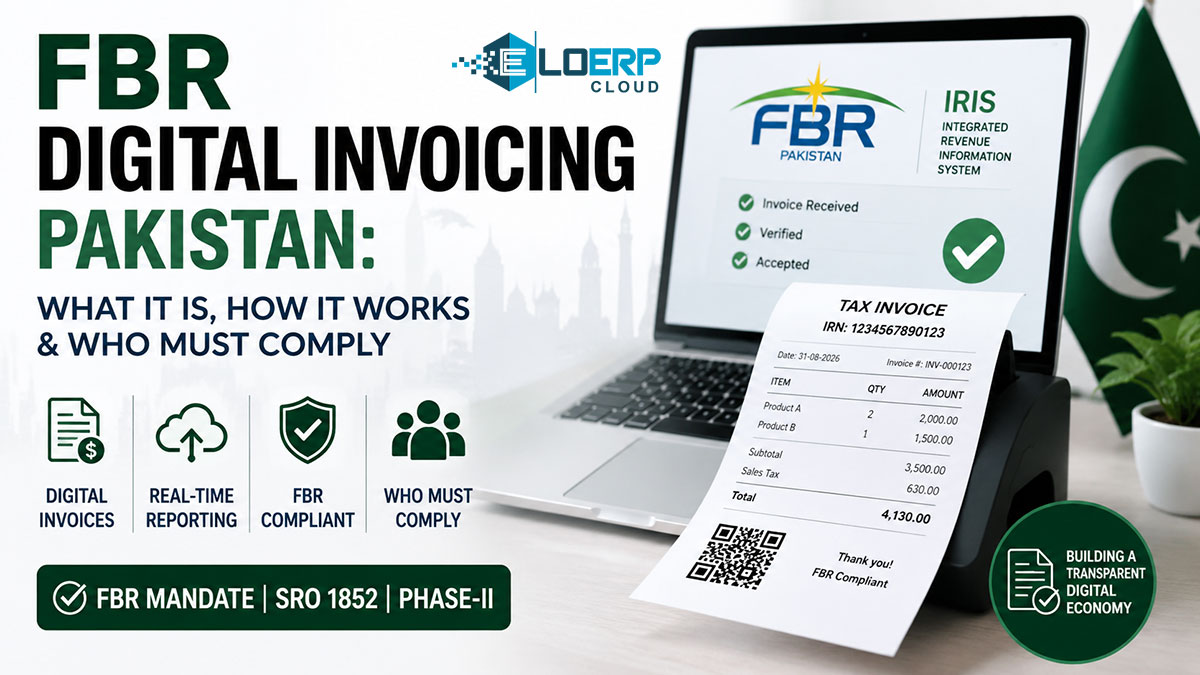
Pakistan's Federal Board of Revenue (FBR) has transformed how businesses issue invoices. FBR Digital Invoicing replaces traditional paper receipts with a real-time electronic system that transmits every sale to government servers within seconds. For 200,000+ registered businesses across Pakistan, this shift from manual tax filing to automated compliance represents the biggest change to sales tax administration in decades.
If you operate a retail store, pharmacy, restaurant, or wholesale business in Pakistan, FBR Digital Invoicing is likely to apply to you if you are sales-tax registered. This guide explains what the system is, who it covers, how it works step-by-step, and how different implementation options (ERP systems, upload-based tools, or manual entry) compare.
What Is FBR Digital Invoicing?
FBR Digital Invoicing is Pakistan's mandatory electronic invoice system where sales tax invoices transmit to PRAL (Pakistan Revenue Automation Limited) in real-time. Each validated invoice receives an Invoice Registration Number (IRN) and QR code verifiable via FBR Taj app, creating a digital audit trail. Introduced via SRO 1852(I)/2025, it is being extended in phases to sales tax registered businesses.[1][2][3] Check the current notifications on FBR's website (or ask your tax adviser) for what applies to your business and when.
Why FBR Introduced Digital Invoicing
Pakistan's tax authorities faced significant revenue leakage from sales tax evasion. Before digital invoicing, businesses filed returns manually on a monthly or quarterly basis, making it difficult for FBR to verify transactions in real-time. Common issues included:
- Fake invoices: Businesses claimed input tax credits on fabricated purchase invoices that never existed
- Under-reporting sales: Retailers reported lower sales figures than actual transactions, reducing tax liability
- Manual reconciliation burden: FBR auditors spent months cross-checking paper records to detect discrepancies
- Delayed enforcement: By the time FBR identified non-compliance, businesses had months of unreported transactions
Digital invoicing solves these problems by creating a real-time record of every sale at the moment of transaction. When a customer makes a purchase, the invoice data flows immediately to PRAL servers, making it impossible to hide transactions or fabricate invoices after the fact.
What Changed from Paper Invoicing
The shift from traditional paper invoices to FBR Digital Invoicing introduced three major changes:
1. Real-time verification: Every invoice is validated by PRAL servers within seconds of creation. If the invoice data is incorrect (wrong tax calculation, invalid buyer STRN, missing required fields), the system rejects it immediately rather than discovering errors months later during an audit.
2. IRN requirement: Paper invoices were valid with just a serial number assigned by the business. Digital invoices require an IRN (Invoice Registration Number) assigned by PRAL. Without an IRN, the invoice has no legal validity for sales tax purposes, and buyers cannot claim input tax credits.
3. QR code verification: Customers receive a QR code on their receipt that links directly to the PRAL database record. Scanning this code via the FBR Taj app shows the transaction details FBR received, allowing customers to verify that the business actually reported their purchase to tax authorities.
Who Administers FBR Digital Invoicing
PRAL (Pakistan Revenue Automation Limited) operates as FBR's technology arm and manages the digital invoicing infrastructure. PRAL maintains the central database that receives all invoice transmissions, validates invoice data, assigns IRNs, generates QR codes, and provides the FBR Taj verification app.
Businesses connect to PRAL through three methods: (1) direct API integration via ERP/POS software, (2) licensed integrators who provide upload-based tools, or (3) manual entry through the FBR IRIS web portal. PRAL offers free integration services to businesses that request them.[1]
FBR Digital Invoicing vs Traditional Paper Invoicing
| Feature | FBR Digital Invoicing | Traditional Paper Invoicing |
|---|---|---|
| Transmission | Real-time to PRAL database (within seconds of sale) | Manual filing monthly/quarterly (weeks or months after sale) |
| Verification | IRN + QR code (instant customer verification via FBR Taj app) | No instant verification mechanism |
| Audit trail | Automated digital record stored permanently in PRAL database | Manual record-keeping with paper files or local computer storage |
| Compliance burden | Automated when ERP-integrated (zero manual effort per invoice) | Manual reconciliation required (calculate totals, file returns, cross-check records) |
| Input tax claims | Buyer can claim input tax only if invoice has valid IRN from PRAL | Buyer could claim input tax on any invoice, verified only during audits |
| FBR visibility | Complete real-time visibility into all transactions across Pakistan | Limited visibility until monthly/quarterly returns filed |
This table shows why FBR views digital invoicing as a transformation rather than just a technical update. The shift from periodic manual filing to real-time automated transmission fundamentally changes the relationship between businesses and tax authorities.
Who Must Comply with FBR Digital Invoicing?
FBR Digital Invoicing compliance rolled out in two phases, expanding from large retailers to all sales tax registered entities.
Phase I: Tier-1 Retailers
Who qualified as Tier-1: Retailers with annual sales turnover exceeding Rs 100 million during the previous tax year. This included major retail chains, large pharmacies, prominent restaurants, and high-volume electronics stores. See detailed Tier-1 retailer FBR requirements.
Phase II: All Registered Businesses
Who must comply: ALL sales tax registered businesses in Pakistan, regardless of turnover. This includes:
- Wholesalers and distributors (even if turnover is below Rs 100 million)
- Manufacturers of all sizes
- Service providers registered for sales tax
- Small retail shops with sales tax registration
- Restaurants, pharmacies, and other B2C businesses
Exemptions: None for sales tax registered entities once their phase applies.[1] For how the phases have been rolled out, see our FBR digital invoicing rollout guide.
What about income tax vs sales tax: FBR Digital Invoicing applies only to sales tax registered businesses. If you are registered only for income tax (not sales tax), this requirement does not apply to you. However, if you issue sales tax invoices to customers, you must comply.
How FBR Digital Invoicing Works (5-Step Process)
Understanding the technical process helps businesses choose the right implementation option. For a complete guide to selecting FBR-compliant software, see our FBR digital invoicing software guide. Here's what happens from the moment a customer makes a purchase to invoice verification:
Step 1: Business Registration with FBR IRIS Portal
Before issuing digital invoices, businesses complete a one-time setup:
- IRIS portal registration: Log into https://iris.fbr.gov.pk with your STRN credentials
- Tax certificate setup: Upload digital copies of your sales tax registration certificate
- Integrator selection: Choose either (a) PRAL's free integration service, (b) a licensed third-party integrator, or (c) manual IRIS portal entry
- API credentials: If using ERP/POS software, generate API keys that allow your system to transmit invoices to PRAL
This registration typically takes 1-2 hours for businesses using manual entry, or 1-2 days for businesses setting up API integration with ERP systems.
Step 2: Invoice Generation (POS/ERP System or Manual)
When a customer makes a purchase, the business creates an invoice containing:
Required invoice fields:
- Seller STRN (your sales tax registration number)
- Buyer STRN (if the buyer is sales tax registered; optional for B2C sales)
- Itemized sales (description, quantity, unit price for each product/service)
- Tax breakdown (showing sales tax amount separately from base price)
- Invoice serial number (your internal numbering system)
- Date and time of transaction
Three generation methods:
- ERP/POS automatic: POS system at checkout automatically creates invoice with all required fields based on the sale
- Upload-based tool: Business generates invoice in their existing POS, exports data, then uploads to integrator's portal
- Manual IRIS entry: Business logs into FBR IRIS portal and types invoice details manually
The invoice at this stage does NOT yet have an IRN or QR code—those are assigned by PRAL in the next steps.
Step 3: Invoice Transmission to PRAL
The invoice data travels from the business to PRAL servers for validation:
Automatic transmission (ERP-integrated): The moment the cashier saves the sale, the POS system transmits invoice data via secure API connection to PRAL. This happens in the background without staff interaction, typically completing within 2-5 seconds.
Manual upload (upload-based tools): Business exports invoice data from their POS as a CSV or XML file, logs into the integrator's web portal, and uploads the file. The integrator's system then transmits to PRAL. This can be done per invoice or in daily batches.
Manual IRIS entry: Business manually enters the invoice into the IRIS portal and clicks "Submit to PRAL." Each invoice requires manual submission.
PRAL validation: PRAL servers check the invoice data for:
- Valid seller STRN (is your business actually registered for sales tax?)
- Valid buyer STRN if provided (does the buyer registration number exist in FBR database?)
- Correct tax calculation (does sales tax amount match the rate for this product category?)
- Complete required fields (are all mandatory data points included?)
If validation fails, PRAL returns an error message (e.g., "Invalid buyer STRN" or "Tax calculation mismatch") and the business must correct the invoice and resubmit.
Step 4: Invoice Registration Number (IRN) Assignment
Once PRAL validates the invoice, it assigns a unique Invoice Registration Number (IRN):
IRN format: A long alphanumeric string (e.g., "1234567890ABCDEFGH") that serves as the invoice's permanent ID in the PRAL database
IRN issuance: PRAL returns the IRN to the business system within seconds (for ERP-integrated businesses) or displays it on screen (for manual IRIS users)
Legal significance: The invoice becomes legally valid for sales tax purposes only when it receives an IRN. Without an IRN:
- The invoice cannot be used by buyers to claim input tax credits
- FBR considers the sale unreported for tax compliance purposes
Storage requirement: Businesses must store the IRN alongside the invoice record in their accounting system for audit purposes.
Step 5: QR Code Generation & Customer Verification
PRAL generates a QR code containing the invoice's key details:
QR code contents:
- IRN (the unique invoice ID from Step 4)
- Seller STRN
- Invoice amount (total including tax)
- Sales tax amount
- Transaction date
For a detailed technical explanation, see how IRN and QR codes work in FBR digital invoicing.
Printing on receipt: The business prints the QR code on the customer's invoice/receipt. For ERP-integrated POS systems, the QR code prints automatically on thermal receipts. For manual IRIS users, PRAL displays the QR code on screen, which the business can print or copy onto the paper invoice.
Customer verification: Customers download the FBR Taj mobile app (available on iOS and Android), scan the QR code, and see the invoice details that PRAL received. This allows customers to confirm that the business actually reported the sale to FBR, creating a public enforcement mechanism where customers can detect tax evasion.
Verification impact: If the QR code scan shows different amounts than what the customer paid, it indicates the business under-reported the sale to FBR. Customers can report such discrepancies via the FBR Taj app, triggering FBR audits.
Visual Flow Summary
Sale → POS/ERP Invoice → Transmit to PRAL → PRAL Validates → IRN Assigned → QR Code Generated → Print Receipt with QR → Customer Scans QR → FBR Taj Verifies
This entire process takes 2-10 seconds for businesses with native ERP integration, 5-30 minutes for businesses using upload-based tools (depending on batch size), and 3-5 minutes per invoice for businesses using manual IRIS entry.
How ERP Systems Handle FBR Digital Invoicing (Implementation Options)
Businesses have three main options for implementing FBR Digital Invoicing, each with different cost structures, automation levels, and suitability for various business sizes.
Option 1: Native ERP Integration (Recommended for Multi-Location Businesses)
How it works:
The ERP system integrates directly with FBR PRAL via secure API connection. When a cashier completes a sale at the POS terminal, the ERP automatically:
- Generates the invoice with all required FBR fields
- Transmits invoice data to PRAL via API
- Receives the IRN from PRAL
- Generates the QR code
- Prints the receipt with IRN and QR code
- Updates stock quantities, accounting ledgers, and FBR invoice records simultaneously
This entire process happens in the background within 2-5 seconds per transaction, with zero manual staff intervention.
Workflow example (pharmacy):
Customer purchases Rs 2,500 in medicines → Cashier scans barcodes → POS calculates total + 17% sales tax → Cashier accepts payment → POS saves the sale → Automatic transmission to PRAL → PRAL validates and assigns IRN → QR code prints on thermal receipt automatically → Stock quantity decreases for each medicine → Accounting ledger records the sale and sales tax liability
Staff only see a 2-3 second delay between clicking "Save Sale" and the receipt printing. All FBR transmission happens invisibly in the background.
Advantages:
- Zero manual effort: No staff time spent on FBR invoicing after initial setup. Invoices transmit automatically with each sale
- Single-entry system: One transaction updates stock, accounting, and FBR records simultaneously. No duplicate data entry across multiple systems
- Multi-branch centralized FBR invoicing: All store locations transmit invoices to PRAL automatically. Headquarters can monitor FBR invoicing status for all branches in real-time via the ERP dashboard
- Audit-ready records: All invoices stored in the ERP with IRN, QR code, PRAL acknowledgment, and customer details, creating a complete digital audit trail
Disadvantages:
- Higher upfront cost: Requires purchasing a full ERP system license, not just invoicing software
- Implementation time: 2-4 weeks for initial setup, staff training, and data migration
- Change management: Staff must learn new POS/ERP workflows
Best for:
- Multi-branch retail chains (clothing, electronics, grocery stores)
- Pharmacy chains with 3+ locations
- Restaurant groups with multiple outlets
- Wholesalers processing 50+ invoices daily
- Businesses planning to grow from 1-2 locations to multiple branches
Examples: EloERP (covered in detail below), Odoo with FBR module, ERPNext with FBR plugin, AmalERP, Moneypex
Option 2: Upload-Based FBR Invoicing Tools (For Single-Location Businesses)
How it works:
Business continues using their existing POS or accounting software to generate invoices. At the end of each day (or per invoice for low-volume businesses), staff:
- Export invoice data from the POS as a CSV or XML file
- Log into the integrator's web portal
- Upload the invoice file
- The integrator's system transmits to PRAL
- PRAL assigns IRNs and returns QR codes
- Staff download QR codes and either reprint receipts or provide QR codes to customers via SMS/email
Workflow example (small restaurant):
Close daily sales at 11 PM → POS exports 47 invoices to CSV file → Manager logs into integrator portal (e.g., e-invoicing.pk) → Upload CSV file → Wait 2-5 minutes for processing → Portal displays 47 IRNs and QR codes → Manager downloads QR code images → Manual step: For customers who request receipts with QR codes, staff must reprint or send via WhatsApp
Advantages:
- Lower upfront cost: Subscription typically Rs 2,000-5,000/month, vs a yearly subscription for a full ERP
- Simple setup: Can be operational within 1-2 days
- No POS replacement required: Business keeps using familiar existing systems
Disadvantages:
- Manual steps required: Staff must export, upload, and download QR codes daily (or per invoice). This adds 10-30 minutes of daily work depending on invoice volume
- Double-entry burden: Invoice entered in POS, then uploaded to FBR tool separately. If invoice details change (customer requests correction), both systems need updating
- No offline queueing: If internet is unavailable, invoices cannot be uploaded until connectivity restores. Business must track pending uploads manually
- No stock/accounting integration: FBR compliance handled separately from inventory and accounting. Three different systems (POS + integrator portal + accounting software) require reconciliation
- Multi-branch complexity: Each location must upload invoices separately. No centralized compliance dashboard
Best for:
- Single-location retailers with 10-50 invoices daily
- Service businesses (salons, repair shops) with low invoice volume
- Businesses already using standalone POS that lacks FBR integration
- Businesses testing FBR compliance before committing to full ERP migration
Examples: e-invoicing.pk, fbrdigitalinvoice.com, MyDigitalInvoice.pk (licensed integrators offering upload-based tools)
Option 3: Manual Web Portal (FBR IRIS Portal)
How it works:
Business logs into the FBR IRIS portal (https://iris.fbr.gov.pk) and manually types invoice details for each transaction.
Workflow per invoice:
- Log into IRIS portal with STRN credentials
- Click "Create New Invoice"
- Type seller STRN (pre-filled from login)
- Type buyer STRN if B2B sale, or mark as "not registered" for B2C
- Enter line items: product description, quantity, unit price (repeated for each product)
- System calculates sales tax
- Review totals and click "Submit to PRAL"
- Wait 5-10 seconds for PRAL validation
- PRAL assigns IRN and displays QR code on screen
- Download QR code image
- Print or copy QR code onto the paper invoice you give the customer
This process takes 3-5 minutes per invoice for experienced users, longer for complex invoices with many line items.
Advantages:
- Zero software cost: IRIS portal is free
- No setup required: Business can start immediately with just STRN credentials
Disadvantages:
- Labor-intensive: 3-5 minutes of manual data entry per invoice is unsustainable for businesses with more than 10 invoices daily
- Error-prone: Manual typing creates risks of incorrect amounts, tax calculations, or STRN entries
- Triple-entry burden: Invoice handwritten or created in standalone POS → entered into IRIS manually → entered into accounting ledger manually. Three separate steps for each transaction
- No integration with stock or accounting: FBR compliance completely disconnected from business operations
- Scalability ceiling: A business processing 20 invoices daily spends 60-100 minutes on manual IRIS entry. At 50 invoices daily, the business needs dedicated staff just for invoice entry
Best for:
- Very small businesses with fewer than 5-10 invoices per day
- Service providers (consultants, freelancers, repair shops) with low transaction volume
- Startups testing market demand before investing in POS/ERP systems
- Businesses in rural areas with unreliable internet (can batch-enter invoices when connectivity allows)
Not suitable for:
- Retail stores (even small ones typically exceed 10 daily transactions)
- Restaurants with table service (multiple bills per hour during meal periods)
- Any business planning to grow beyond micro-scale
Implementation Options Comparison Table
| Feature | Native ERP Integration | Upload-Based Tools | Manual IRIS Portal |
|---|---|---|---|
| Automation | Fully automatic (zero manual steps per invoice) | Semi-automatic (daily batch upload) | Fully manual (3-5 min per invoice) |
| Effort per invoice | Zero (auto at point of sale) | Low (batch upload 10-30 min daily) | High (manual entry per invoice) |
| Stock/accounts integration | Yes (single-entry: sale updates stock + ledger + FBR) | No (double-entry: POS + upload) | No (triple-entry: POS + IRIS + ledger) |
| Multi-branch support | Yes (centralized dashboard shows all locations) | Limited (per-location upload) | No (manual per branch) |
| Setup cost | Medium-High (yearly ERP subscription) | Low (Rs 2,000-5,000/month subscription) | Free |
| Best for | Multi-location, high volume (50+ invoices daily) | Single-location, medium volume (10-50 invoices daily) | Very low volume (<10 invoices daily) |
| Scalability | Excellent (handles 100s of daily invoices easily) | Moderate (daily upload becomes burdensome beyond 100 invoices) | Poor (unsuitable beyond 10-15 daily invoices) |
| Audit readiness | Excellent (all data centralized with PRAL acknowledgments) | Moderate (requires reconciling POS + integrator + ledger) | Poor (manual records prone to gaps) |
EloERP's FBR Digital Invoicing Solution
EloERP provides native PRAL API integration as a core feature of its cloud ERP and POS system, positioning FBR digital invoicing as built-in rather than an add-on.
Automatic transmission at point of sale: When a cashier completes a transaction at any EloERP POS terminal (retail, pharmacy, restaurant modes), the system immediately transmits invoice data to PRAL via secure API, receives the IRN, generates the QR code, and prints it on the thermal receipt—all within 2-3 seconds with zero manual steps.
Multi-branch centralized FBR invoicing: Businesses with multiple locations see FBR invoicing status for all branches in the EloERP dashboard. Headquarters can monitor in real-time which locations have transmitted invoices, identify any rejected invoices that need correction, and generate FBR invoicing reports showing IRN assignment rates across all stores.
Single-entry system: A single transaction in EloERP updates stock quantities, accounting ledgers, and FBR invoice records simultaneously. When a pharmacy sells medicine, the sale decreases inventory (triggering reorder alerts when stock falls below minimum levels), records revenue and sales tax liability in the accounting ledger, and transmits the invoice to PRAL—all from one "Save Sale" action.
IRN and QR code auto-print: EloERP formats thermal receipts to include the IRN and QR code automatically. No separate printing step or manual QR code generation required.
Audit trail: All invoices stored in EloERP include the IRN, QR code image, PRAL transmission timestamp, and acknowledgment status. During FBR audits, businesses can generate reports showing all invoices transmitted in any date range, with proof of PRAL acceptance.
Supported verticals: EloERP provides FBR-integrated POS modes for:
- Retail POS (general merchandise, electronics, clothing, grocery)
- Pharmacy POS (batch/expiry tracking + FBR invoicing)
- Restaurant POS (table management, KOT + FBR invoicing)
- Wholesale distribution (B2B invoicing with buyer STRN capture)
- Multi-branch chains (centralized FBR invoicing across all locations)
Learn more: See how EloERP's FBR-integrated POS and ERP system automates digital invoicing for Pakistan businesses → EloERP FBR POS Software
Ready to Automate FBR Digital Invoicing?
FBR Digital Invoicing represents a fundamental shift from manual tax filing to real-time automated reporting. For businesses processing more than 10-15 invoices daily, native ERP integration eliminates manual work and missed invoices.
EloERP's FBR-integrated POS and ERP system handles invoice transmission, IRN assignment, QR code generation, and multi-branch FBR invoicing automatically—with no FBR add-on fees.
Start your 15-day free trial (no credit card required) → Try EloERP Free
See live FBR invoicing in action → Schedule a 30-minute demo
Compare ERP options → Complete guide to FBR digital invoicing software
Regulatory Sources
All requirements cited in this guide are sourced from:
[1] FBR - Digital Invoicing FAQs: https://fbr.gov.pk/faqs/173967/173969
[2] Taxonomy.pk - FBR Digital Invoicing:
[3] SRO 1852(I)/2025 - Sales Tax Rules 2006, Rule 150Q (Phase I and Phase II)
Consult your tax advisor for business-specific compliance guidance.