
POS Software Pakistan: Complete Guide to Choosing the Right System for Your Business (2026)
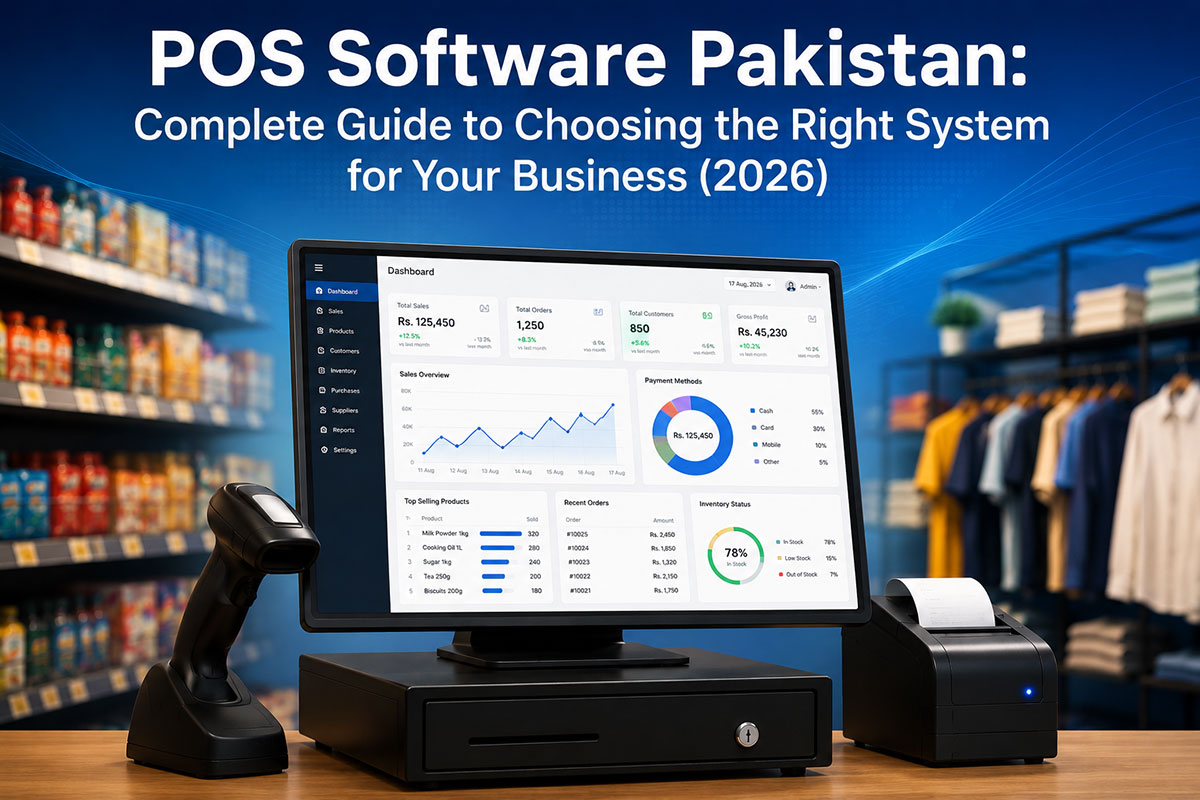
POS software in Pakistan combines point-of-sale billing with inventory management, FBR digital invoicing, and accounting integration. Essential features include real-time IRN generation, QR code receipts, multi-branch support, and cloud accessibility. Leading systems like EloERP offer built-in FBR digital invoicing (no add-on fee), flat-rate pricing, and industry-specific modes for retail, restaurant, pharmacy, and wholesale businesses.
If you operate a retail shop, restaurant, pharmacy, or wholesale business in Pakistan, choosing the right POS software affects every sale, every stock decision, and your FBR compliance status. This guide explains what POS software actually does, which features matter for Pakistani businesses, how FBR compliance works, what different systems cost, and how to choose the right one for your specific business type.
What is POS Software?
Point-of-sale (POS) software is a complete transaction system that handles billing, payment processing, inventory updates, and accounting entries in one workflow. When a cashier rings up a sale, modern POS software simultaneously generates an invoice, deducts stock quantities, records the payment, and posts the sale to your general ledger.
Evolution from cash registers to cloud POS:
- Manual cash registers (1980s-2000s): calculated totals but required manual stock counts and paper ledgers
- Standalone billing software (2000s-2015): printed receipts but didn't update inventory or accounting automatically
- Cloud POS + ERP integration (2015-present): one sale updates billing, stock, ledger, and compliance reports in real time across all branches
Core functions of modern POS software:
- Sales processing with multiple payment methods (cash, card, JazzCash, Easypaisa, installments)
- Real-time inventory management (stock levels, low-stock alerts, automatic reorder points)
- Receipt generation with FBR IRN and QR codes
- Integrated accounting (double-entry posting to general ledger)
- Multi-branch reporting and centralized control
- Customer and supplier management
Cloud vs on-premise POS: Cloud POS runs on internet servers (access from anywhere, automatic updates, subscription pricing), while traditional on-premise POS requires local servers and manual software updates. In Pakistan's FBR compliance environment, cloud POS handles regulatory updates automatically — a critical advantage when FBR changes IRN formats or QR requirements. Learn more about cloud vs traditional POS
Why "POS software" is not just "billing software": Billing software prints receipts. POS software manages your entire sales operation — what you sold updates what you have in stock and what you earned in real time, with no month-end reconciliation required.
For businesses considering broader operational integration, cloud ERP systems extend POS capabilities across purchasing, manufacturing, and multi-company management.
Essential Features of POS Software for Pakistani Businesses
1. FBR Digital Invoicing Integration (Must-Have)
SRO 1413(I)/2025 brings sales-tax-registered businesses in Pakistan into FBR digital invoicing, in phases. The rules require real-time transmission of every invoice to FBR's IRIS portal before handing the receipt to the customer. [1]
What FBR compliance requires:
- Real-time IRN (Invoice Registration Number) generation: FBR stamps each invoice with a unique 22-character IRN (business NTN + document type + timestamp)
- QR code on every receipt: The QR encodes IRN, NTN, date, total amount, and FBR verification URL
- IRIS portal connectivity: Your POS transmits invoice data to FBR's computerized system and receives acknowledgment before printing
- Offline queue handling: When internet drops, compliant systems queue invoices locally and auto-sync when connectivity returns
Native vs add-on FBR compliance — a cost difference that matters:
- Native (built-in) integration: FBR integration is part of the core POS system. Cost: no extra fee. Examples: EloERP, Granet Pro, OneClick POS
- Add-on integration: FBR capability sold separately as a plugin or module. Cost: Rs 15,000–50,000 one-time setup + annual maintenance fees [2]
EloERP's FBR integration: Real-time IRN generation, QR code printing, and IRIS connectivity (through PRAL) are included on every plan at no additional cost. Each sale flows from POS → FBR → inventory → general ledger in one transaction. See how EloERP's FBR-integrated POS software works
For detailed compliance requirements, read the complete FBR digital invoicing guide.
2. Real-Time Inventory Management
Every POS sale should instantly update stock levels. Without real-time inventory, you risk stockouts (losing sales) or overstocking (tying up cash in slow-moving products).
Critical inventory features for Pakistan businesses:
- Multi-location stock tracking: See inventory levels across all branches on one dashboard, not separate spreadsheets per shop
- Low-stock alerts and reorder automation: Get notifications when products hit minimum quantity thresholds; some systems auto-generate purchase orders
- Batch and expiry tracking (FIFO/FEFO): Essential for pharmacies (medicine expiry dates), food businesses (perishable goods), and any product with shelf life
- IMEI/Serial number tracking: Required for electronics shops selling phones, laptops, or appliances (warranty management, theft prevention)
- Barcode/SKU management: Scan products at POS for faster billing and accurate stock deduction
Integration with purchasing: Advanced POS systems connect inventory to your purchasing module — when stock hits reorder point, the system suggests or auto-creates purchase orders to suppliers.
Inventory management best practices for Pakistan businesses
3. Multi-Payment Processing
Pakistan customers pay with cash, cards, mobile wallets, and installment plans. Your POS must handle all of them without manual workarounds.
Payment methods to support:
- Cash: Still the dominant payment method in Pakistan retail
- Card payments: Visa, Mastercard (often required for Tier-1 retailer FBR classification)
- Mobile wallets: JazzCash, Easypaisa (growing rapidly, especially in urban areas)
- Installment plans: Critical for retail (clothing, electronics) and restaurants (wedding bookings, bulk catering)
- Split payments: Allow customers to pay part cash, part card in one transaction (common in restaurants and retail)
4. Integrated Accounting (Double-Entry)
POS-only systems create month-end reconciliation nightmares. You have sales totals in your POS, but your accountant or bookkeeper must manually enter those figures into accounting software to generate profit-and-loss statements, balance sheets, and tax filings.
Integrated POS+ERP eliminates that pain: One sale transaction updates:
- Sales invoice (customer billing)
- Inventory deduction (stock levels)
- General ledger posting (revenue, COGS, sales tax accounts)
- Cash/bank account (payment received)
Result: Real-time profit-and-loss visibility. No month-end data entry. No reconciliation errors between POS totals and accounting books.
Systems with native POS+accounting integration: EloERP (double-entry general ledger built-in), Granet Pro (COGS tracking), and full ERP platforms like Odoo and ERPNext. 7 benefits of integrated ERP and POS systems
5. Multi-Branch & Multi-User Support
If you operate more than one location — or plan to expand — your POS must support centralized control.
Multi-branch essentials:
- Centralized inventory visibility: Head office sees stock levels at all branches in one dashboard
- Unified pricing control: Update product prices once; they sync to all locations instantly
- Consolidated reporting: Compare sales, margins, and performance across branches
- Inter-branch transfers: Move stock from overstocked locations to high-demand branches with full audit trails
- Branch-level FBR invoicing: Each location transmits invoices under your single NTN, with branch identifiers for reporting
Role-based permissions (multi-user):
- Cashier role: Can ring up sales, process returns, view daily totals (cannot edit pricing or access full financial reports)
- Manager role: Can approve discounts, generate branch reports, manage local inventory (cannot access other branches or head-office financials)
- Owner/head office role: Full access across all branches, financial consolidation, maker-checker approvals for high-value transactions
EloERP's multi-branch setup: Each branch operates independently with local POS terminals, but head office sees real-time consolidated dashboards (sales, inventory, FBR transmission status) across all locations with maker-checker approvals for inter-branch transactions.
6. Industry-Specific Features
Generic POS works for simple retail, but specialized businesses need vertical-specific functionality.
Retail (clothing, electronics, groceries):
- Variant tracking (size, color, style) with separate SKUs
- Barcode scanning for fast checkout
- Customer loyalty programs and promotions
- Retail POS software for Pakistan
Restaurant/Cafe:
- KOT (Kitchen Order Ticket) printing to kitchen displays
- Table management (dine-in seating, order status, bill splitting)
- Recipe costing (calculate profit margins per dish based on ingredient costs)
- Delivery integration (Foodpanda, own riders)
- Restaurant POS system with KOT and table management
Pharmacy:
- Batch and expiry tracking (FIFO/FEFO for medicine rotation)
- Prescription management (attach prescriptions to sales, controlled substance tracking)
- DRAP compliance (Drug Regulatory Authority of Pakistan reporting)
- Pharmacy POS software with batch tracking and DRAP compliance
Wholesale/Distribution:
- Bulk pricing tiers (different rates for retailers, distributors, end customers)
- Purchase order management and supplier tracking
- Multi-warehouse inventory (stock spread across regional warehouses)
Grocery/Supermarket:
- Perishable goods tracking (expiry dates, waste management)
- Promotions and discount management (buy-one-get-one, seasonal sales)
- Supermarket and grocery POS software
7. Reporting & Analytics
You cannot improve what you do not measure. POS reporting turns transaction data into business decisions.
Essential POS reports:
- Daily/weekly/monthly sales summaries: Track revenue trends over time
- Profit margin analysis: See which products earn the highest margins (not just highest sales volume)
- Best-selling products: Identify fast-moving inventory to optimize stock levels
- Slow-moving inventory: Find products tying up cash without selling
- Employee sales performance: Track cashier productivity, identify training needs
- Branch comparison reports: See which locations outperform (and why)
FBR Compliance Requirements for POS Software in Pakistan
SRO 1413(I)/2025 sets out digital invoicing for sales-tax-registered businesses in Pakistan, rolled out in phases by business size. [1] Check the current notifications on FBR's website (or ask your tax adviser) for what applies to your business and when.
What "FBR-approved POS software" actually means: FBR does not "approve" specific software brands. Instead, FBR approves licensed integrators (companies authorized to connect your POS to FBR's IRIS portal). Your POS software must work with one of the eight approved licensed integrators:
- PRAL (Pakistan Revenue Automation Ltd.) — free government integration service
- Haball Information Systems
- WebDNAworks
- EY Ford Rhodes
- OpenPort Pakistan
- TMR Consulting Services
- NatureTech
- Dynamic Resources [3]
How to verify a POS system's FBR integration:
- ✅ Confirms real-time IRN generation (not batch processing at end of day)
- ✅ Prints QR code on every receipt (customer can scan to verify on FBR portal)
- ✅ Shows IRIS portal connectivity status in POS dashboard
- ✅ Handles offline queuing when internet drops (auto-syncs when connection returns)
- ✅ Includes FBR compliance in base price (not charged as separate add-on)
Provincial compliance variations: While FBR handles federal sales tax, provinces manage their own sales tax on services:
- Sindh: SRB (Sindh Revenue Board) e-invoicing for services [separate from FBR]
- Punjab: PRA (Punjab Revenue Authority) for provincial sales tax
- KPK, Balochistan: Separate provincial systems
Most businesses only need FBR integration (goods sales tax). Service businesses (salons, repair shops, consultancies) may need both FBR and provincial integration.
For how FBR has rolled these rules out, read our FBR digital invoicing rollout guide.
Native integration vs add-on cost models:
- Native (built-in): FBR integration is part of the core system. Cost: no extra fee. Examples: EloERP (included on all plans), Granet Pro, OneClick POS
- Add-on model: FBR sold as a separate module or plugin. Cost: Rs 15,000–50,000 one-time + annual maintenance. Common with older POS systems or international platforms adapted for Pakistan
EloERP's FBR integration: Built-in digital invoicing through PRAL on every plan (FBR IRN, QR codes, IRIS connectivity, and automatic FBR updates when regulations change). Pricing is on request, billed yearly (monthly on request). See EloERP's FBR-integrated POS software
For step-by-step integration guidance, read how to choose billing software that integrates with FBR digital invoicing.
Cloud POS vs Traditional (On-Premise) POS Software
| Factor | Cloud POS | Traditional (On-Premise) POS |
|---|---|---|
| Upfront cost | Low (monthly/yearly subscription) | High (Rs 50,000–200,000 license + server hardware) |
| Multi-branch access | Yes (real-time sync across all locations) | Limited (requires VPN setup or manual data sync) |
| FBR compliance updates | Automatic (vendor pushes updates when FBR changes requirements) | Manual (must purchase and install updates separately) |
| Internet dependency | Required (though most offer offline queuing mode) | Not required (works fully offline) |
| Data backup | Automatic cloud backup (no data loss risk) | Manual backup to local drives (risk of hardware failure) |
| Scalability | Easy (add new branches/terminals instantly) | Complex (requires new server hardware investment) |
| Remote access | Yes (owner monitors sales/reports from anywhere) | No (must be on-site or VPN-connected) |
| Maintenance | Vendor handles updates, server upkeep | Your IT team manages servers, backups, troubleshooting |
| Best for | Growing businesses, multi-branch, remote monitoring | Single-location businesses with unreliable internet |
Verdict for Pakistani businesses in 2026: Cloud POS wins for most use cases. FBR compliance requirements change frequently (IRN format updates, new QR specifications, IRIS API changes). Cloud POS vendors handle those updates automatically; traditional on-premise systems require manual patches (often at additional cost). For multi-branch operations, cloud POS is the only practical choice for real-time inventory and sales visibility across locations.
Exception: Businesses in areas with extremely unreliable internet may prefer traditional POS with offline-first design. However, some cloud POS systems (like EloERP and Granet Pro) now offer offline queuing that syncs when connectivity returns.
Detailed comparison of cloud vs traditional POS
POS Software Pricing Models in Pakistan (2026)
Common Pricing Structures
1. Per-Terminal Pricing (Common) Most POS vendors in Pakistan charge per device or terminal.
- How it works: Rs X per month/year per POS terminal, tablet, or billing device
- Market range: Rs 2,000–8,000 per terminal per month (based on POS vendor websites and industry surveys)
- Example scenario: 5 terminals × Rs 4,000/month = Rs 20,000/month (Rs 240,000/year)
- Hidden cost: Scales expensively for multi-branch businesses. Adding a new shop or terminal multiplies the fee.
- Who uses this model: CloudPOS, Asaan POS
2. Flat-Rate Pricing (Growing) One price for the entire business, regardless of number of terminals or users.
- How it works: Rs X per year for unlimited POS terminals, branches, and users
- Example: EloERP Cloud Suite, Cloud Suite Pro and Cloud Suite Plus — all include unlimited terminals (pricing on request) [4]
- Advantage: Predictable annual cost. Adding new terminals does not change the plan price.
- Who uses this model: EloERP, some ERP+POS integrated systems
3. One-Time License (Declining) Pay upfront for a perpetual software license, plus annual maintenance.
- How it works: Rs 50,000–200,000 one-time purchase + Rs 10,000–40,000/year maintenance
- Disadvantage: FBR compliance updates often charged separately. Total cost of ownership over 3 years can exceed subscription models.
- Who uses this model: Older on-premise POS systems, custom-built retail software
Hidden Costs to Watch For
1. FBR Compliance Module (Rs 15,000–50,000 if not built-in) Many POS systems advertise low base pricing but charge separately for FBR digital invoicing integration. Ask explicitly: "Is FBR IRN and QR code generation included in the base price, or is it a paid add-on?"
2. Training Costs Some vendors include free onboarding; others charge Rs 5,000–20,000 per training session. Verify: "Is staff training included, and for how many sessions?"
3. Hardware Costs (Rs 30,000–80,000 per terminal setup) POS software is useless without hardware:
- Tablet or touchscreen POS terminal: Rs 15,000–40,000
- Barcode scanner: Rs 3,000–8,000
- Receipt printer (thermal): Rs 8,000–15,000
- Cash drawer: Rs 4,000–8,000
- Customer display (optional): Rs 5,000–10,000
Some POS vendors bundle hardware packages; others require you to purchase separately. EloERP works on existing Android tablets and Windows PCs (verify compatibility before committing).
4. Data Migration Fees Moving product catalogs, customer lists, and historical sales data from your old system to new POS can cost Rs 10,000–50,000 depending on data volume.
5. Support Charges
- Included support: Unlimited tickets via email/WhatsApp/phone at no extra cost (best model)
- Per-incident support: Rs 2,000–5,000 per support ticket (avoid this)
- Annual support contract: Rs 15,000–50,000/year for priority support
6. Transaction Fees (Avoid These) A few POS vendors charge a small percentage (0.5%–1%) per sale. For a business doing Rs 5 million/month in sales, that's Rs 25,000–50,000/month in hidden fees. Never accept transaction-fee-based POS pricing.
Total Cost of Ownership Comparison (3-Year TCO)
Scenario: 3 POS terminals, Rs 5 million/month sales volume, FBR compliance required
| Cost Component | Per-Terminal Model | Flat-Rate Model (EloERP) | One-Time License |
|---|---|---|---|
| Software (3 terminals, 3 years) | Rs 144,000–288,000* | Yearly subscription (pricing on request) | Rs 150,000 (one-time) |
| FBR compliance add-on | Rs 30,000 (if separate) | Included | Rs 40,000 (one-time) |
| Annual maintenance | Rs 0 (in subscription) | In subscription | Rs 60,000 (Rs 20K/yr × 3) |
| Training | Rs 15,000 | Included in onboarding | Rs 15,000 |
| Hardware (one-time) | Rs 90,000 | Rs 90,000 | Rs 90,000 |
| Total (3 years) | Rs 279,000–423,000 | Subscription + Rs 90,000 hardware | Rs 355,000 |
*Per-terminal model range: Rs 4,000–8,000/terminal/month × 3 terminals × 36 months = Rs 432,000–864,000. Table shows lower bound for conservative comparison.
Conclusion: Flat-rate pricing (EloERP model) avoids per-terminal scaling costs for multi-terminal businesses, especially when FBR compliance is built-in. Per-terminal pricing scales expensively. One-time licenses appear cheap upfront but incur ongoing maintenance and FBR update costs.
Ask us for an EloERP quote with built-in FBR digital invoicing
How to Choose the Right POS Software for Your Business
Step 1: Identify Your Business Type & Needs
Different industries have different POS requirements. Choose based on your specific workflow.
Retail (clothing, electronics, groceries):
- Must-have features: Variant tracking (size, color, style), barcode scanning, customer loyalty programs, promotions/discounts
- Best fit: Retail POS software for Pakistan
Restaurant/Cafe:
- Must-have features: KOT (Kitchen Order Ticket) printing, table management, recipe costing, delivery integration (Foodpanda, own riders)
- Best fit: Restaurant POS system with KOT and table management
Pharmacy:
- Must-have features: Batch and expiry tracking (FIFO/FEFO), prescription management, DRAP compliance
- Best fit: Pharmacy POS software with batch tracking and DRAP compliance
Wholesale/Distribution:
- Must-have features: Bulk pricing tiers, purchase order management, multi-warehouse inventory, supplier tracking
- Best fit: Full ERP systems with POS modules (EloERP, Odoo, ERPNext)
Grocery/Supermarket:
- Must-have features: Perishable goods tracking (expiry dates), promotions/discount management, fast checkout (barcode scanning)
- Best fit: Supermarket and grocery POS software
Step 2: Verify FBR Compliance (Non-Negotiable)
Use this checklist to confirm FBR readiness:
- ✅ Real-time IRN generation (not batch processing at end of day)
- ✅ QR code on every receipt (customer can scan to verify on FBR portal)
- ✅ IRIS portal connectivity (direct connection to FBR's system)
- ✅ Automatic compliance updates (vendor pushes updates when FBR changes requirements, not manual patches)
- ✅ Built-in compliance (included in base price, not charged as paid add-on)
Ask the vendor explicitly: "Is FBR digital invoicing included in the base price, or is it a separate add-on? What happens when FBR updates IRN format or QR requirements — do you handle that automatically?"
Step 3: Evaluate Scalability
If you plan to grow from one shop to multiple branches, your POS must scale affordably.
Questions to ask:
- Can it handle multiple branches/locations with centralized inventory visibility?
- What's the cost to add a new terminal or branch? (Flat-rate beats per-terminal for scalability)
- Can I transfer stock between branches with full audit trails?
- Does head office get real-time consolidated reporting across all locations?
Flat-rate pricing (like EloERP's single plan for unlimited terminals) scales better than per-terminal pricing (Rs 4,000–8,000/terminal/month × number of terminals).
Step 4: Check Integration Capabilities
Your POS should connect to the other tools you use.
Critical integrations:
- Accounting: Does the POS post sales directly to general ledger (double-entry), or do you manually enter totals at month-end? 7 benefits of integrated ERP and POS systems
- E-commerce: If you sell online (Shopify, Daraz), does inventory sync across POS and e-commerce automatically?
- Payment gateways: JazzCash, Easypaisa, credit card processors (integrated or manual reconciliation?)
- Courier integration: TCS, Leopards, M&P, BlueEx (for delivery businesses)
Step 5: Test Usability & Support
Before committing, request a demo and trial period:
- Test actual workflow: Ring up 20–30 sample sales using your real products. If it feels clunky in the demo, it will be worse in daily use.
- Check support availability: 24/7 support vs business hours only? WhatsApp/phone support or email-only? Response time SLA?
- Urdu language support: Critical for staff comfort in Pakistan. Can cashiers navigate the POS in Urdu, or is it English-only?
- Training included: Is onboarding included in the price, or charged separately (Rs 5,000–20,000/session)?
EloERP offers a 15-day free trial (no credit card required) and free 30-minute personalized demos. Book a free demo to test EloERP with your actual products and workflow
How to choose the right POS system
Top POS Software Options in Pakistan (2026)
This section provides category guidance by buyer need, not vendor rankings. For detailed vendor-by-vendor comparison, see Best POS software in Pakistan 2026 comparison.
For Businesses Needing Built-In FBR Integration
Look for systems with native FBR integration (not add-on modules). This saves Rs 15,000–50,000 in add-on costs and means updates arrive automatically when FBR changes requirements.
Systems with built-in FBR integration: EloERP (included on all plans at no extra cost), Granet Pro, OneClick POS (stated as included, verify integration depth), LookPOS.
Verification tip: Ask vendors to demonstrate live IRN generation and QR code printing during the demo. Some systems claim "FBR compliance" but only offer batch processing or manual IRN entry (not real-time integration).
For Multi-Branch Operations
Flat-rate pricing models (one price regardless of terminals) scale better than per-terminal pricing for chains.
Critical multi-branch features:
- Centralized inventory visibility (see stock at all branches on one dashboard)
- Consolidated reporting (compare sales/margins across locations)
- Real-time FBR compliance status (head office sees transmission status for every branch)
- Inter-branch stock transfers with audit trails
Multi-branch-ready systems: EloERP (flat-rate, maker-checker approvals, centralized dashboard), Granet Pro (multi-location support), OneClick POS (multi-branch, pricing not disclosed publicly), CloudPOS (multi-branch, demo-gated pricing).
For Budget-Conscious Startups
Total cost of ownership matters more than monthly fee. A POS with a low monthly subscription but a Rs 30,000 FBR add-on can cost more over 3 years than a flat-rate system with built-in FBR.
Budget-friendly options with FBR integration:
- EloERP Cloud Suite: includes FBR, POS, inventory, basic accounting, unlimited terminals (pricing on request) — suits single-branch startups planning to scale
- Granet Pro: offline-first, publishes its pricing, COGS tracking
- LookPOS: budget cloud POS with stated FBR support; verify integration depth before committing
Free trial tip: Most reputable vendors offer 7–14 day free trials. Test 2–3 systems with your actual products before paying. Start EloERP 15-day free trial (no credit card required)
POS Software for Specific Industries in Pakistan
Retail POS:
- Features: Variant tracking (size/color/style), barcode scanning, customer loyalty, promotions
- Retail POS software for Pakistan
Restaurant POS:
- Features: KOT (Kitchen Order Ticket), table management, recipe costing, delivery integration
- Restaurant POS system with KOT and table management
Pharmacy POS:
- Features: Batch and expiry tracking (FIFO/FEFO), prescription management, DRAP compliance
- Pharmacy POS software with batch tracking and DRAP compliance
Wholesale/Distribution POS:
- Features: Bulk pricing tiers, purchase orders, multi-warehouse inventory, supplier management
- Full ERP systems work best (EloERP, Odoo, ERPNext)
Grocery/Supermarket POS:
- Features: Perishable tracking (expiry dates), promotions, fast checkout with barcode scanning
- Supermarket and grocery POS software
Mobile Shop POS:
- Features: IMEI/serial tracking, warranty management, repair ticket tracking
- Mobile repair store POS software
Common POS Software Mistakes to Avoid
1. Choosing POS without FBR integration built-in Result: Rs 15,000–50,000 in add-on costs to retrofit FBR integration later, plus manual workarounds in the meantime.
2. Ignoring total cost of ownership (3-year TCO) Mistake: Focusing only on low monthly fee without factoring in FBR add-ons, training costs, hardware, and scalability expenses. Example: a POS with a low monthly fee looks cheap, but add a Rs 30,000 FBR module, Rs 15,000 training and Rs 90,000 hardware and the total climbs quickly. A flat-rate POS with FBR included avoids the separate module fee.
3. Not testing with actual staff Mistake: Watching a sales rep demo the POS (they know all the shortcuts and workarounds). Your cashiers don't. Fix: Request a trial period. Have your actual cashiers ring up 30–50 sales using real products. If they struggle in the trial, it will be worse in production.
4. Overlooking scalability Mistake: Choosing per-terminal pricing (Rs 4,000/terminal/month) without calculating expansion costs. Example: 1 terminal today = Rs 48,000/year. 5 terminals in 2 years = Rs 240,000/year. Flat-rate pricing (one plan for unlimited terminals) does not grow as you add terminals.
5. Buying POS-only without accounting integration Result: Month-end reconciliation nightmare. Your POS shows Rs 500,000 sales, but your books show Rs 485,000 because of manual entry errors. You spend hours reconciling discrepancies. Fix: Integrated POS+ERP posts every sale to general ledger automatically. 7 benefits of integrated ERP and POS systems
6. Skipping hardware compatibility check Mistake: Buying POS software that only works on the vendor's proprietary hardware (forcing you to buy overpriced tablets/printers). Fix: Verify: "Does this POS work on my existing Android tablets / Windows PCs / thermal printers?" EloERP works on standard hardware (no vendor lock-in).
Conclusion
Choosing POS software in Pakistan comes down to five priorities: verify FBR integration is built-in (not a paid add-on), match the system to your industry (retail needs variant tracking, restaurants need KOT, pharmacies need batch/expiry), check scalability (flat-rate pricing scales better than per-terminal for multi-branch), understand total cost of ownership (include FBR add-ons, training, hardware, not just monthly fee), and test usability with your actual staff (theory ≠ real-world workflow).
FBR integration belongs in the base product. Systems with native FBR integration (EloERP, Granet Pro, OneClick POS) handle IRN generation, QR codes, IRIS connectivity, and regulatory updates automatically at no extra cost. Systems that charge FBR as an add-on (Rs 15,000–50,000) add ongoing cost and update risk.
Next step: Book a free demo to test the POS workflow with your actual products and staff. A 30-minute demo shows more than 10 sales presentations.
See how EloERP's FBR-integrated POS software works for retail, restaurant, and pharmacy businesses in Pakistan. Book a free 30-minute demo or start a 15-day free trial (no credit card required).
Sources
- FBR — Digital Invoicing FAQs: https://fbr.gov.pk/faqs/173967/173969
- Switcher Techno — FBR Digital Invoicing Cost Pakistan (market pricing data): https://www.switchertechno.com/fbr-digital-invoicing-cost-pakistan/
- FBR — List of Licensed Integrators: https://www.fbr.gov.pk/list-of-license-interprator/173967/173971
- EloERP — Pricing: https://eloerp.net/pricing
- EloERP — FBR Digital Invoicing (product page): https://eloerp.net/compliance/fbr-digital-invoicing