
How to Choose Billing Software for FBR Digital Invoicing: A Retailer's Checklist (2026)
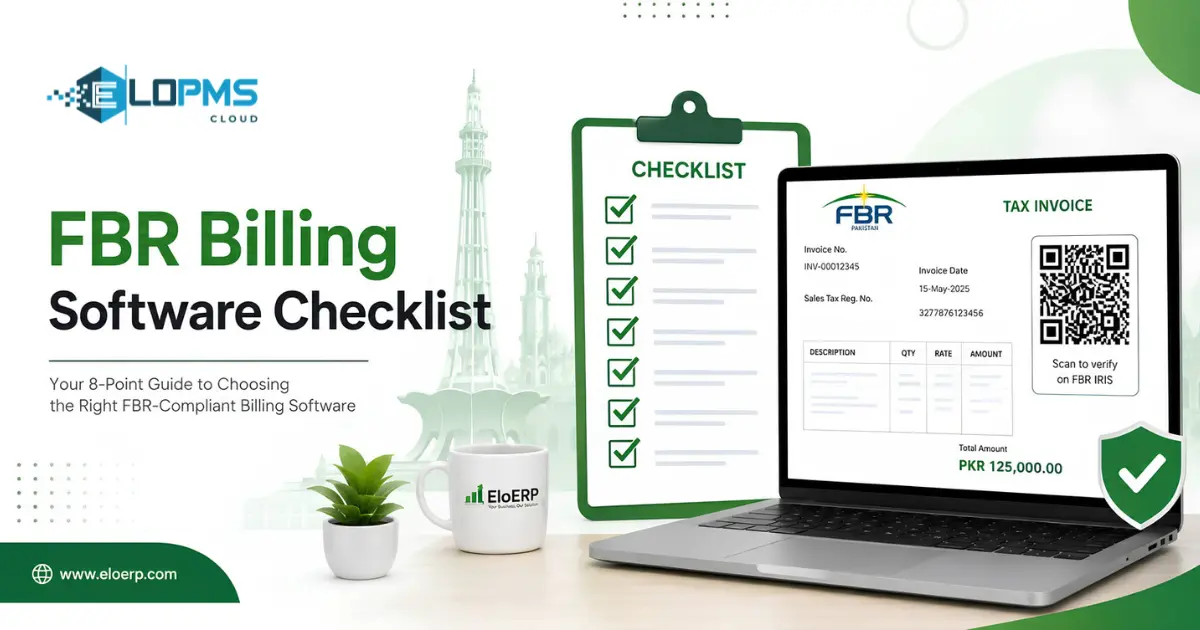
What buyers call "FBR-compliant billing software" is software that connects your point of sale directly to FBR's computerized system, generates a unique invoice number (IRN) in real time, and prints a scannable QR code on every receipt — all before the invoice reaches the buyer. The five non-negotiables: real-time IRN generation, QR on every receipt, reliable connectivity handling, automatic sales-tax calculation, and a tamper-proof audit trail. Use the checklist below to evaluate any vendor.
If you already know what FBR digital invoicing is and why it matters (if not, read our complete guide to FBR digital invoicing), the next question is practical: which software should you pick, and what should you look for before you sign?
This post gives you a concrete evaluation framework — not a feature brochure. We cover the difference between real FBR integration and marketing claims, an 8-point checklist you can hand to any vendor, actual pricing context in PKR, and the red flags that should make you walk away.
What "FBR-Compliant" Actually Means (vs. Marketing Claims)
Every POS vendor in Pakistan now puts "FBR-integrated" somewhere on their website. Not all of them mean the same thing. FBR does not approve or certify billing software; it publishes technical requirements and a register of licensed integrators, so "FBR-compliant" is always the vendor's own description.
Real integration means your software has a live API connection to FBR's computerized system (often via IRIS, the FBR portal). At the moment of sale, your POS transmits the invoice data to FBR, receives an official Invoice Registration Number (IRN), and prints it with a QR code — all before the receipt reaches your customer. This is what the law requires under FBR's digital invoicing regulations. [1]
"FBR-ready" is a marketing claim. It can mean anything from "we have a field where you can type in an IRN" to "we export a CSV file you manually upload to the FBR portal." Neither qualifies as compliant integration.
How to verify a vendor's claim
- Check the integrator route. FBR requires integration through a licensed integrator. The current list (8 integrators as of mid-2026) is published at fbr.gov.pk. Ask your vendor which licensed integrator they work through, or whether they are a licensed integrator themselves. [2]
- Ask for a live demo. Any compliant system should be able to show you: sale made → IRN returned → QR printed on receipt — in real time, not batch.
- Check the receipt. If the printed receipt does not carry an FBR invoice number and a scannable QR code, the software is not integrated — regardless of what the sales pitch says.
The licensed integrators as of 2026: PRAL (free of cost), Haball, WebDNAworks, EY Ford Rhodes, OpenPort Pakistan, TMR Consulting, NatureTech, and Dynamic Resources. [2]
The 8-Point Evaluation Checklist
Print this table. Hand it to every vendor you evaluate. If they cannot answer "yes" to the first five, move on.
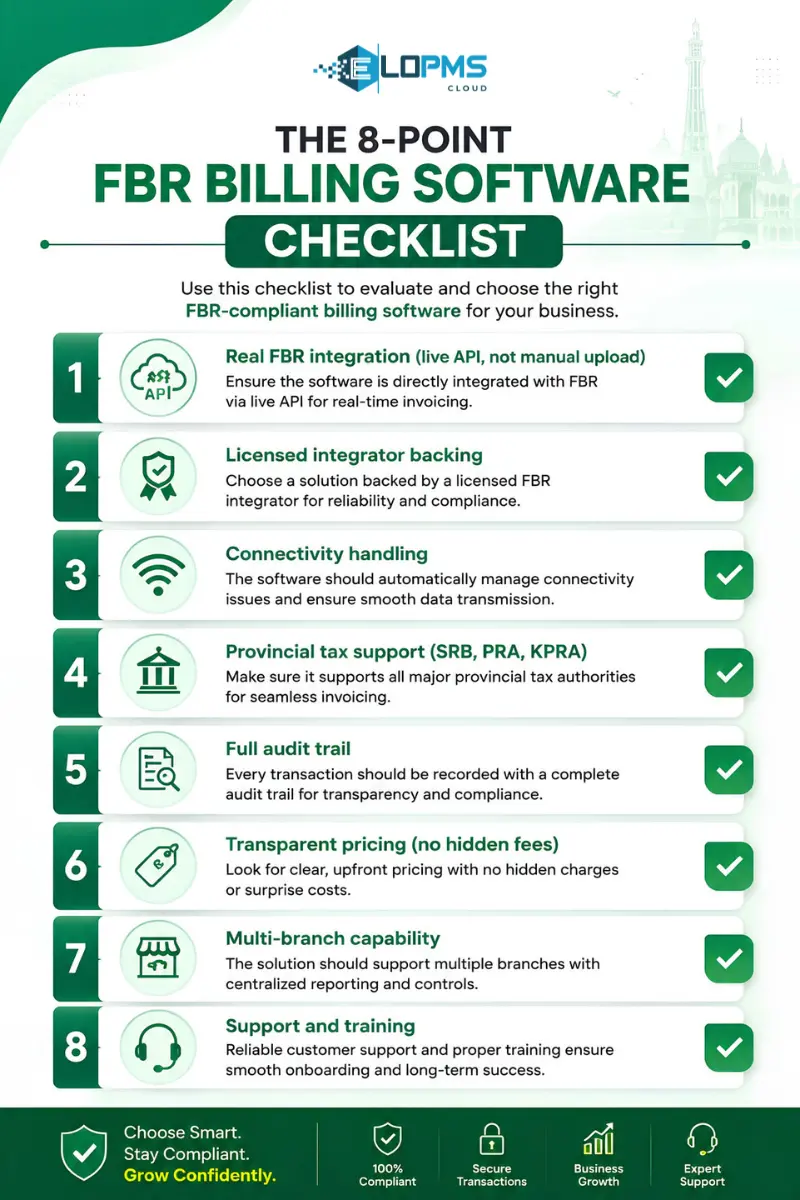
| # | Feature | Why It Matters | Question to Ask the Vendor |
|---|---|---|---|
| 1 | Real-time IRN generation | Legal requirement under FBR's digital invoicing regulations — every invoice must be transmitted to FBR and receive an IRN before it reaches the buyer [1] | "Does your POS generate IRNs at the moment of sale, or in batch?" |
| 2 | QR code on every receipt | Mandatory for customer and inspector verification — the QR encodes the IRN, date, amount, NTN, and item details [1] | "Is the QR printed on the thermal receipt automatically, or generated separately?" |
| 3 | Connectivity handling | Internet reliability at the counter is critical; ask how the system handles connection issues during business hours [3] | "What happens to invoices if the internet goes down mid-shift? Can sales continue?" |
| 4 | Automatic sales-tax calculation | Pakistan has federal GST plus provincial sales tax (SRB in Sindh, PRA in Punjab, KPRA in KP) — manual calculation invites errors | "Does it handle both federal GST and provincial sales tax (SRB/PRA/KPRA)?" |
| 5 | Audit trail and tamper protection | FBR can inspect invoice logs; cashiers should not be able to delete or modify posted invoices [1] | "Can cashiers delete or modify a posted invoice after it has been transmitted to FBR?" |
| 6 | Multi-branch reporting | Retailers with multiple outlets need consolidated FBR compliance visibility from head office | "Can HQ see the FBR submission status of every branch in real time?" |
| 7 | Inventory sync at point of sale | A sale should update stock and the ledger simultaneously — if it does not, you spend month-end reconciling two systems | "Is inventory deducted at the point of sale or at end-of-day?" |
| 8 | Transparent pricing in PKR | Compliance should not come with surprise fees — know exactly what FBR integration costs before you sign | "Is FBR integration included in the base price, or is it an add-on module?" |
Items 1–5 are non-negotiable for legal compliance. Items 6–8 are operational must-haves that separate software you will use from software you will regret.
What About Provincial Tax Integration? (SRB, PRA, KPRA)
FBR handles federal sales tax. But if you operate in Sindh, Punjab, or Khyber Pakhtunkhwa, you may also need to file with the provincial revenue authority:
- SRB (Sindh Revenue Board) — covers services tax in Sindh
- PRA (Punjab Revenue Authority) — covers services tax in Punjab
- KPRA (Khyber Pakhtunkhwa Revenue Authority) — covers services tax in KP
Most POS vendors in Pakistan handle FBR integration only. Few handle provincial sales-tax filing alongside federal GST. If your business provides taxable services (restaurants, salons, clinics, IT services), ask explicitly whether your vendor supports provincial returns — or whether you will need a separate system for that.
Pricing Reality Check — What POS with FBR Digital Invoicing Costs in Pakistan
Pricing opacity is one of the biggest complaints in Pakistan's POS market. Here is what the market actually looks like in 2026:
Cloud POS (subscription model)
- Range: Rs 2,500 – Rs 15,000 per month, depending on features and branch count
- What is typically included: POS module, basic inventory, FBR integration, one user
- What usually costs extra: additional users, additional branches, accounting modules, HR/payroll, hardware
On-premise POS (one-time license)
- Range: Rs 50,000 – Rs 200,000 one-time, plus annual maintenance and update fees
- Hidden costs: server infrastructure, IT staff for maintenance, manual updates, separate FBR middleware if not built in
Hardware costs (often excluded from software quotes)
- Thermal receipt printer: Rs 8,000 – Rs 25,000
- Barcode scanner: Rs 3,000 – Rs 15,000
- Cash drawer: Rs 5,000 – Rs 12,000
- Tablet or touchscreen terminal: Rs 25,000 – Rs 80,000
PRAL integration (the free route)
PRAL, FBR's own integration arm, provides integration services free of cost to registered persons. However, PRAL is only the integrator — you still need a POS or ERP system capable of transmitting invoices through their infrastructure. There is no fee payable to FBR itself for integration. [2][4]
EloERP's pricing
EloERP includes FBR digital invoicing on every plan — no add-on fee. Pricing is on request: EloERP is billed yearly (monthly on request), with POS, inventory and accounting in a single system, and add-ons such as HRM & Payroll are priced separately on request. 15-day free trial, no credit card required. Ask us for a quote. [5]
Key question to ask any vendor: "What is the total first-year cost including FBR integration, the number of users I need, and every branch I operate?" Get this in writing.
Red Flags — Signs a Vendor Is Not Truly FBR-Integrated
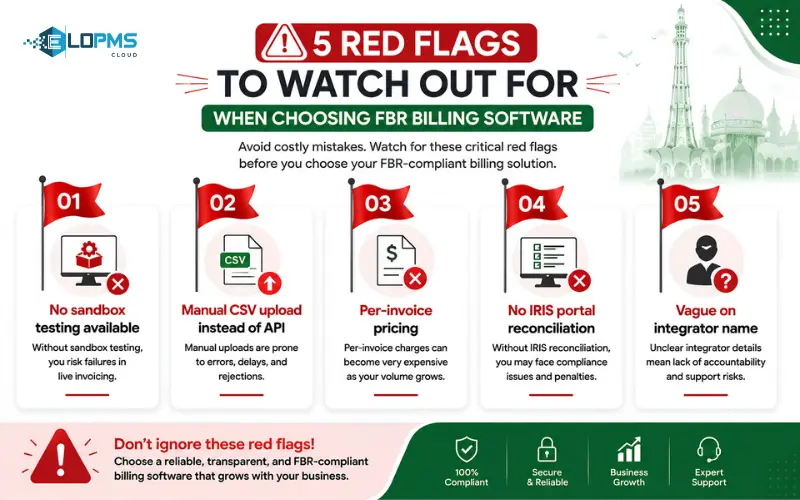 Walk away if you see any of these:
Claims "FBR-ready" but receipts have no IRN. If there is no FBR invoice number printed on the receipt, the system is not transmitting to FBR in real time — no matter what the brochure says.
Requires manual CSV or Excel upload to the FBR portal. Real integration is automatic and instant. If you are downloading files and uploading them to IRIS yourself, you do not have integrated software — you have a spreadsheet with extra steps.
Cannot show a live demo of real-time invoice submission. Ask for it. If the vendor deflects ("we can set it up after purchase"), that is not confidence in their product.
Not working through a licensed integrator. FBR mandates integration through one of its 8 licensed integrators. If the vendor cannot name their integrator — or is not on the list — their "FBR integration" may not be recognized by FBR. Check the list at fbr.gov.pk. [2]
Poor connectivity handling. Internet connectivity in Pakistan is not perfect. Ask vendors how their system handles connection issues during business hours — whether sales can continue, how invoices are managed during outages, and what recovery mechanisms exist. If a vendor cannot clearly explain their connectivity strategy, consider it a red flag. [3]
FBR integration is a paid add-on module. Some vendors quote a low base price and then charge separately for the compliance module. Make sure you understand the total cost before you commit.
How EloERP Handles FBR Digital Invoicing
EloERP treats FBR digital invoicing as a built-in capability, not a bolt-on. Here is how it works:
Real-time reporting. Every invoice, POS receipt, and sales return is reported to FBR through PRAL the moment it is issued. The system returns an official invoice number (IRN) that prints on the customer's receipt, along with a scannable QR code for verification. [5]
Sandbox and go-live. EloERP includes all 28 pre-built sandbox scenarios (SN001–SN028) with auto-scenario matching and a guided go-live wizard — so you can test your setup against FBR's requirements before you start transmitting live invoices. [5]
Full tax coverage. The system handles HS codes, units of measure, SROs, sale types, Third Schedule pricing, Federal Excise Duty (FED), and withholding taxes — not just basic GST. [5]
IRIS reconciliation. You can reconcile your books against the IRIS portal in seconds, with full submission tracking and audit reporting. [5]
Real-time integration. As with integrated ERP systems, sales in EloERP update stock and accounting in real time — eliminating month-end reconciliation. Multi-branch retailers see every till at every branch under one integrated setup. [5]
FBR digital invoicing is included on every EloERP plan — no add-on fee. Start a 15-day free trial to test FBR integration with your own data, or book a free demo to see it working on your kind of business.
Choosing billing software for FBR digital invoicing is a compliance decision and a business decision. Get both right. Book a free demo to see how EloERP handles FBR integration on your kind of business, or start a 15-day free trial — no card required.
Sources
- FBR — Digital Invoicing FAQs: https://fbr.gov.pk/faqs/173967/173969
- FBR — List of Licensed Integrators: https://www.fbr.gov.pk/list-of-license-interprator/173967/173971
- FBR — Digital Invoicing Technical Assistance: https://fbr.gov.pk/di-technical-assistance/173967/173970
- Pakistan State Times — FBR launches free e-invoicing integration with PRAL:
- EloERP — FBR Digital Invoicing (product page): https://eloerp.net/compliance/fbr-digital-invoicing