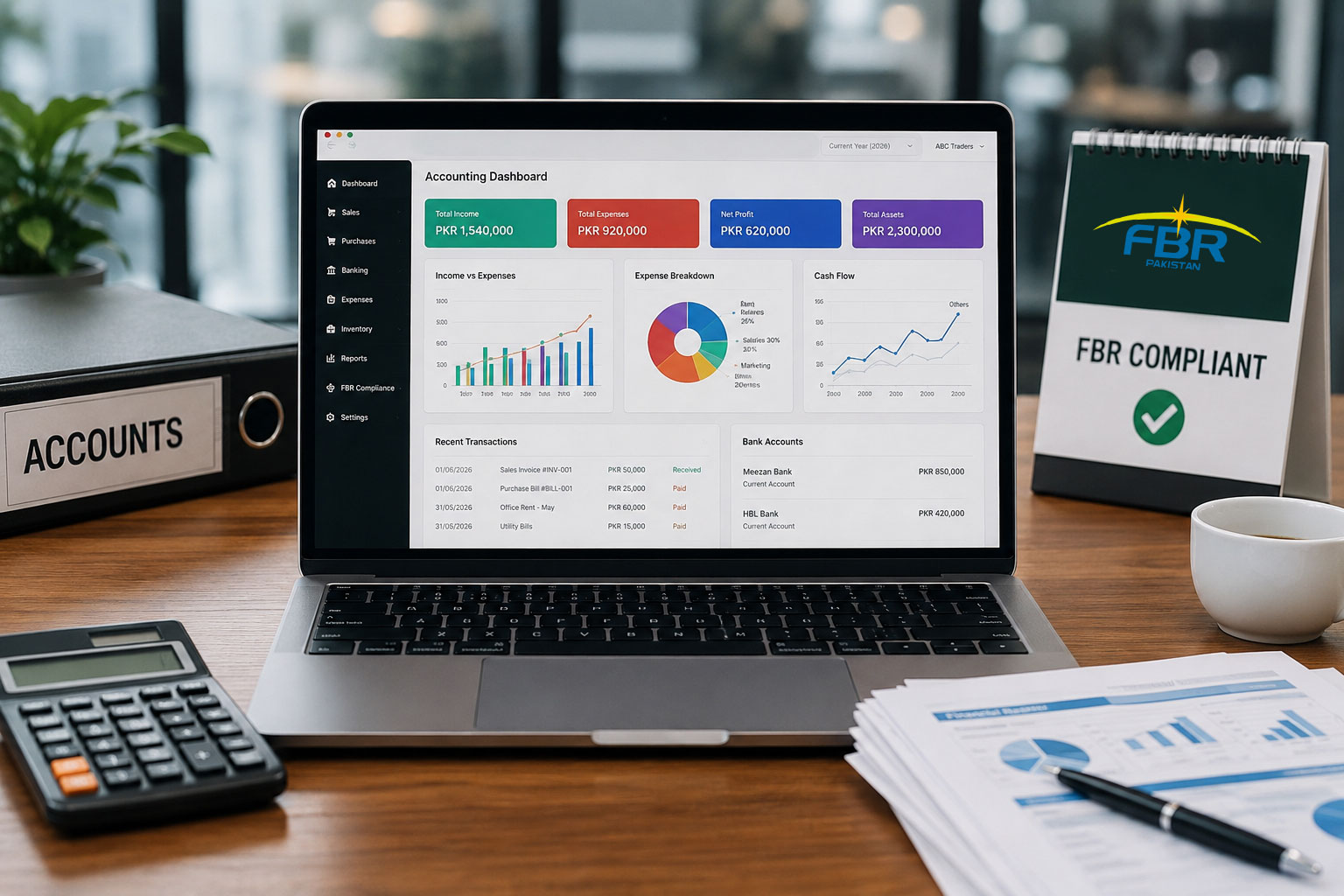
Best Accounting Software Pakistan 2026: FBR-Compliant Solutions Compared

What is the Best Accounting Software in Pakistan?
The best accounting software in Pakistan depends on your business needs: EloERP for retail, wholesale, and multi-branch businesses needing POS + accounting + inventory in one system with native FBR compliance; AmalERP for businesses wanting accounting-first ERP with AI features at Rs 2,500/month; and Zoho Books for service businesses comfortable with international software and manual FBR compliance. Key factors include FBR compliance (native vs add-on vs none), pricing transparency, cloud vs desktop, and total cost of ownership.
Introduction
Pakistan businesses searching for accounting software in 2026 face a critical decision: choose the right system or risk FBR penalties, audit failures, and growth bottlenecks. The Federal Board of Revenue's digital invoicing mandate (SRO 1852) makes FBR compliance non-negotiable — your accounting software must generate real-time Invoice Registration Numbers (IRNs), print QR codes on receipts, and sync with the IRIS portal automatically.
This guide compares 10 accounting software solutions available in Pakistan, with verified pricing (no "contact for quote" cop-outs where pricing is public), honest FBR compliance assessment (native vs add-on vs none), and segment-specific recommendations. Whether you run a pharmacy, retail chain, restaurant, or service business, you'll find the right fit below.
Top 10 Accounting Software for Pakistan Businesses (2026)
1. EloERP — All-in-One Cloud ERP with Native FBR Compliance at Rs 0 Add-On
Best for: Retail, wholesale, manufacturing, restaurants, and multi-branch businesses needing POS + accounting + inventory in one integrated system.
FBR Compliance: Native — Real-time IRN generation, automatic QR code printing on receipts, IRIS sync built-in. Rs 0 add-on cost. Also includes ZATCA (Saudi Arabia), MyInvois (Malaysia), and UAE FTA e-invoicing toggles for multi-market expansion.
Pricing (Verified Aug 7, 2026):
- Cloud Suite: Rs 30,000/year (inventory, sales/purchase, POS, customer/supplier ledgers, installment management)
- Cloud Suite Pro: Rs 35,000/year (adds cash flow & general ledger, employee salaries, profit analysis, SMS module)
- Cloud Suite Plus: Rs 45,000/year (adds full financial accounting, chart of accounts, P&L, trial balance, banking reconciliation)
- Add-ons: HRM & Payroll, CRM, Hotel PMS (custom pricing based on team size)
- Free Trial: 14 days, no credit card required
Key Features:
- Double-entry accounting integrated with POS and inventory (a sale updates stock and ledger simultaneously)
- Multi-company and multi-branch consolidation with approval workflows (maker-checker controls)
- PK statutory payroll (EOBI, social security, income tax deductions)
- JazzCash and Easypaisa payment integration for retail
- Manufacturing module with multi-level BOM and costing
- E-commerce integration (Shopify, WooCommerce, Daraz) + PK courier APIs (TCS, Leopards, M&P, BlueEx)
Pros:
- All-in-one system eliminates need for separate POS, inventory, or accounting tools (reduces total cost and integration headaches)
- Native FBR compliance included on all plans (zero add-on fees, automatic updates)
- Cloud-native architecture enables real-time multi-branch visibility
- Multi-country e-invoicing support (expand to KSA, Malaysia, UAE without changing systems)
Cons:
- Full ERP is overkill for businesses only needing basic bookkeeping (service businesses or freelancers may prefer simpler accounting-only tools)
- Cloud-only — requires stable internet connection (no offline mode for remote areas)
- Smaller partner/consultant ecosystem compared to Odoo or Tally
Unique Differentiator: Only Pakistan ERP with FBR + ZATCA + MyInvois + UAE FTA compliance toggles built into the core product. Switch compliance modes per-company with one click.
Internal Links: EloERP Pricing Plans · Complete FBR Digital Invoicing Guide · Retail POS Software Pakistan
2. AmalERP — Accounting-First Cloud ERP with AI Features and Native FBR
Best for: SMBs in Pakistan and Gulf markets wanting modern cloud accounting with AI-powered invoice OCR, bank reconciliation, and WhatsApp invoicing at transparent pricing.
FBR Compliance: Native — Built-in GST/sales tax, withholding tax, NTN/STRN handling, FBR depreciation schedules, and SRB (Sindh Revenue Board) support. Positioned as core system functionality, not third-party add-on.
Pricing (Verified Aug 7, 2026):
- Basic Plan: Rs 2,500/month billed annually (Rs 30,000/year) — 2 users, sales/purchase invoicing, double-entry accounting, auto-generated chart of accounts
- Custom Plan: From Rs 2,500/month — Add selected modules (POS, inventory, manufacturing, WhatsApp invoicing, AI add-ons), scalable users and branches
Key Features:
- AI-powered invoice and bank statement OCR (auto-extract data from photos)
- AI bank reconciliation and plain-language queries ("show me unpaid invoices over 60 days")
- WhatsApp integration: one-tap invoice delivery with branded PDFs, bulk customer statements
- Business Health Score dashboard with 7 KPIs and 30/60/90-day cash flow forecasts
- True offline POS mode (barcode scanning, multi-tender support)
- Multi-location inventory with weighted-average costing, size/SQft tracking for marble, glass, tile industries
Pros:
- Transparent monthly pricing starting Rs 2,500 (competitive with international tools but Pakistan-focused)
- AI features reduce manual data entry (OCR invoices, smart bank reconciliation)
- Serves 200+ Pakistan and Gulf customers across retail, manufacturing, chemicals, marble
- 7-day free trial, claims "go live same day" onboarding
Cons:
- Monthly billing at Rs 2,500 = Rs 30K/year (same annual cost as EloERP Cloud Suite which includes more modules upfront)
- Smaller brand recognition vs Zoho or QuickBooks
- Custom plan pricing "from Rs 2,500" lacks transparency on per-module add-on costs
Unique Differentiator: AI-first approach (invoice OCR, bank rec, natural language queries) combined with Pakistan tax compliance and WhatsApp invoicing.
3. Moneypex — FBR-Compliant Accounting for Pakistan SMBs with Pharmacy Focus
Best for: Pakistan retail, distribution, pharmacy, restaurant, and manufacturing businesses needing FBR compliance with sector-specific workflows.
FBR Compliance: Native — Real-time FBR integration, QR code-enabled invoices, automated Annexure-C generation for sales tax returns, Tier-1 mandatory retailer compliance support.
Pricing: Not disclosed publicly. Website offers "Start Free Trial" but no pricing tiers or PKR amounts listed. Contact vendor for quote.
Key Features:
- FBR Fiscal Management System auto-transmission (sales data syncs to FBR in real-time)
- Pharmacy-specific: batch tracking, expiry management, medicine inventory
- PRA (Punjab Revenue Authority) tax compliance alongside FBR
- Rental management and professional services modules
- Serves 1,700+ active customers across Pakistan
Pros:
- Strong FBR compliance positioning (real-time integration, Annexure-C auto-generation)
- Established Pakistan customer base (1,700+ businesses)
- Free trial available
Cons:
- Pricing transparency gap (no public pricing — forces contact-for-quote process)
- Limited feature detail on website (pharmacy medicine database size not disclosed)
- No modern features mentioned (AI, WhatsApp integration, advanced analytics)
Unique Differentiator: Deep FBR compliance focus with automated Annexure-C generation for sales tax filing.
4. Zoho Books — International Cloud Accounting with No FBR Integration
Best for: Small service businesses, freelancers, and consultants comfortable with international software and manual FBR compliance. Ideal if you already use Zoho CRM or other Zoho apps (ecosystem integration).
FBR Compliance: None — Zoho Books has no Pakistan edition or native FBR digital invoicing integration. You must handle FBR compliance manually or via third-party add-ons.
Pricing (Verified Aug 7, 2026 - USD):
- FREE: $0 (1 user + 1 accountant, up to 1,000 invoices/year, 1,000 expenses/year)
- Standard: $10/month annual ($12 monthly) — 3 users
- Professional: $20/month annual ($24 monthly) — 5 users
- Premium: $30/month annual ($36 monthly) — 10 users
- Elite: $100/month annual ($129 monthly) — 10 users
- Ultimate: $200/month annual ($249 monthly) — 15 users
- Add-ons: Extra users $2.50-3/month, autoscans $8-10/50 scans, locations $10-12/month
Key Features:
- Full double-entry accounting with P&L, balance sheet, cash flow, trial balance
- Receipt autoscans (50 scans/month on paid plans, AI-powered)
- Bank reconciliation and multi-currency support (good for exporters)
- Integrates with Zoho CRM, Zoho Inventory, Zoho One suite
- Mobile apps (iOS, Android) for on-the-go invoicing
Pros:
- Free tier for small businesses (1,000 invoices/year limit works for many startups)
- Mature product with strong feature depth (reports, automation, integrations)
- Ecosystem play if you use other Zoho apps (CRM, Inventory, Projects)
- Global brand with established support infrastructure
Cons:
- No Pakistan edition or FBR compliance (manual tax filing or accountant dependency)
- USD pricing expensive for Pakistan SMBs at current exchange rate ($10/month = ~Rs 2,800/month)
- Generic GST handling (not tailored to Pakistan SRO 1852 requirements)
- Pakistan not listed in supported editions (UK, US, Canada, India, UAE available)
Unique Differentiator: Free tier with 1,000 invoices/year (rare among accounting software), strong Zoho ecosystem integration.
5. QuickBooks Online — Global Leader with No Pakistan Localization
Best for: Businesses with international operations, dollar-based accounting, or US/global parent companies. Not ideal for Pakistan-only SMBs due to lack of FBR integration and USD pricing.
FBR Compliance: None — QuickBooks Online has no Pakistan edition or FBR digital invoicing integration. Manual compliance required.
Pricing: Pricing details not extracted from QuickBooks website (JavaScript-heavy page). Based on typical QuickBooks Online pricing: $15-90/month USD for Simple Start, Essentials, Plus, and Advanced tiers (approximately Rs 4,200-25,000/month at Aug 2026 exchange rates). Contact QuickBooks or local resellers for current Pakistan pricing.
Key Features:
- Industry-leading accounting features (invoicing, expense tracking, reports, tax calculations)
- Bank connection and auto-reconciliation (US and international banks)
- Multi-currency support for exporters
- Inventory tracking (on Plus and Advanced plans)
- Payroll integration (US-focused, not PK statutory payroll)
- Large third-party app ecosystem (1,000+ integrations)
Pros:
- Global brand with deep feature set and reliability
- Strong reporting and analytics (customizable financial reports)
- Mobile apps with receipt capture and mileage tracking
- Large accountant/bookkeeper network familiar with QuickBooks
Cons:
- No FBR compliance (must handle SRO 1852 requirements separately or hire accountant)
- USD pricing expensive for Pakistan SMBs (exchange rate risk + higher base cost)
- Not designed for Pakistan tax environment (GST, withholding tax, Annexure-C filing manual)
- Overkill and overpriced for local businesses with no international operations
Unique Differentiator: Global standard for accounting software (most accountants worldwide know QuickBooks).
6. Tally ERP 9 / TallyPrime — Legacy Desktop ERP for Pakistan Market
Best for: Traditional businesses preferring desktop software, offline-first operations, or those with existing Tally installations and trained staff.
FBR Compliance: Unknown — Tally has been in Pakistan market 25+ years. Some local partners may offer FBR add-on integrations, but native FBR compliance not confirmed. Verify with Tally Pakistan resellers.
Pricing: Pricing information not publicly available on Tally Pakistan website. Based on typical Tally licensing: Perpetual license Rs 50,000-150,000 one-time (varies by edition and reseller), plus annual maintenance contract (AMC) Rs 10,000-30,000/year. Contact authorized Tally partners in Pakistan for current pricing.
Key Features:
- Desktop-based accounting and inventory management (Windows)
- Double-entry accounting with voucher-based data entry
- GST and sales tax handling (configurable but not FBR-native)
- Multi-godown inventory and stock tracking
- Manufacturing, job costing, and payroll modules
- Established local partner/reseller network in Pakistan
Pros:
- Offline-first (no internet dependency for core operations)
- Large installed base in Pakistan (many accountants know Tally)
- Perpetual license model (pay once vs recurring SaaS fees)
- Mature product (stable, battle-tested)
Cons:
- Desktop-only architecture (no real-time multi-branch visibility or cloud sync)
- High upfront cost (Rs 50K-150K perpetual license vs Rs 30-45K/year cloud ERP)
- Requires local IT support or trained operator (steeper learning curve than modern cloud tools)
- FBR compliance unclear (likely manual or partner add-on, not native)
- Aging UI/UX compared to modern cloud accounting tools
Unique Differentiator: Offline desktop ERP with 25+ year Pakistan presence and large accountant ecosystem.
7. Xero — International Cloud Accounting (Limited Pakistan Availability)
Best for: International businesses or those working with global clients/suppliers. Pakistan availability unclear; may be accessible via international subscriptions.
FBR Compliance: None — Xero does not offer a Pakistan edition or FBR integration.
Pricing: Xero pricing page could not be extracted. Based on typical Xero global pricing: $15-70/month USD for Early, Growing, and Established plans (approximately Rs 4,200-19,500/month). Pakistan availability and pricing not confirmed.
Key Features (based on global Xero offering):
- Cloud accounting with bank feeds and auto-reconciliation
- Multi-currency invoicing and expense claims
- Project tracking and time billing (good for professional services)
- Large third-party app marketplace (1,000+ integrations)
- Strong mobile apps
Pros:
- Clean, modern UI (user-friendly for non-accountants)
- Unlimited users on all plans (vs per-user pricing on Zoho/QuickBooks)
- Strong international presence and brand
Cons:
- Pakistan availability uncertain (no Pakistan-specific edition found)
- No FBR compliance
- USD pricing expensive for Pakistan SMBs
- Not tailored to Pakistan tax or business environment
Unique Differentiator: Unlimited users on all plans (good for collaborative teams).
8. Wave Accounting — Free Cloud Accounting with No Pakistan Support
Best for: Freelancers, solo entrepreneurs, or micro-businesses outside Pakistan. Not recommended for Pakistan businesses due to lack of FBR compliance and limited Pakistan payment gateway support.
FBR Compliance: None
Pricing: Free for core accounting features (invoicing, expense tracking, reports). Paid add-ons: payments processing (2.9% + $0.60 per transaction), payroll (US/Canada only).
Key Features:
- Unlimited invoices, expenses, and receipt scanning
- Bank connection and reconciliation
- Basic financial reports (P&L, balance sheet)
- Multi-business support
Pros:
- Free core accounting (good for startups with minimal revenue)
- No user limits or invoice caps
Cons:
- No FBR compliance or Pakistan localization
- Payment processing fee high and limited to US/Canada
- No inventory management
- US/Canada-focused (not suitable for Pakistan tax environment)
Unique Differentiator: Free accounting software with no limits on invoices or users.
Note: Wave is included for completeness but NOT recommended for Pakistan businesses due to lack of FBR compliance and local payment gateway support.
FBR Compliance Comparison Matrix
Pakistan businesses must comply with FBR's digital invoicing mandate under SRO 1852 (Tier-1 retailers) and broader e-invoicing rollout. Here's how each accounting software handles FBR compliance:
| Software | FBR Compliance | IRN Generation | QR Code Auto-Print | Add-On Cost | Notes |
|---|---|---|---|---|---|
| EloERP | Native | Real-time | Yes | Rs 0 | IRIS sync built-in |
| AmalERP | Native | Real-time | Yes | Rs 0 | Core system feature |
| Moneypex | Native | Real-time | Yes | Rs 0 | Annexure-C auto-gen |
| Zoho Books | None | No | No | N/A | Manual compliance |
| QuickBooks | None | No | No | N/A | Manual compliance |
| Tally | Unknown | Unknown | Unknown | Unknown | Verify with reseller |
| Xero | None | No | No | N/A | Manual compliance |
| Wave | None | No | No | N/A | Manual compliance |
What FBR Compliance Means for Pakistan Businesses
The Federal Board of Revenue's digital invoicing mandate (SRO 1852 for Tier-1 retailers), expanding to all businesses, requires:
- Real-time IRN generation: Every sale invoice gets a unique 22-character Invoice Registration Number from FBR's IRIS portal in real-time.
- QR code printing: Receipts must include a QR code encoding the IRN, NTN, date, amount, and FBR verification URL.
- IRIS portal sync: Sales data transmits to FBR automatically (no manual upload or filing).
Penalties for non-compliance: FBR imposes progressive penalties starting at Rs 500,000, scaling to Rs 1-3.5 million for non-integration, plus Rs 50,000 or 2% of tax (whichever is greater) per invoice under Section 33 of the Sales Tax Act 1990, and Rs 25,000 per day for late or rejected invoices. FBR can also suspend business NTN registration for repeated violations. Businesses using non-compliant systems risk audit failures and tax assessment disputes.
Why Native Compliance Beats Add-Ons
Software with native FBR compliance (EloERP, AmalERP, Moneypex) builds IRN generation, QR printing, and IRIS sync into the core product. Benefits:
- Zero add-on fees: No monthly charge for FBR integration (vs Rs 2,000-5,000/month for third-party FBR plugins).
- Automatic updates: When FBR changes requirements (QR format updates, new Annexure templates), native systems update automatically.
- No integration headaches: Add-ons can break during software updates or FBR portal changes, causing downtime.
International tools (Zoho, QuickBooks, Xero, Wave) require manual FBR compliance — you file sales tax returns manually, generate Annexure-C spreadsheets, and hire accountants to handle IRN/QR requirements. This adds Rs 5,000-15,000/month in accountant fees or forces you to use desktop FBR compliance tools separately (defeating the purpose of cloud accounting).
Learn more: Complete FBR Digital Invoicing Guide for Pakistan Businesses
Pricing Comparison: Accounting Software Pakistan 2026
Pricing transparency is rare in Pakistan's accounting software market. Here's what we verified:
| Software | Starting Price | What's Included | Hidden Costs |
|---|---|---|---|
| EloERP | Rs 30,000/year | Full ERP (accounting + POS + inventory + HR) | None (FBR compliance built-in) |
| AmalERP | Rs 2,500/month (Rs 30,000/year) | Accounting + selected modules (POS, inventory add-ons) | Custom plan module costs not disclosed |
| Moneypex | Not disclosed | Accounting + FBR compliance + sector modules | Unknown (contact vendor) |
| Zoho Books | $10-200/month USD (Rs 2,800-56,000/month) | Accounting only (inventory separate: Zoho Inventory) | FBR compliance manual (accountant fees Rs 5-15K/month) |
| QuickBooks | ~$15-90/month USD (Rs 4,200-25,000/month) | Accounting + inventory (Plus/Advanced plans) | FBR compliance manual (accountant fees Rs 5-15K/month) |
| Tally | Rs 50,000-150,000 one-time + Rs 10-30K/year AMC | Desktop ERP (accounting + inventory + manufacturing) | FBR add-on cost unknown (verify with reseller) |
| Xero | ~$15-70/month USD (Rs 4,200-19,500/month) | Accounting only | Pakistan availability unclear, FBR manual |
| Wave | Free (core), 2.9% payment fees | Basic accounting only | No FBR, no inventory, US/Canada-focused |
Total Cost of Ownership (TCO) Analysis
Most Pakistan businesses focus on base price, ignoring TCO. Example: 5-employee retail shop, 200 invoices/month:
EloERP Cloud Suite Pro (Rs 35,000/year):
- Base: Rs 35,000/year
- FBR compliance: Rs 0 (included)
- POS + inventory: Rs 0 (included)
- Total Year 1: Rs 35,000
Zoho Books Professional ($20/month = Rs 5,600/month):
- Base: Rs 67,200/year
- FBR compliance (manual accountant): Rs 60,000-180,000/year (Rs 5-15K/month)
- POS: Separate system needed (Rs 20,000-50,000/year)
- Total Year 1: Rs 147,200-297,200
AmalERP Custom (Rs 2,500/month base):
- Base: Rs 30,000/year (accounting only)
- POS module: Rs X/month (not disclosed)
- FBR compliance: Rs 0 (included)
- Total Year 1: Rs 30,000+ (depends on modules selected)
The "Contact for Quote" Red Flag
Vendors hiding pricing force you into sales calls and custom quotes, wasting time. Pricing should be transparent unless you're buying enterprise-tier with genuinely custom requirements (100+ users, multi-country deployments, custom integrations).
For SMBs (1-50 employees), SaaS pricing should be public. If a vendor won't show pricing for a 5-user setup, they're either:
- Overpriced and hiding it
- Inconsistent in pricing (negotiating case-by-case)
- Prioritizing large enterprise deals (SMBs not their focus)
EloERP, AmalERP, Zoho, QuickBooks, and Xero publish pricing — use them as benchmarks when evaluating "contact for quote" vendors.
Which Accounting Software is Right for Your Business?
Best for Retail & Wholesale Businesses
Recommendation: EloERP (POS + inventory + accounting integrated with native FBR compliance)
Why: Retail and wholesale businesses need point-of-sale, inventory management, and accounting in one system. A sale should update stock levels and ledger balances simultaneously — not via separate POS and accounting tools with manual sync. EloERP's Cloud Suite (Rs 30,000/year) includes POS, inventory, and accounting with FBR compliance built-in. Multi-branch chains get real-time consolidation (branch managers can't close their own day without head office approval).
Runner-up: AmalERP (Rs 2,500/month base + POS module) — Good if you need AI invoice OCR and WhatsApp invoicing. Verify POS module cost before committing.
Avoid: Zoho Books, QuickBooks (accounting-only tools — you'll need separate POS system and integration hassle).
Best for Service Businesses (Consulting, Agencies, Freelancers)
Recommendation: Zoho Books (Free or Standard $10/month) OR Wave Accounting (Free, if you don't need FBR compliance)
Why: Service businesses generate fewer transactions (no inventory, simpler invoicing) and often work with international clients (multi-currency support needed). Zoho Books Free tier (1,000 invoices/year) covers most freelancers. Professional services firms (consultancies, agencies) benefit from Zoho's project tracking and time billing.
FBR compliance caveat: If you need FBR digital invoicing (client base is Pakistan corporates requiring compliant invoices), use EloERP Cloud Suite (Rs 30,000/year) or AmalERP Basic (Rs 30,000/year) instead. International tools force manual FBR compliance.
Runner-up: AmalERP Basic (Rs 2,500/month) — Simple accounting with FBR compliance and WhatsApp invoicing (send branded PDFs to clients via WhatsApp).
Best for Manufacturing
Recommendation: EloERP (multi-level BOM, inventory, and manufacturing costing integrated with accounting)
Why: Manufacturers need bill of materials (BOM) management, production orders, raw material vs finished goods inventory, and job costing — not just invoicing. EloERP includes manufacturing modules with multi-level BOM (finished product → sub-assemblies → raw materials) and weighted-average or FIFO costing. Accounting sees raw material purchases, WIP, and finished goods stock movement automatically.
Runner-up: Tally ERP 9 / TallyPrime (desktop alternative with manufacturing modules) — If you prefer offline desktop software and have trained Tally operators. Verify FBR compliance capability with local resellers.
Avoid: Zoho Books, QuickBooks (no manufacturing modules — you'll need separate MRP/production planning tools).
Best for Pharmacies & Healthcare
Recommendation: EloERP (batch/expiry tracking, barcode scanning, POS + accounting integrated)
Why: Pharmacies must track medicine batch numbers, expiry dates, and handle Tier-1 FBR compliance (most pharmacies qualify as Tier-1 retailers under SRO 1852). EloERP's inventory module tracks batch/expiry, alerts on near-expiry stock, and integrates with POS (cashier scans medicine barcode, system auto-deducts oldest batch by FEFO logic). FBR compliance built-in (IRN + QR on every sale).
Alternative: Moneypex (pharmacy-focused, FBR compliance native) — If Moneypex still maintains their 25K medicine database and pharmacy-specific workflows, it's a strong contender. Pricing not disclosed publicly — contact vendor for demo and quote.
Runner-up: AmalERP (batch tracking + FBR compliance + offline POS mode for areas with unstable internet).
Best for Multi-Branch Businesses
Recommendation: EloERP (cloud-native with real-time multi-branch consolidation and approval workflows)
Why: Multi-branch businesses need real-time visibility (head office sees all branch sales, inventory, and cash in one dashboard), centralized approval workflows (branch managers can't approve their own purchases or close their own day), and consolidated financials (P&L and balance sheet by branch, region, or company-wide).
Cloud-native tools (EloERP, AmalERP, Zoho, QuickBooks) sync data in real-time. Desktop tools (Tally, Peachtree) require manual branch data consolidation or expensive multi-site licensing and VPN setups.
Runner-up: AmalERP (cloud ERP with multi-location inventory and multi-branch support).
Avoid: Tally, Peachtree (desktop architecture makes multi-branch real-time sync difficult and expensive).
Best Free / Low-Cost Option
Recommendation: Zoho Books Free ($0, 1,000 invoices/year limit) OR Wave Accounting ($0 unlimited)
Why: If you're a startup with minimal transactions and don't need FBR compliance yet (freelancers with international clients, pre-revenue businesses), Zoho Books Free (1 user + 1 accountant, 1,000 invoices/year) or Wave Accounting (unlimited but US/Canada-focused) cover basic accounting at zero cost.
FBR compliance warning: Free tools do NOT include FBR compliance. Once you're doing business in Pakistan and need compliant invoicing, switch to EloERP Cloud Suite (Rs 30,000/year) or AmalERP Basic (Rs 30,000/year) — cheapest Pakistan-focused options with native FBR compliance.
Not recommended: Trying to save Rs 2,500/month on software while risking Rs 1 million FBR penalties is false economy.
Key Features to Look for in Pakistan Accounting Software (2026)
When evaluating accounting software for your Pakistan business, prioritize these features:
1. FBR Digital Invoicing Compliance (Real-Time IRN, QR Code, IRIS Sync)
This is non-negotiable in 2026. Your accounting software must generate Invoice Registration Numbers (IRNs) in real-time from FBR's IRIS portal, print QR codes on receipts, and sync sales data automatically. SRO 1852 mandates this for Tier-1 retailers (businesses meeting 7 operational criteria including annual turnover > Rs 10 million, 2+ POS terminals, credit/debit card acceptance). FBR is expanding digital invoicing to all businesses — even if you're not Tier-1 today, you will be soon.
Native compliance (EloERP, AmalERP, Moneypex) beats add-ons: zero extra fees, automatic updates when FBR changes requirements, no integration breakage risk.
2. GST & Sales Tax Handling (Provincial Tax Support: SRB, PRA, KPRA)
Pakistan has federal GST and provincial sales taxes (Sindh SRB, Punjab PRA, KP KPRA). Your accounting software must handle:
- Separate tax codes for federal vs provincial taxes
- Withholding tax calculations (income tax, sales tax withholding per 236H, 236K rules)
- Automated Annexure-C generation for monthly sales tax filing
International tools (Zoho, QuickBooks) have generic GST handling but don't know Pakistan's provincial tax structure or Annexure-C formats. Pakistan-focused tools (EloERP, AmalERP, Moneypex) build this in.
3. Multi-Currency Support (For Exporters: USD, EUR, GBP, AED, SAR)
If you export or import, you need multi-currency invoicing and accounting. Key requirements:
- Create invoices in foreign currency (client sees USD amount, system records PKR equivalent at exchange rate)
- Track exchange gains/losses (if you invoice in USD on Jan 1 and get paid Feb 1, exchange rate change creates unrealized gain/loss)
- Multi-currency bank accounts (your USD bank account vs PKR account reconciled separately)
All cloud accounting tools (EloERP, AmalERP, Zoho, QuickBooks, Xero) support multi-currency. Desktop tools (Tally) may require additional configuration.
4. Cloud vs Desktop (Cloud for Multi-Branch, Desktop for Offline-First)
Cloud accounting (EloERP, AmalERP, Zoho, QuickBooks, Xero):
- Pros: Multi-branch real-time sync, access from anywhere (laptop, mobile, tablet), automatic updates, lower upfront cost (pay monthly/yearly vs perpetual license)
- Cons: Requires internet connection, subscription fee forever, data hosted by vendor (trust required)
Desktop accounting (Tally, Peachtree):
- Pros: Offline-first (no internet dependency), one-time license fee (pay once, use forever), data stays on your server (control)
- Cons: No real-time multi-branch sync (manual data consolidation), requires local IT support, high upfront cost (Rs 50-150K perpetual license), manual updates
Recommendation: Choose cloud for multi-branch businesses or businesses with mobile access needs. Choose desktop for single-location businesses in areas with unreliable internet.
5. Double-Entry Accounting (GAAP Compliance, Audit Trail)
All serious accounting software uses double-entry bookkeeping (every transaction has equal debits and credits, ensuring books balance). This is table stakes. Verify:
- Chart of accounts customizable (group accounts, sub-ledgers)
- Voucher-level audit trail (who created/edited every transaction, when)
- Trial balance, P&L, and balance sheet auto-generated from vouchers
Single-entry bookkeeping (common in basic POS or invoicing tools) is NOT acceptable for tax compliance or audit readiness.
6. Approval Workflows (Maker-Checker for Financial Controls)
Multi-user businesses need approval workflows to prevent fraud:
- Maker-checker: One person creates purchase order, another approves (separation of duties)
- Branch-level approvals: Branch manager can't close their own day or approve their own expenses without head office approval
- Spending limits: Purchases above Rs X require CFO/owner approval
EloERP and AmalERP include approval workflows. Basic accounting tools (Zoho Books, QuickBooks) have limited or no approval controls.
7. Payroll Integration (PK Statutory: EOBI, Social Security, Income Tax)
If you have employees in Pakistan, payroll must handle:
- EOBI (Employees Old-Age Benefits Institution) contributions
- Social security (provincial SESSI, PESSI)
- Income tax deductions per slab rates
- Provident fund, gratuity calculations
EloERP includes PK statutory payroll. Zoho and QuickBooks have payroll modules but they're US/India-focused (not Pakistan statutory compliance). Tally offers payroll but verify Pakistan statutory rules are included.
8. Bank Reconciliation (Auto-Import from PK Banks if Available)
Reconciling bank statements (matching your accounting records against bank transactions) is tedious. Some accounting software auto-imports bank transactions via APIs or file upload:
- AmalERP: AI-powered bank reconciliation (upload bank statement, AI matches transactions)
- Zoho Books, QuickBooks, Xero: Bank feeds (if your Pakistan bank supports API integration — rare in PK)
- EloERP, Tally: Manual bank reconciliation (you upload CSV or enter transactions)
AI-powered reconciliation (AmalERP) saves hours vs manual matching.
9. Financial Reporting (P&L, Balance Sheet, Cash Flow, Aging Reports)
Essential financial reports:
- Profit & Loss (P&L): Income vs expenses by month, quarter, year
- Balance Sheet: Assets, liabilities, equity snapshot
- Cash Flow Statement: Operating, investing, financing cash flows
- Aging Reports: Receivables aging (which customers owe you money > 30/60/90 days), payables aging (which suppliers you owe)
All accounting software includes these. Advanced tools (EloERP, AmalERP, Zoho, QuickBooks) offer customizable reports (filter by branch, product category, salesperson).
10. JazzCash/Easypaisa Integration (For Retail/POS Businesses)
Pakistan retail businesses need JazzCash and Easypaisa payment acceptance (mobile wallet payments common). EloERP integrates JazzCash/Easypaisa with POS (customer pays via mobile wallet, payment auto-records in accounting ledger).
International tools (Zoho, QuickBooks) don't know JazzCash/Easypaisa — you'll record payments manually.
Frequently Asked Questions
Which accounting software is approved by FBR in Pakistan?
FBR does not "approve" or certify specific accounting software. Instead, FBR mandates technical requirements under SRO 1852 and broader e-invoicing rules:
- Real-time Invoice Registration Number (IRN) generation from FBR's IRIS portal
- QR code printing on receipts (encoding IRN, NTN, date, amount, verification URL)
- Automatic sales data transmission to FBR's Fiscal Management System
Any accounting software meeting these requirements is compliant — whether it's a global brand or local Pakistan software. Vendors with native FBR compliance (verified as of Aug 2026):
- EloERP (native FBR compliance built-in, Rs 0 add-on)
- AmalERP (native FBR + SRB support built-in)
- Moneypex (native FBR with Annexure-C auto-generation)
Vendors without FBR compliance (manual compliance required):
- Zoho Books, QuickBooks Online, Xero, Wave (international tools with no Pakistan e-invoicing integration)
- Tally (FBR compliance status unknown — verify with local resellers if third-party add-ons available)
If a vendor claims FBR compliance, ask them to demonstrate: (1) live IRN generation from IRIS portal, (2) QR code on printed invoice, (3) IRIS portal sync log. Don't take "we're FBR compliant" at face value.
Learn more: Complete FBR Digital Invoicing Guide for Pakistan Businesses
What is the best accounting software for small business in Pakistan?
It depends on your business type and FBR compliance needs:
Retail/wholesale businesses (with POS and inventory needs):
- Best: EloERP Cloud Suite (Rs 30,000/year) — POS + inventory + accounting + FBR compliance in one system
- Alternative: AmalERP Custom (Rs 2,500/month base + POS module)
Service businesses (consulting, agencies, freelancers):
- Best if FBR compliance needed: AmalERP Basic (Rs 30,000/year) with WhatsApp invoicing
- Best if no FBR compliance needed: Zoho Books Free ($0, 1,000 invoices/year) for international clients
Manufacturing:
- Best: EloERP (multi-level BOM, production costing, inventory integrated with accounting)
- Alternative: Tally ERP 9 (if you prefer desktop software and have trained staff)
Pharmacies:
- Best: EloERP (batch/expiry tracking, FBR compliance, POS + accounting integrated)
- Alternative: Moneypex (pharmacy-focused, FBR native — verify pricing and features)
Multi-branch businesses:
- Best: EloERP (cloud-native with real-time branch consolidation and approval workflows)
- Alternative: AmalERP (cloud ERP with multi-location support)
Key factors:
- FBR compliance: Native compliance (EloERP, AmalERP, Moneypex) saves Rs 60K-180K/year in accountant fees vs manual compliance.
- Total cost of ownership: Don't just compare base price — include FBR add-ons, separate POS/inventory tools, accountant fees.
- Cloud vs desktop: Cloud for multi-branch real-time sync, desktop for offline-first single locations.
Is QuickBooks available in Pakistan?
Yes, QuickBooks Online is accessible in Pakistan via international subscription, but it's not recommended for most Pakistan businesses due to:
No FBR compliance: QuickBooks has no Pakistan edition or FBR digital invoicing integration. You must handle SRO 1852 requirements (IRN generation, QR codes, IRIS sync) manually or via separate tools — defeating the purpose of cloud accounting.
USD pricing expensive: QuickBooks Online costs $15-90/month USD (approximately Rs 4,200-25,000/month at Aug 2026 exchange rates). For Rs 4,200/month (QuickBooks Simple Start), you could get EloERP Cloud Suite Plus (Rs 45,000/year = Rs 3,750/month) with MORE features (POS, inventory, FBR compliance) and Pakistan-focused support.
Not designed for Pakistan tax environment: Generic GST handling doesn't cover Pakistan provincial sales taxes (SRB, PRA, KPRA), withholding tax rules, or Annexure-C filing formats.
When QuickBooks makes sense:
- You're a Pakistan branch of a US/global company using QuickBooks corporate-wide (standardization > local optimization)
- You do dollar-based accounting (exports, international services) and have an accountant handling FBR compliance separately
Better alternatives for Pakistan SMBs:
- EloERP (Rs 30K-45K/year with FBR compliance, POS, inventory)
- AmalERP (Rs 30K/year with FBR compliance, AI features)
- Zoho Books (if you must use international software, cheaper than QuickBooks: $10-20/month vs $15-90/month)
What is the cheapest accounting software in Pakistan?
Free options (with caveats):
Zoho Books Free: $0 for 1 user + 1 accountant, up to 1,000 invoices/year and 1,000 expenses/year. Caveat: No FBR compliance (manual tax filing required). Good for freelancers with international clients or pre-revenue startups.
Wave Accounting: $0 unlimited invoices. Caveat: US/Canada-focused, no FBR compliance, no inventory management, not suitable for Pakistan businesses.
Cheapest Pakistan-focused options (with FBR compliance):
EloERP Cloud Suite: Rs 30,000/year (Rs 2,500/month effective) — Includes POS + inventory + accounting + FBR compliance. Best TCO for retail/wholesale.
AmalERP Basic: Rs 2,500/month (Rs 30,000/year) — Accounting + FBR compliance, 2 users included.
Warning: "Cheapest" doesn't mean "best value." Example:
- Zoho Books Professional ($20/month = Rs 5,600/month = Rs 67,200/year) looks cheaper than EloERP's Rs 35,000/year list price.
- But Zoho has no FBR compliance — you'll pay Rs 5,000-15,000/month in accountant fees for manual compliance (Rs 60K-180K/year).
- Total cost Zoho: Rs 67,200 + Rs 60,000-180,000 = Rs 127,200-247,200/year
- Total cost EloERP Cloud Suite Pro: Rs 35,000/year (FBR compliance included)
EloERP saves Rs 92,200-212,200/year despite appearing "more expensive" at first glance.
Recommendation: Choose the cheapest Pakistan-focused option with native FBR compliance. For most SMBs, that's EloERP Cloud Suite or AmalERP Basic at Rs 30,000/year.
Does EloERP include accounting or is it separate?
Yes, EloERP includes double-entry accounting as part of the core ERP suite — not a separate module or add-on. Accounting is integrated with POS, inventory, purchasing, and HR payroll.
How integration works:
Sale (POS): When a cashier makes a sale, system auto-creates accounting voucher: Debit Cash/Bank, Credit Sales Revenue, Credit Sales Tax Payable (GST/SRB), Debit Cost of Goods Sold, Credit Inventory. One POS transaction updates both stock levels and accounting ledgers simultaneously.
Purchase: When you receive goods from supplier, system auto-creates: Debit Inventory, Debit Input Tax (GST claimable), Credit Accounts Payable (supplier balance). No manual journal entries needed.
Payments: JazzCash/Easypaisa/bank payments from POS auto-reconcile with accounting ledgers (Debit Bank, Credit Cash or vice versa).
Accounting features included (all EloERP plans):
- Double-entry bookkeeping with chart of accounts
- General ledger, cash book, bank book
- Customer/supplier ledger (receivables, payables aging)
- Multi-company and multi-branch consolidation
- P&L, balance sheet, trial balance, cash flow statement
- Approval workflows (maker-checker for vouchers)
- FBR compliance (IRN, QR, IRIS sync on all plans at Rs 0 add-on)
Which EloERP plan has full financial accounting?
- Cloud Suite (Rs 30,000/year): Basic accounting (customer/supplier ledgers, cash book, simple reports)
- Cloud Suite Pro (Rs 35,000/year): Adds general ledger, cash flow reports, profit analysis
- Cloud Suite Plus (Rs 45,000/year): Full financial accounting (chart of accounts, P&L, trial balance, banking reconciliation)
Comparison to Zoho/QuickBooks: Zoho and QuickBooks are accounting-first tools — you get invoicing and books, but POS and inventory are separate apps (Zoho Inventory, QuickBooks Plus with inventory add-on) requiring integration.
EloERP is ERP-first — accounting is one module among 19 (POS, inventory, purchasing, manufacturing, HR). If you need POS or inventory management, EloERP gives you accounting "for free" as part of the ERP. If you only need books (service business, no inventory), EloERP is overkill — use Zoho Books or AmalERP instead.
Can I use Zoho Books for FBR compliance in Pakistan?
No. As of August 2026, Zoho Books does not have native FBR digital invoicing integration. Pakistan is not listed in Zoho's supported country editions (available editions: US, UK, Canada, India, UAE, Australia, and others — but not Pakistan).
What this means:
- Zoho Books will NOT generate real-time Invoice Registration Numbers (IRNs) from FBR's IRIS portal.
- Zoho Books will NOT print FBR-compliant QR codes on receipts.
- Zoho Books will NOT auto-sync sales data to FBR's Fiscal Management System.
How to handle FBR compliance if you use Zoho Books:
Hire an accountant (Rs 5,000-15,000/month) to manually handle FBR digital invoicing, Annexure-C filing, and GST returns. Your accountant will export sales data from Zoho Books and upload to FBR IRIS portal manually.
Use a separate FBR compliance tool (desktop FBR POS software from licensed integrators like PRAL, Haball, WebDNAworks — Rs 2,000-5,000/month). Record sales in both Zoho Books (accounting) and FBR POS tool (compliance) — double data entry.
Contact a Zoho partner in Pakistan (ByteeIT, 381 Digital) to ask if they offer custom FBR integration plugins. As of Aug 2026, no publicly available Zoho-to-FBR plugins verified. Even if a partner builds one, expect plugin fees Rs 2,000-5,000/month.
Total cost of Zoho Books + FBR compliance:
- Zoho Books Professional: $20/month = Rs 5,600/month = Rs 67,200/year
- Accountant or FBR plugin: Rs 2,000-15,000/month = Rs 24,000-180,000/year
- Total: Rs 91,200-247,200/year
Cheaper alternative with native FBR compliance:
- EloERP Cloud Suite Plus: Rs 45,000/year (full ERP + accounting + FBR compliance included)
- AmalERP Basic: Rs 30,000/year (accounting + FBR compliance included)
Recommendation: If you're choosing Zoho Books specifically for ecosystem integration (you use Zoho CRM, Zoho Projects, etc.), accept that FBR compliance will be manual or via accountant. If you're choosing Zoho Books because you think international = better, reconsider — Pakistan-focused tools (EloERP, AmalERP) offer better value when FBR compliance is factored in.
What is the difference between accounting software and ERP?
Accounting software focuses on financial bookkeeping:
- Invoicing customers and recording sales revenue
- Tracking expenses and supplier payments
- Managing accounts receivable and payable (who owes you, who you owe)
- Generating financial reports (P&L, balance sheet, tax returns)
- Example tools: Zoho Books, QuickBooks, Xero, Wave
ERP (Enterprise Resource Planning) integrates accounting with operational modules:
- Accounting (books, invoicing, financial reports) — same as accounting software
- Inventory management (stock tracking, multi-location warehouses, batch/expiry, barcode)
- Purchasing (procure-to-pay: purchase orders, goods receipt, 3-way matching, supplier management)
- Point of Sale (POS) (cashier interface, receipt printing, payment processing)
- Manufacturing (bill of materials, production orders, job costing, raw material → finished goods)
- HR & Payroll (employee records, attendance, statutory payroll)
- CRM (customer relationship management, sales pipeline, lead tracking)
- Example tools: EloERP, Odoo, ERPNext, AmalERP, SAP, Microsoft Dynamics
Key difference:
- Accounting software records financial transactions AFTER they happen (you make a sale → you create an invoice in accounting software).
- ERP executes AND records transactions in one step (cashier scans product barcode at POS → stock decreases, accounting ledger updates, revenue records — all automatic).
When to choose accounting software:
- Service businesses (consulting, agencies, freelancers) with no inventory or manufacturing
- Simple invoicing needs (you bill clients for time/projects, record expenses, file taxes)
- Small teams (1-10 people) with straightforward financials
When to choose ERP:
- Retail, wholesale, distribution (you sell physical products → need inventory + POS + accounting)
- Manufacturing (you produce goods from raw materials → need BOM + production + costing + accounting)
- Multi-branch businesses (you need real-time visibility across locations)
- Integrated workflows (a sale should update stock AND accounting simultaneously, not manually)
Example:
- Freelance graphic designer: Use accounting software (Zoho Books, QuickBooks) to invoice clients and track expenses. No inventory or payroll needed.
- Pharmacy chain (5 branches): Use ERP (EloERP, AmalERP) to manage POS sales, medicine inventory with batch/expiry tracking, multi-branch stock transfers, FBR compliance, and accounting — all integrated.
Pricing:
- Accounting software: $10-200/month (Zoho, QuickBooks, Xero)
- Pakistan ERP: Rs 30,000-45,000/year (EloERP, AmalERP)
Fun fact: ERP is often CHEAPER than accounting software + separate POS + separate inventory tools. EloERP Cloud Suite (Rs 30,000/year) includes POS + inventory + accounting. Zoho Books ($20/month) + Zoho Inventory ($49/month) + separate POS tool (Rs 2,000/month) = Rs 67,200 + Rs 13,700 + Rs 24,000 = Rs 104,900/year — 3.5× more expensive than EloERP.
Learn more: ERP vs Accounting Software: Which Do You Need?
Is offline accounting software better than cloud accounting software?
It depends on your business needs and priorities. Here's an honest comparison:
Offline (Desktop) Accounting Software (Tally, Peachtree/Sage 50cloud)
Pros:
- No internet dependency: Works without internet connection (good for areas with unstable connectivity or power outages).
- One-time license fee: Pay Rs 50,000-150,000 upfront, use forever (vs recurring monthly/yearly SaaS fees).
- Data control: Your data stays on your server/computer (no vendor hosting, no vendor access).
- Offline speed: No network latency (fast for high-volume data entry like voucher posting).
Cons:
- No real-time multi-branch visibility: Branch 1 data sits on Branch 1 server, Branch 2 on Branch 2 server. Head office sees consolidated data only after manual sync or VPN setup (expensive, complex).
- Manual updates: When FBR changes tax rules or software vendor releases updates, you manually download and install patches (risk of missing critical updates).
- High upfront cost: Rs 50K-150K perpetual license is barrier for startups (vs Rs 2,500/month cloud tools).
- Local IT dependency: Requires trained operator or local IT support for installation, backups, troubleshooting (cloud tools are plug-and-play).
- Single-user or limited concurrent users: Most desktop licenses restrict concurrent users (Tally Silver: 1 user, Tally Gold: multi-user but expensive). Cloud tools often include 3-10 users on base plans.
- Backup responsibility: You must backup data daily (risk of data loss if server crashes and backups missing). Cloud tools auto-backup.
Cloud Accounting Software (EloERP, AmalERP, Zoho Books, QuickBooks Online, Xero)
Pros:
- Multi-branch real-time sync: All branches and head office see same data in real-time (no manual consolidation).
- Access from anywhere: Login from laptop, tablet, mobile, home office (not tied to office desktop).
- Automatic updates: Vendor updates software and tax rules automatically (zero manual patching).
- Lower upfront cost: Pay monthly or yearly (Rs 2,500-45,000/year vs Rs 50K-150K upfront).
- Automatic backups: Vendor handles daily backups and disaster recovery (your data is safer than on-premise server with manual backups).
- Multi-user included: Most cloud tools include 2-10 users on base plans (add users for small fee).
- Scalability: Add users, branches, modules instantly (no new servers or licenses).
Cons:
- Internet dependency: Requires stable connection (unusable during internet outages). Some tools (AmalERP POS) offer offline mode that syncs when connection restored.
- Recurring subscription fees: Pay forever (Rs 30K-67K/year = Rs 150K-335K over 5 years vs Rs 50K-150K one-time desktop license).
- Vendor lock-in: Your data hosted by vendor (if vendor shuts down or you stop paying, data access may be limited). Export data regularly.
- Data privacy concerns: Vendor can theoretically access your data (choose vendors with strong privacy policies, ISO 27001 certification).
Recommendation by business type:
Choose OFFLINE (desktop) if:
- Single-location business with unreliable internet in remote area
- You prefer one-time license cost vs recurring fees
- You have trained Tally operator or local IT support
- Data control and privacy are top priority (sensitive industries: defense, government contractors)
Choose CLOUD if:
- Multi-branch business (2+ locations needing real-time visibility)
- Mobile access needed (owner wants to see reports from home, while traveling)
- You want automatic updates and backups (no IT staff)
- You're a startup with limited upfront capital (pay Rs 2,500/month vs Rs 50K-150K upfront)
Best of both worlds: Some tools offer hybrid modes:
- AmalERP POS: Cloud-based ERP with offline POS mode (cashier can make sales during internet outage, data syncs when connection restored)
- Sage 50cloud (Peachtree): Desktop software with cloud backup and remote access (data stays on your server, cloud enables remote login)
For most Pakistan SMBs in 2026: Cloud wins — multi-branch is common (even 2-branch setups benefit from real-time sync), internet reliability improving in cities (4G/fiber), and automatic FBR compliance updates critical (desktop tools may lag FBR rule changes). Only choose desktop if you're truly single-location with unstable internet.
Learn more: Cloud POS vs Traditional POS Comparison
Conclusion: Choose the Right Accounting Software for Your Pakistan Business
FBR compliance is non-negotiable in 2026. Penalties for non-compliant digital invoicing reach Rs 500,000 to Rs 3.5 million, and tax audits fail if your books don't match IRIS portal records. Choosing accounting software with native FBR compliance (EloERP, AmalERP, Moneypex) saves Rs 60,000-180,000/year in accountant fees compared to international tools (Zoho, QuickBooks) requiring manual compliance.
Pricing transparency matters. Most Pakistan vendors hide pricing, forcing you into sales calls and custom quotes. EloERP (Rs 30K-45K/year), AmalERP (Rs 30K/year), Zoho ($10-200/month USD), and QuickBooks ($15-90/month USD) publish pricing — use these as benchmarks when evaluating "contact for quote" competitors.
Match the tool to your business type:
- Retail, wholesale, pharmacy: Choose ERP (EloERP, AmalERP) with POS + inventory + accounting integrated and native FBR compliance. Buying separate POS and accounting tools costs 2-3× more and creates integration headaches.
- Service businesses: Choose simple accounting (Zoho Books, AmalERP Basic) if FBR compliance needed, or Zoho Books Free ($0) if clients are international and FBR not required.
- Manufacturing: Choose ERP with BOM and production modules (EloERP, Tally) integrated with accounting and inventory costing.
- Multi-branch: Choose cloud-native tools (EloERP, AmalERP) for real-time consolidation — avoid desktop tools (Tally, Peachtree) requiring manual branch data sync.
Next steps:
- Identify your must-have features: FBR compliance? POS + inventory integration? Multi-branch visibility? Manufacturing BOM?
- Calculate total cost of ownership: Base price + FBR add-on fees + accountant fees + separate POS/inventory tools. Don't compare base price alone.
- Start free trials: EloERP (14 days, no credit card), AmalERP (7 days), Zoho Books (Free tier, 1,000 invoices/year). Test FBR compliance features live (ask vendor to demonstrate IRN generation and QR code printing).
- Verify FBR compliance: Don't take vendor claims at face value. Ask for live demo showing: (1) IRIS portal IRN generation, (2) QR code on printed invoice, (3) IRIS sync log. If vendor can't demonstrate in real-time, compliance is vaporware.
Ready to eliminate manual FBR compliance and multi-tool integrations?
👉 Start your free 14-day trial of EloERP — Pakistan's all-in-one cloud ERP with built-in FBR compliance, POS, inventory, and accounting. No credit card required.
📞 Book a 30-minute live demo to see how EloERP handles FBR digital invoicing (real-time IRN + QR), multi-branch accounting consolidation, and POS-to-ledger integration.
💰 See transparent pricing — Rs 30,000-45,000/year all-inclusive (no hidden FBR add-on fees, no per-user gouging).
Sources & Verification Log
EloERP Pricing:
- Verified Aug 7, 2026: https://eloerp.net/pricing (Cloud Suite Rs 30K/year, Cloud Suite Pro Rs 35K/year, Cloud Suite Plus Rs 45K/year, 14-day free trial)
AmalERP Pricing & Features:
- Verified Aug 7, 2026: https://amalerp.com (Basic Plan Rs 2,500/month, Custom Plan from Rs 2,500/month, native FBR compliance, 7-day free trial, 200+ customers)
Moneypex Compliance & Market Position:
- Verified Aug 7, 2026: https://moneypex.com (FBR native compliance confirmed, real-time IRIS integration, Annexure-C auto-generation, 1,700+ active customers, pricing not disclosed)
Zoho Books Pricing:
- Verified Aug 7, 2026: https://www.zoho.com/books/pricing/ (Free to $200/month USD, Pakistan edition NOT listed, no FBR compliance mentioned)
FBR Digital Invoicing Requirements:
- FBR SRO 1852 digital invoicing mandate: https://www.switchertechno.com/fbr-digital-invoicing-guide-pakistan
- FBR penalty structure (Rs 500,000 to Rs 3.5 million): https://www.switchertechno.com/fbr-digital-invoicing-update-nov-2025-rs-2-3b-penalties-issued/
- Internal authoritative source: https://eloerp.net/blog/fbr-digital-invoicing-complete-guide (complete FBR IRN, QR code, IRIS sync requirements)
Multi-Country E-Invoicing Requirements:
- ZATCA (Saudi Arabia) e-invoicing phases: https://zatca.gov.sa/en/E-Invoicing/Introduction/Pages/Roll-out-phases.aspx
- MyInvois (Malaysia) e-invoicing: https://www.cleartax.com/my/en/e-invoicing-malaysia
- UAE FTA e-invoicing: https://www.cleartax.com/ae/e-invoicing-uae