
ERP with POS Integration: The Complete Guide for Retail, Restaurant, and Distribution Businesses (2026)
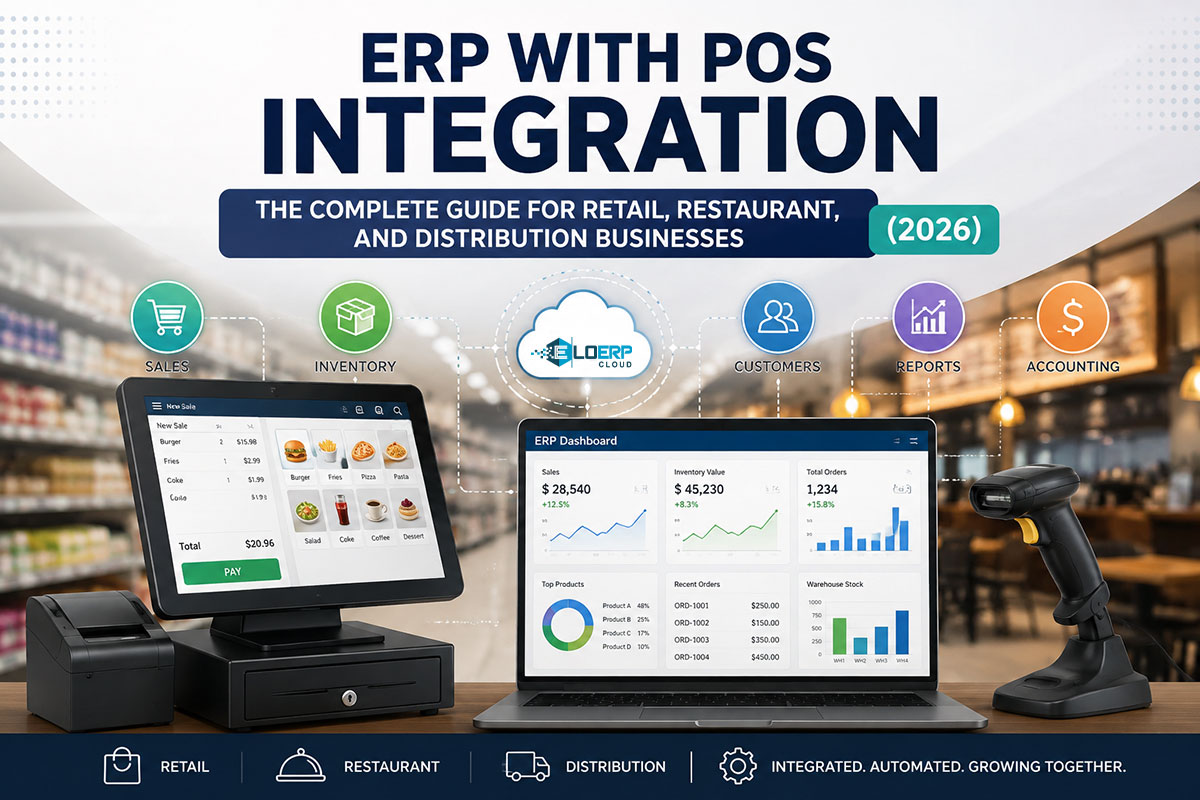
ERP-POS integration connects your point-of-sale system with enterprise resource planning software to synchronize sales, inventory, accounting, and customer data across all business operations. When a POS sale occurs, inventory levels update automatically and financial transactions post to the general ledger in real time, eliminating manual data entry and reconciliation delays.
If you run a multi-location retail chain, restaurant group, or wholesale business and you're still reconciling your POS cash drawer with your accounting software every month, this guide explains exactly how integration works, when you need it, and what separates real-time systems from batch sync setups.
What Is ERP-POS Integration?
ERP (enterprise resource planning) is your back-office system managing procurement, inventory, accounting, HR, and manufacturing. POS (point of sale) is your front-office sales terminal — the retail counter, restaurant kitchen order ticket (KOT) system, or service booking interface. Learn more about cloud ERP fundamentals for Pakistan businesses.
Integration connects these two so that sales data flows automatically into inventory and financial records without manual re-entry. When disconnected, your team manually keys POS totals into accounting software at month-end, reconciles cash drawers against bank deposits, and updates spreadsheets to track stock. Integration eliminates that loop.
Why Integration Matters
For Pakistan, KSA, Malaysia, and UAE markets, compliance pressure adds urgency. FBR Digital Invoicing (Pakistan), ZATCA Phase-2 (KSA), MyInvois (Malaysia), and UAE FTA e-invoicing all require real-time transmission of sales data to tax authorities. A disconnected POS can't auto-generate the IRN (Invoice Registration Number) and QR code that FBR demands, or the ZATCA Fatoora that Saudi regulators require. Integration makes compliance automatic instead of a manual upload task.
Operationally, disconnected systems create three recurring pains:
- Month-end reconciliation delays — Finance teams spend days matching POS totals to accounting, chasing down unexplained variances
- Stockout surprises — Inventory counts lag behind actual sales, leading to selling items you don't have or missing reorder triggers
- Multi-branch blindness — Head office sees yesterday's (or last week's) numbers, not what's happening right now across all locations
Integration turns those lagging reports into live dashboards.
How Does ERP-POS Integration Work? (5-Step Process)
Every sale follows this sequence when POS and ERP are integrated:
1. Sale Captured at POS Terminal
Customer checkout happens at the counter: barcode scan, manual SKU entry, or KOT creation for restaurant orders. Payment processes via cash, card, or mobile wallet (JazzCash/Easypaisa in Pakistan, STC Pay in KSA).
2. Transaction Data Transmitted to ERP
Sale details — items sold, quantities, amounts, payment method, customer ID — transmit to the ERP system. This happens via direct API (native integration), middleware connector (third-party tools like Zapier or custom-built bridges), or batch file upload (scheduled hourly/daily sync).
3. Inventory Updated Automatically
Stock levels decrease for each item sold. If your inventory uses batch/expiry tracking (pharmacy, food), the system deducts from the oldest expiry date first (FEFO — first-expired-first-out). For electronics or jewelry, serial numbers or IMEI codes mark units as sold. If stock hits the reorder point, the system triggers a purchase order alert.
4. Accounting Ledger Posted in Real Time
The sale posts to your general ledger via double-entry bookkeeping:
- Debit: Cash (or Accounts Receivable if credit sale)
- Credit: Sales Revenue
- Debit: Cost of Goods Sold (COGS)
- Credit: Inventory Asset
Tax liability records automatically. For FBR-integrated systems in Pakistan, the system submits invoice data to PRAL (Pakistan Revenue Automation Ltd.) and receives the IRN and QR code in real time — learn more about FBR digital invoicing requirements for Pakistan retailers. In KSA, the ZATCA Fatoora generates and embeds in the receipt — see ZATCA e-invoicing compliance for Saudi Arabia.
5. Multi-Location Consolidation
If you operate multiple branches, head office sees real-time sales, stock levels, and P&L across all locations in one dashboard. Inter-branch stock transfer requests auto-generate when one location runs low and another holds excess inventory.
Real-Time vs Batch Integration: What's the Difference?
This is the decision that determines whether integration actually solves your operational pain or just shifts it.
| Feature | Real-Time Integration (Native) | Batch Integration (Middleware/Scheduled) |
|---|---|---|
| Data sync frequency | Instant (milliseconds after sale) | Hourly, daily, or manual trigger |
| Inventory accuracy | Current stock always accurate | Lag risk: stockouts/overselling between syncs |
| Financial visibility | Live P&L, revenue updated per sale | Delayed: month-end surprises common |
| Multi-location coordination | HQ sees all branch activity instantly | Branches operate "blind" until sync runs |
| Compliance readiness (FBR/ZATCA) | Real-time e-invoice submission to tax authority | Batch upload risk: late or missed submissions |
| Technical dependency | Built into single codebase (no middleware) | Requires third-party connectors (Zapier, custom APIs) |
| Cost | Included in unified ERP license | Additional middleware licensing + dev costs |
| Example vendors | All-in-one ERP+POS (EloERP, Odoo, ERPNext) | Standalone POS (Square, Loyverse) + separate ERP (QuickBooks, Zoho Books) with integration plugins |
The Key Insight: "A Sale Updates Stock and Ledger at the Same Time"
Real-time integration means operational truth at all times. Your dashboard shows what's in the warehouse right now, what each branch sold this hour, and today's revenue number — not yesterday's batch upload.
Batch integration means reconciliation cycles. Sales happen, sync runs hours later, discrepancies appear (did branch 3 actually sell 47 units or 48?), and someone spends time fixing it.
When Batch Is Acceptable
If you run a single-location micro-business with fewer than 20 sales per day and simple inventory (no expiry dates, no multi-branch coordination), end-of-day batch reconciliation is manageable. The operational overhead of manual checks stays small. But the moment you add a second location, complex inventory, or compliance e-invoicing, batch sync becomes the bottleneck.
7 Benefits of Integrated ERP+POS Systems
Integrated ERP+POS systems deliver operational advantages that disconnected setups can't match:
1. Inventory Accuracy Without Manual Counts
Stock levels reflect every sale, return, supplier delivery, and inter-branch transfer automatically. Physical counts still happen (quarterly or annually), but daily discrepancies from untracked movement drop dramatically.
2. Unified Customer Data
Purchase history, loyalty points, credit limits, and aging balances appear at the POS. Your counter staff see that a customer has PKR 50,000 outstanding and approaching their credit limit before approving another sale on account. Sales teams see accounting aging reports (who owes what) without switching systems.
3. Compliance-Ready Invoicing
FBR Digital Invoicing (Pakistan), ZATCA Phase-2 (KSA), MyInvois (Malaysia), and UAE FTA e-invoicing integrate into the sale workflow. The IRN/QR code auto-generates, the system submits to the tax authority in real time, and the printed receipt is already compliant. No manual portal uploads, no end-of-day batch submissions.
4. Multi-Branch Visibility for Owners
Real-time dashboard: which branch is selling what, current stock at each location, daily and weekly sales trends, top-performing SKUs by region. Owners don't wait for month-end reports to know which locations are hitting targets.
5. Faster Month-End Close
No manual journal entries to reconcile POS cash with accounting. The sale already posted to the ledger when it happened. Financial statements are ready immediately, not after days of variance hunting.
6. Reduced Human Error
Single data entry point at POS. No re-keying sales totals into accounting software, no transposition errors (typing 4,500 as 5,400), no missed receipts. The sale happens once, flows everywhere.
7. Procurement Automation
Reorder levels trigger purchase orders automatically. Procurement teams see sales velocity trends to forecast demand — if SKU X is selling 20% faster this month than last, the next PO adjusts accordingly before you hit stockout.
When You Need ERP-POS Integration vs Standalone POS
Integration isn't about "going digital" or checking a technology box. It's about operational control at scale. Here's an honest assessment framework.
You NEED Integrated ERP+POS If:
- Multi-location operations (≥2 stores/branches/restaurants) — Head office needs real-time visibility across all sites, not branch-by-branch spreadsheets emailed at month-end
- Complex inventory — Batch/expiry tracking for pharmacy or food distribution, serial/IMEI tracking for electronics or jewelry, size/color variants for garments
- Regulatory compliance pressure — FBR Tier-1 retailer obligations (Pakistan), ZATCA-mandated e-invoicing (KSA), MyInvois (Malaysia), or UAE FTA requirements
- Wholesale + retail hybrid — Same stock pool serves POS counter sales AND B2B orders; procurement-to-sale flow must be unified or you oversell inventory committed to wholesale clients
- Manufacturing or assembly — Products assembled from components (BOM — bill of materials); raw material depletion must sync with finished goods sales
- Maker-checker approvals needed — Purchase orders, discounts, refunds require manager approval before posting to accounts
Standalone POS Is Sufficient If:
- Single location with simple cash/card sales and no compliance complexity beyond basic sales tax reporting
- Service business with no inventory — Consulting, repair services, appointment-based work where you invoice time and expertise, not physical goods
- Micro-retail (<PKR 10 million annual revenue, <50 SKUs) with daily manual reconciliation that takes under 30 minutes and doesn't disrupt operations
Key message: If you're reconciling POS with accounting manually every month and it takes more than an hour, or if you've ever had a stockout surprise because "the system said we had 12 units but the shelf was empty," you need integration. Learn how to choose a POS system for your business based on your operational needs.
How EloERP Handles ERP-POS Integration
EloERP provides real-time ERP-POS integration for Pakistan and Gulf markets, with built-in e-invoicing integration for FBR, ZATCA, MyInvois, and UAE FTA.
Native Integration (No Middleware)
POS, inventory, accounting, and procurement run on a single codebase. A sale updates stock and ledger at the same time — no third-party connectors, no batch sync delays, no middleware licensing costs.
Compliance Built-In
Per-company compliance toggle:
- FBR Digital Invoicing (Pakistan): IRN and QR code auto-generate at POS checkout, submitted to PRAL in real time
- ZATCA Phase-2 (KSA): Fatoora generation and clearance reporting
- MyInvois (Malaysia): LHDN-compliant e-invoicing
- UAE FTA: Peppol PINT AE format for e-invoicing
No bolt-on modules, no separate compliance software — it's part of the sale workflow.
Multi-Location Real-Time Sync
Branch POS sales visible at HQ dashboard within seconds. Inter-branch stock transfer workflow: if Branch A is low on SKU X and Branch B has excess, the system flags the imbalance and routes a transfer request.
Batch/Expiry + Serial/IMEI Support
Pharmacy FEFO (first-expired-first-out) tracking for medicines, electronics IMEI tracking for phones and laptops, jewelry vertical includes gold-rate integration for pricing updates.
Unified Customer Record
CRM, sales history, credit limits, and loyalty points accessible at POS. Counter staff see if a customer has outstanding receivables before approving a credit sale.
Approval Workflows
Maker-checker controls for discounts, refunds, and price overrides. A cashier can request a 15% discount, but the transaction doesn't post until a manager approves it.
Ready to eliminate month-end reconciliation and get real-time visibility across all locations? EloERP provides unified ERP+POS with built-in FBR, ZATCA, MyInvois, and UAE FTA e-invoicing — no middleware, no batch delays. Ask us for a quote (pricing on request, billed yearly), start your 15-day free trial (no credit card required), or book a 30-minute live demo to see real-time integration in action.
Sources
- FBR Digital Invoicing FAQs: https://fbr.gov.pk/faqs/173967/173969
- ZATCA E-Invoicing Portal: https://zatca.gov.sa
- Malaysia LHDN MyInvois: https://hasil.gov.my
- UAE Federal Tax Authority: https://tax.gov.ae
- EloERP FBR Digital Invoicing (product page): https://eloerp.net/compliance/fbr-digital-invoicing
- EloERP ZATCA E-Invoicing Compliance: https://eloerp.net/compliance/zatca-e-invoicing
- Pakistan Revenue Automation Ltd (PRAL): https://pral.com.pk