
Cloud ERP Software Pakistan: A Working Day with FBR + POS Built In (2026)
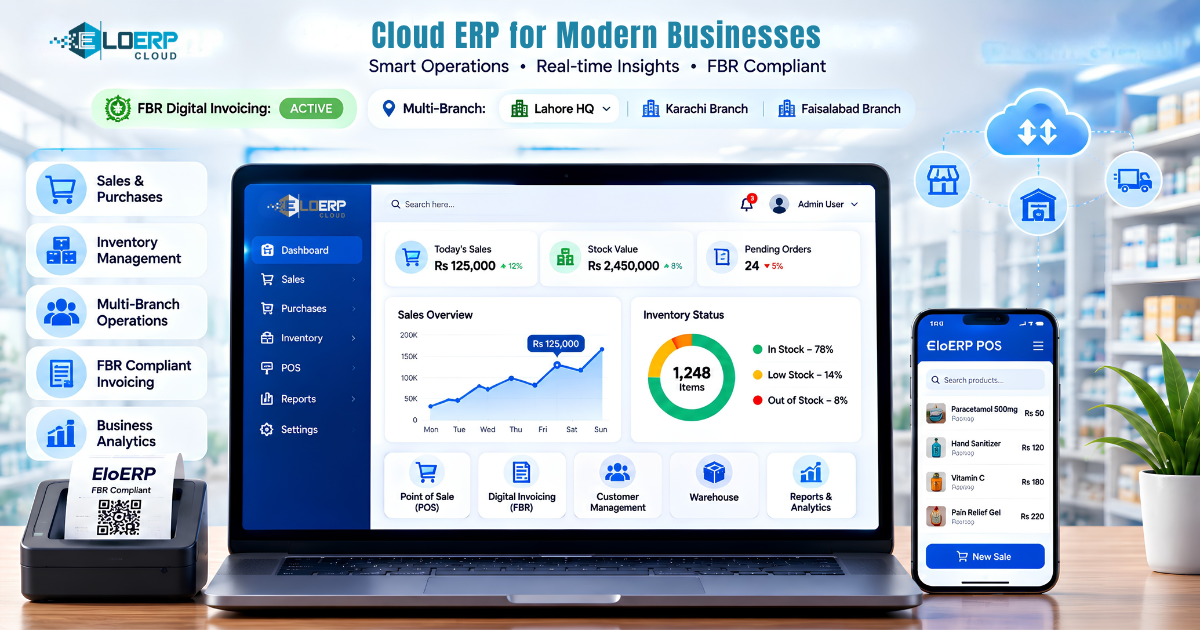
Cloud ERP software in Pakistan is one online system that runs your counter, stock, purchasing and books, and sends each invoice to FBR as you sell. Here is a working day in EloERP, the cloud ERP we recommend for retail, pharmacy, restaurant and distribution businesses.
Plenty of articles explain what cloud ERP is. This one shows what it does between opening and closing time, so you can judge whether it would change your day. If you are still weighing cloud against a desktop install, read cloud vs desktop ERP for a Pakistani business; for the full buying checklist, see how to choose ERP software in Pakistan.
What cloud ERP software with FBR and POS does that separate tools don't
Many shops still run a billing program at the counter, stock in a register or spreadsheet, and accounts in a separate package, with someone copying figures between them at night. A cloud ERP with POS built in removes the copying: the sale, the stock movement, the ledger entry and the FBR invoice are one transaction in one database, and every branch sees the same figures. The benefits of an integrated ERP and POS go deeper on why that matters.
Morning: opening the shift and checking stock
- The cashier opens the cash register with an opening balance and a register number. Several cashiers can run their own shifts in the same branch.
- The manager checks the sales dashboard and the notification bell: sales by branch, low-stock items, newly overdue customer invoices and any FBR push that failed.
- In a pharmacy, the batch and expiry report shows what has expired and what is expiring inside the window you set, with the value at risk.
At the counter: a sale, the FBR invoice and the QR code
The cashier scans a barcode or taps an item; the grid shows live stock for that outlet. They can change quantity, unit (box or piece), line discount and tax, apply a price tier for a trade customer, redeem loyalty points, and take cash, card or a split payment. Credit and installment sales check the customer's credit limit before they go through.
When the sale is completed:
- stock is issued from the right warehouse at weighted-average cost;
- revenue, tax and cost of goods sold post to the ledger, and the customer's account updates if it is a credit sale;
- if FBR digital invoicing is on, the invoice is pushed to FBR and the receipt prints with the FBR invoice number and a QR code.
EloERP integrates with FBR Digital Invoicing through PRAL. If FBR rejects an invoice, the cashier is not blocked: the error is logged in FBR's own words and the push is retried, and the back office can re-push from one screen. PRA integration is also available for Punjab sales tax on services. Whether the rules apply to you is set out in FBR's digital invoicing legal provisions — check them with your tax adviser. Our FBR digital invoicing complete guide explains the process.
In restaurant mode the same terminal takes dine-in, takeaway, delivery and drive-thru orders, sends kitchen order tickets to the kitchen display, and issues token numbers for the "now serving" screen.
When the internet drops mid-shift
EloERP's POS keeps selling offline. The cashier carries on billing; when the connection returns, the sales are pushed to the cloud and stock, ledger and reports catch up. Purchasing and accounts screens need a connection, so keep a mobile-data backup for the office.
Afternoon: purchasing, goods received and supplier bills
- A purchase order goes to the supplier; approvals above your limit go to a manager first.
- Goods arrive against the order on a goods received note, with batch, expiry and rack recorded, and stock goes up.
- The supplier bill is matched against the order and the receipt (three-way matching) and posts to accounts payable.
- Stock that is short at one branch moves from another on a stock transfer.
Online orders from Shopify, WooCommerce or Daraz arrive in the same system and become real sale invoices, with courier presets for TCS, Leopards, M&P, Trax and Call Courier.
Evening: closing the register and the Z-report
The cashier closes the register and counts the cash. The manager opens the Z-report — sales by payment method, cash in and out, returns, tax collected and expected cash — enters the counted amount and chooses where any over or short is posted. A journal entry records the difference automatically. X-reports give the same snapshot mid-shift without closing anything.
Month-end: the books are already posted
Because every sale, purchase, return and payment has already posted, month-end is review, not data entry: trial balance, P&L, balance sheet, receivable and payable ageing, tax summary and bank reconciliation, by branch or consolidated. For payroll, the HR & Payroll add-on runs attendance-based salaries with income-tax slabs, EOBI and PESSI/SESSI, and posts them to the ledger.
Cloud ERP with POS for your trade
- Retail and grocery: barcode scanning, variants, multi-unit items, price tiers, loyalty, held orders. Retail POS software.
- Pharmacy: batch and expiry tracking with near-expiry alerts. Pharmacy and healthcare.
- Restaurants and cafés: tables, kitchen tickets, kitchen display, delivery, drive-thru, reservations. Restaurant POS system.
- Wholesale and distribution: multi-warehouse stock, credit limits, purchase orders, goods received notes and three-way matching.
- Mobile and electronics shops: IMEI and serial-number tracking, installment sales with guarantors.
Try a day of it yourself
The quickest way to judge a cloud ERP is to run one real day through it. Start EloERP's 15-day free trial (no credit card required), or book a demo and we will walk your own day through it. Pricing is on request, billed yearly (monthly on request), with add-ons priced separately — ask for a quote or see how EloERP is packaged.