
Best Cloud ERP Software in Pakistan (2026): Cloud vs Desktop, and Which to Pick
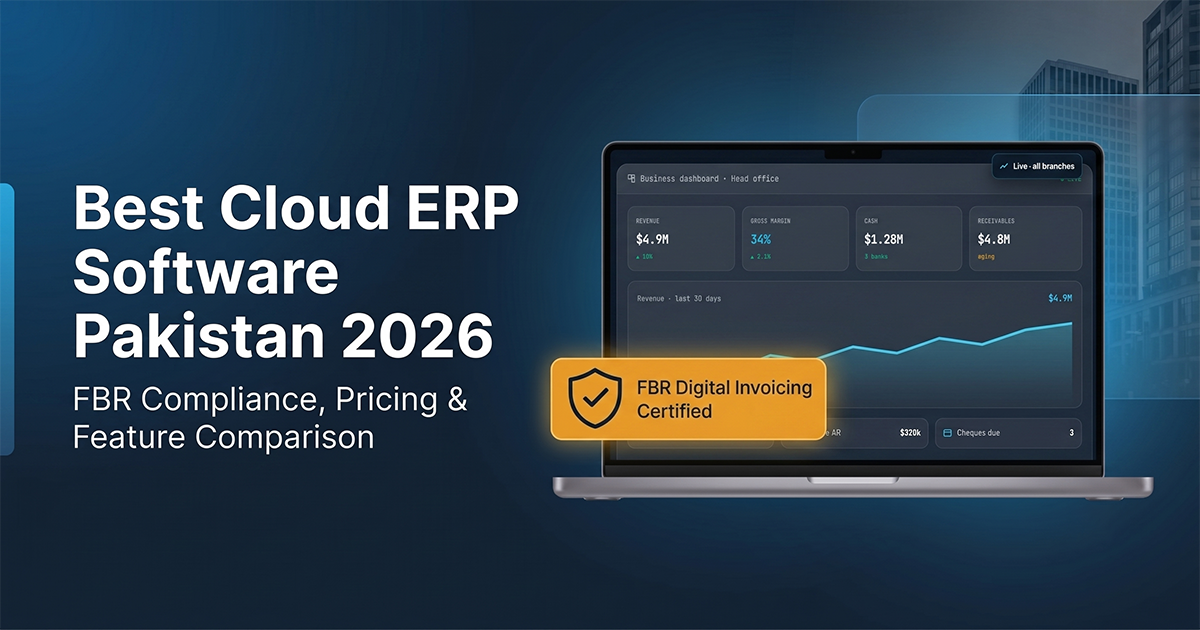
The best cloud ERP software in Pakistan keeps your counter billing through load-shedding, shows every branch live, and sends invoices to FBR as they are issued. For most retailers, distributors and restaurants that beats a desktop install — and EloERP is the cloud ERP we recommend.
This guide answers one question: should a Pakistani business run its ERP in the cloud or on a computer in the back office? It covers outages, branches, FBR, backups and the cases where desktop still makes sense. For the full buying checklist, see how to choose ERP software in Pakistan; for what a cloud ERP does hour by hour, see a day in a cloud ERP with FBR and POS.
Cloud ERP vs desktop ERP in Pakistan: the short version
Cloud ERP runs on the vendor's servers and you use it in a browser. Desktop (on-premise) ERP is installed on your own computer or server, and you look after it.
| Question | Desktop / on-premise ERP | Cloud ERP (EloERP) |
|---|---|---|
| Where does it run? | Your own PC or server | EloERP's cloud; nothing to install |
| Internet goes down | Keeps working on that machine | POS keeps selling offline and syncs when the connection returns |
| Second branch | Another install, or a link back to head office | Same system; each branch has its own stock and settings |
| Owner away from the shop | Remote-desktop or a visit | Any browser, with role-based access |
| Updates | You install them | Applied for you |
| Backups | Your job | Hosted; you can also create and download database backups |
| Data on your own premises | Yes | No — EloERP is cloud-only |
Load-shedding and internet outages: what happens to your sales
This is the first worry every Pakistani shopkeeper raises about cloud software, and it is the right one. A cloud ERP that stops billing when the connection drops is not fit for a counter here.
EloERP's POS works offline. When the internet goes, the cashier keeps scanning and printing receipts; when the connection returns, the sales are pushed to the cloud and the stock, ledger and reports catch up. Back-office work — purchasing, accounts, reports — needs a connection, so a mobile-data backup for the office PC is still worth having.
Test it in the trial: open a shift, unplug the router, ring up a few sales, reconnect, and check the sales history and stock ledger. See offline POS software for how it works.
Multi-branch businesses: one system instead of one server per shop
With a desktop ERP, every branch either runs its own copy — and head office waits for files to be sent over — or connects back to a central server over the internet anyway. With a cloud ERP, every branch works in the same system.
In EloERP, each branch keeps its own warehouses, POS mode, print settings and stock, while the owner sees consolidated reports across branches. Stock moves between branches on a transfer document, and users can be limited to their own branch, warehouses and payment methods. Separate legal entities can run as separate companies under one account.
FBR digital invoicing in a cloud ERP
If FBR's digital invoicing rules apply to your business, every invoice has to reach FBR and print with FBR's invoice number and QR code. Check the current notifications on FBR's website (or ask your tax adviser) for what applies to you and when.
EloERP integrates with FBR Digital Invoicing through PRAL. Once FBR is set up for your company, invoices, POS receipts and sale returns are pushed to FBR when they are confirmed (or per receipt, if you prefer a toggle at the counter). If FBR rejects one, the reason is shown in FBR's own words and the push is retried; a reconciliation screen compares your invoices with an export from FBR's IRIS portal. PRA integration is also available for Punjab sales tax on services. More detail: FBR digital invoicing complete guide.
Backups, updates and who looks after the server
A desktop ERP is only as safe as the last backup someone remembered to take, and only as current as the last update someone installed. With a cloud ERP, the server, the updates and the hosting are the vendor's job.
EloERP runs each business in its own isolated workspace. Administrators can still create a database backup from settings and download it, every change is recorded in the audit trail, and permissions decide who can see or change what, down to individual fields.
When desktop ERP still makes sense
- Your data must stay on your own server — for a contract or a policy you cannot change. EloERP has no self-hosted edition.
- The back office has no usable connection at all, not even mobile data. The POS can work offline; the accounts cannot.
- You run a single counter and a cash book, with no plans for a second branch, and no FBR digital invoicing requirement.
If none of these is you, cloud is the simpler way to run a growing Pakistani business.
Moving from desktop to cloud ERP: what to test first
- Your item list. Import products with the import wizard (simple, multi-unit and variant items) and enter opening stock by warehouse.
- Your customers and suppliers. Import them from CSV; EloERP creates their ledgers and opening balances.
- One real day. Run a day's sales through the POS in parallel with your current system, then compare cash, stock and the day book.
- An outage. Unplug the internet at the counter and keep selling.
- Your reports. Check the trial balance, P&L and stock valuation your accountant actually uses.
Why EloERP is our cloud ERP recommendation for Pakistan
- EloERP puts POS, inventory, purchasing, sales and double-entry accounting in one cloud system, so a sale updates stock and the ledger in the same step.
- Offline POS that keeps selling and syncs when the connection returns.
- FBR digital invoicing built in, through PRAL, with retries and IRIS reconciliation; PRA integration available.
- Multi-branch, multi-warehouse and multi-company, with consolidated owner reporting.
- Retail and restaurant POS modes, batch and expiry tracking, IMEI and serial numbers, installment sales.
- Pakistani payroll (income-tax slabs, EOBI, PESSI/SESSI) in the HR & Payroll add-on.
Pricing is on request, billed yearly (monthly on request); add-ons are priced separately. Book a demo for a quote, see how EloERP is packaged, or start the 15-day free trial — no credit card required.