
FBR POS Integration for Tier-1 Retailers: Complete 2026 Guide
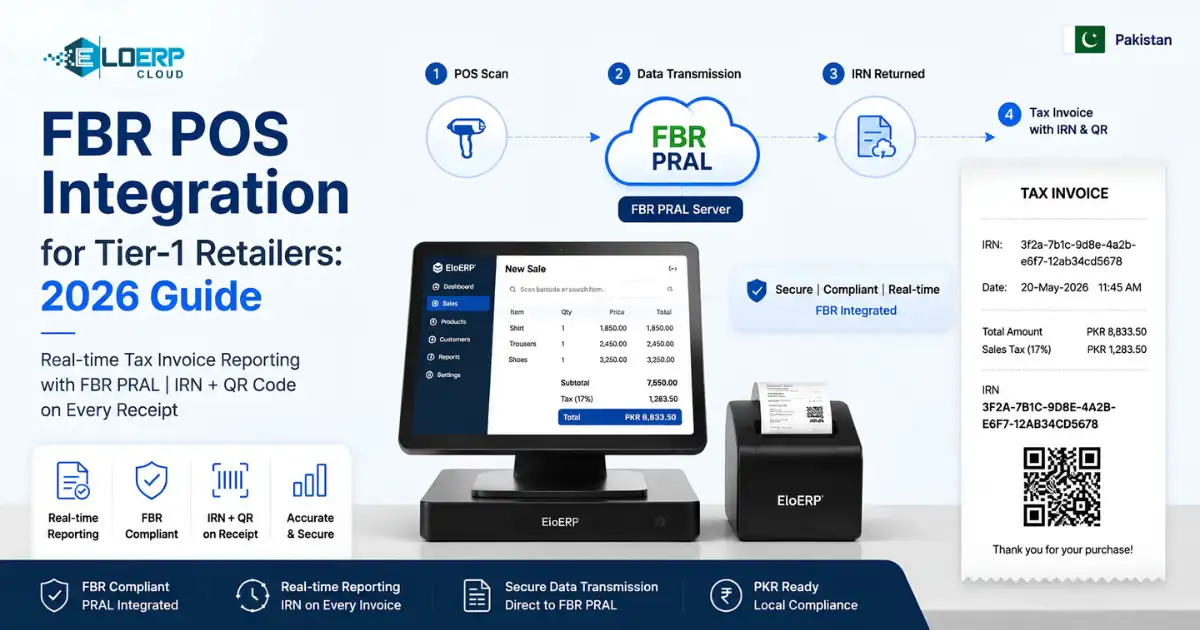
FBR POS integration connects a point-of-sale system to Pakistan's Federal Board of Revenue PRAL server, automatically transmitting every sale in real-time and generating an Invoice Record Number (IRN) with a QR code on each receipt. It's mandatory for Tier-1 retailers — businesses in air-conditioned malls, chain stores, those with electricity bills exceeding PKR 1.2 million annually, or accepting card payments.
If you run a retail business in Pakistan and need to understand how to integrate your POS with FBR, this guide covers the legal requirements, the technical workflow, and the practical steps to achieve compliance. For a broader overview of digital invoicing beyond POS integration, see our complete guide to FBR digital invoicing.
What is a Tier-1 Retailer Under FBR Rules?
FBR classifies a retailer as Tier-1 if the business meets any one of seven criteria. You do not need to meet all of them — a single criterion qualifies you. [1][2]
| # | Criterion | Specific Threshold |
|---|---|---|
| 1 | National or international chain store / franchise | Operating as part of a multi-location retail chain or franchise network |
| 2 | Located in an air-conditioned mall, plaza, or center | Operating in any air-conditioned commercial center (kiosks are excluded) |
| 3 | High electricity consumption | Cumulative electricity bill for the preceding 12 consecutive months exceeds PKR 1,200,000 |
| 4 | Wholesaler-cum-retailer | Businesses that handle bulk import and wholesale supply of consumer goods while also selling directly to consumers |
| 5 | Accepts card or digital payments | Has installed a POS terminal for accepting debit cards, credit cards, or payments through SBP-authorized digital payment service providers |
| 6 | High withholding tax | Deductible withholding tax under Section 236G or 236H of the Income Tax Ordinance 2001 has exceeded Rs 100,000 in the preceding 12 months |
| 7 | FBR designation | Any other person designated by FBR through an official notification |
Practical implication: Criterion 5 (card payments) catches most modern retailers. If your shop accepts debit or credit card payments through any SBP-authorized system — JazzCash, Easypaisa, bank terminals — you are classified as Tier-1 under FBR's definition, regardless of your annual turnover. [1]
Note on broader mandate: Under SRO 1852(I)/2025, digital invoicing extends beyond Tier-1 retailers to sales-tax-registered persons, rolled out in phases by turnover. [3] Check the current notifications on FBR's website (or ask your tax adviser) for what applies to your business and when.
What FBR POS Integration Actually Means
FBR POS integration is not merely software installation — it is a real-time connection between your point-of-sale system and FBR's Pakistan Revenue Automation Limited (PRAL) database. Here's what it involves:
Real-time sale data transmission: Every sales-tax invoice generated at your POS is transmitted to FBR's PRAL system in real-time — before the invoice is issued to the customer. [5]
Invoice Record Number (IRN) generation: FBR validates each transmitted invoice and returns a unique Invoice Record Number (IRN) that serves as proof of FBR registration for that transaction. [5]
QR code printing on receipts: Each customer receipt must carry a scannable QR code containing the IRN, allowing customers and FBR inspectors to verify the invoice against FBR's records. [5]
Periodic sales summary upload: In addition to real-time transaction data, aggregated sales data is reported in your monthly sales-tax return (Annexure-C). Integrated systems auto-populate this data. [5]
Licensed integrator requirement: You cannot self-integrate. Your POS/ERP system must connect to FBR through one of the 8 licensed integrators: PRAL (free of cost), Haball, WebDNAworks, EY Ford Rhodes, OpenPort Pakistan, TMR Consulting, NatureTech, or Dynamic Resources. [6]
FBR-Mandated Data Fields (What Your POS Must Send)
For each transaction, your POS system must transmit the following data fields to FBR:
Buyer details:
- National Tax Number (NTN) if the buyer is a registered taxpayer
- CNIC or passport number for retail customers (where collected)
Item-level sale data:
- Item description (product name)
- Quantity sold
- Unit price
- Tax amount (GST per item or at invoice level)
- Total amount
Payment information:
- Payment method (cash, debit card, credit card, digital wallet)
- Amount received
Seller details:
- Seller NTN and sales tax registration number
- Seller CNIC (for proprietorships)
- Business location and branch identifier (for multi-location retailers)
Invoice metadata:
- Invoice date and time (timestamp)
- Unique invoice number from your POS system
- Currency (PKR)
This data is formatted according to FBR's JSON schema and transmitted via the licensed integrator's API. [5][6]
The FBR POS Integration Workflow (Step-by-Step)
Here's what happens during a typical sale when your POS is integrated with FBR:
Step 1: Sale recorded in POS — The cashier scans items, the customer checks out, and the sale is totaled in your POS system.
Step 2: Tax calculation — The POS automatically computes GST (General Sales Tax) at the item or invoice level, based on your product tax configuration.
Step 3: Data packet prepared — The POS formats the transaction data (buyer details, item details, payment method, seller information) according to FBR's JSON schema.
Step 4: Transmission to PRAL — The POS sends an API call through your licensed integrator to FBR's PRAL server. This happens in real-time, typically taking 1-3 seconds.
Step 5: IRN received — FBR validates the data and returns an Invoice Record Number (IRN). If validation fails (e.g., incorrect NTN format), FBR returns an error and the invoice cannot be finalized until corrected.
Step 6: QR code generated — The POS embeds the IRN in a QR code according to FBR's specification. The QR code contains the IRN, seller NTN, invoice date, and total amount.
Step 7: Receipt printed — The customer receives a printed receipt with the IRN prominently displayed and the QR code for verification. Customers can scan the QR code with the Tax Asaan mobile app to verify the invoice is registered with FBR.
Step 8: Periodic summary upload — At the end of the day or reporting period, your POS uploads aggregated sales data to populate your monthly sales-tax return (Annexure-C). Integrated systems handle this automatically.
This workflow ensures that every sale is immediately visible to FBR, eliminating under-reporting and providing a verifiable audit trail. [5]
Technical Requirements for FBR POS Integration
To successfully integrate your POS with FBR, you need:
1. Stable internet connection: Real-time IRN generation requires continuous internet connectivity. A reliable broadband connection (at least 2 Mbps upload speed) is recommended for smooth operation. Internet outages trigger offline handling (see challenges section below).
2. POS software with FBR integration: FBR does not approve or certify POS software brands. Your POS must connect to FBR's PRAL API through one of FBR's licensed integrators. Verify integration capability with your POS vendor before purchase.
3. NTN registration and FBR Iris portal credentials: Your business must be registered for sales tax and have an active National Tax Number (NTN). You also need credentials for the FBR Iris portal (iris.fbr.gov.pk), which is used for digital invoicing activation and management.
4. API credentials from FBR: After activating digital invoicing on the Iris portal, FBR provides API credentials (client ID and secret key) that your POS uses to authenticate with the PRAL API. [6]
5. Hardware compatibility: Standard POS hardware (receipt printer, barcode scanner, cash drawer) is sufficient. However, your receipt printer must support QR code printing — most modern thermal printers do.
How to Register Your POS with FBR
Here is the step-by-step registration and activation process:
Step 1: Register business on FBR Iris portal
- Go to iris.fbr.gov.pk and log in with your NTN credentials
- If you don't have Iris access, register through the FBR portal (requires NTN, CNIC, and email verification)
Step 2: Apply for digital invoicing activation
- Navigate to the Digital Invoicing section on the Iris portal
- Submit the digital invoicing application form, providing:
- Business details (name, NTN, sales tax registration number)
- POS vendor information (name of your POS software)
- Licensed integrator selection (choose from the 8 approved integrators — PRAL is free)
- Number of POS terminals and branch locations
Step 3: Obtain API credentials from FBR
- Once your application is approved (typically 3-7 business days), FBR issues API credentials
- You will receive a client ID and secret key via the Iris portal
- Store these credentials securely — they are used by your POS to authenticate with FBR
Step 4: Configure POS software with FBR credentials
- Enter your FBR API credentials in your POS system's FBR integration settings
- Configure your business details: NTN, branch name, seller CNIC
- Select your licensed integrator from the dropdown (if your POS supports multiple integrators)
Step 5: Run test transactions and validate IRN generation
- Most integrated POS systems include a sandbox/test mode
- Run at least 5-10 test sales to verify that:
- Invoice data is transmitted successfully
- IRN is received from FBR within 3 seconds
- QR code prints correctly on the receipt
- Invoice data appears in your Iris portal under "Invoices"
Step 6: Submit compliance certificate (if required by POS vendor)
- Some licensed integrators require a final compliance certificate from FBR before moving from sandbox to live mode
- Download this from the Iris portal once your test transactions are validated
Step 7: Go live
- Switch your POS from test mode to live mode
- Begin issuing FBR-compliant invoices to customers
- Display the "Integrated with FBR" sign at your point of sale (FBR recommends this for customer awareness)
Total timeline: Initial FBR registration: 3-7 business days. POS configuration: 1-2 hours. Staff training: 1 day. Total: 1-2 weeks from application to full compliance. [3]
Common FBR POS Integration Challenges (And How to Solve Them)
Challenge 1: Slow IRN Generation Delays Checkout
Problem: Real-time API calls to FBR can add 1-3 seconds per transaction. During peak hours or when PRAL servers are slow, this delays checkout and creates customer queues.
Solution: Use a POS with local caching and asynchronous retry logic. Some modern integrated POS systems generate the invoice locally, print the receipt immediately with a provisional IRN placeholder, and retry the FBR API call in the background. Once the IRN is received, the system updates the invoice record. This keeps checkout speed fast while maintaining compliance.
Challenge 2: Internet Outage Prevents Sales
Problem: If your internet connection drops, the POS cannot transmit invoices to FBR in real-time. Without an IRN, you technically cannot issue a compliant invoice.
Solution: Most FBR-integrated POS systems offer offline mode with deferred upload. When the internet is unavailable, the POS queues invoices locally (stored in the POS database) and automatically transmits them to FBR once connectivity resumes.
Check FBR's offline rules: FBR sets time limits for staying disconnected and for uploading invoices issued while offline. Confirm the current limits with FBR or your tax adviser, and make sure your POS uploads queued invoices automatically.
Note on EloERP: For clients with unreliable internet, EloERP installs an offline POS that keeps working when the connection drops and pushes the data to the cloud when the connection returns. Whichever POS you use, confirm how it handles FBR's offline upload rules.
Challenge 3: API Errors and PRAL Downtime
Problem: PRAL servers occasionally experience downtime or return API errors (invalid NTN, schema validation failure, server timeout). This blocks invoice generation.
Solution: Choose a POS with automatic retry mechanism and error logging. The system should:
- Retry failed API calls automatically (with exponential backoff)
- Log all errors with timestamps and transaction details for audit purposes
- Provide a manual retry interface for staff to resubmit failed invoices
- Alert the manager when error rates exceed a threshold
Challenge 4: Staff Training on New Receipt Format
Problem: Customers are unfamiliar with IRN and QR codes on receipts. Staff receive questions about "what is this code?" and "why is my receipt different?"
Solution:
- Display a customer-facing poster at the point of sale explaining the IRN and QR code (in Urdu and English)
- Train staff with a simple script: "This QR code is required by FBR to verify your purchase. You can scan it with the Tax Asaan app to confirm your invoice is registered."
- Print a brief explanation at the bottom of receipts: "Scan QR code to verify this invoice with FBR"
FBR provides downloadable awareness posters for retailers — check the Iris portal resources section.
FBR POS Integration vs Manual E-Invoicing (Why Integrated POS Wins)
If you are a Tier-1 retailer, you have two compliance options: integrated POS or manual e-invoicing portal. Here's how they compare:
| Feature | Integrated POS (e.g. EloERP) | Manual E-Invoicing Portal |
|---|---|---|
| IRN generation | Automatic, real-time at checkout | Manual entry per invoice on FBR portal |
| Compliance risk | Low (every sale auto-transmitted) | High (human error, missed invoices, entry delays) |
| Time per invoice | <2 seconds (transparent to customer) | 3-5 minutes manual data entry per invoice |
| Multi-location support | Centralized (all branches auto-sync to FBR) | Each branch must enter invoices separately |
| Audit trail | Complete digital ledger with timestamps | Fragmented records, requires manual reconciliation |
| Customer experience | Seamless (QR code prints on receipt) | Delayed (invoice entered after sale, QR sent via email/SMS) |
| Staff workload | Minimal (happens automatically) | High (data entry for every invoice) |
| Inventory integration | Sale updates stock and ledger simultaneously | Manual — invoice, inventory, and accounting are disconnected |
Bottom line: For Tier-1 retailers processing more than 50 invoices per day, an integrated POS is not optional — it's the only practical way to maintain compliance without crippling operations. Manual e-invoicing is suitable only for very low-volume businesses (consultants, freelancers issuing 5-10 invoices per month). [7]
If you're comparing FBR-compliant POS options for your business, see our comprehensive guide to the best POS software in Pakistan with side-by-side feature comparisons.
EloERP's Built-In FBR POS Integration (How It Works)
EloERP treats FBR digital invoicing as a built-in feature, not an add-on or plugin. Here's how the integration works:
Native FBR Digital Invoicing module: No third-party middleware or separate subscription required. FBR integration is included in every EloERP plan at no extra cost.
Real-time IRN & QR code generation at point of sale: Every POS transaction automatically generates an IRN and QR code. The system prints the receipt with the QR code the moment the sale is finalized — no manual steps.
Automatic PRAL API calls: After initial setup (entering your FBR API credentials), EloERP handles all API calls automatically. Invoice data is formatted according to FBR's JSON schema and transmitted through PRAL.
Per-company toggle: Multi-entity businesses (e.g., a group with both Pakistan and UAE operations) can enable FBR integration per company. Pakistan operations get FBR invoicing; UAE operations get UAE FTA invoicing — all from the same EloERP instance.
Integrated with inventory & accounting: When a sale is recorded at the POS:
- Stock is deducted from inventory in real-time
- Sales revenue and tax liability are posted to the general ledger automatically
- FBR digital invoice is generated with IRN and QR code
- Customer receipt is printed with all required FBR fields
This eliminates the "triple entry" problem where staff enter the same sale in the POS, then in inventory, then in accounting. With EloERP, one entry updates all systems and reports the sale to FBR — simultaneously.
Sandbox testing included: EloERP includes FBR sandbox test scenarios, allowing you to validate your integration before going live.
See it in action: Book a free demo to see how EloERP handles FBR POS integration for your specific business type, or start a 15-day free trial — no card required.
For more details on EloERP's FBR capabilities, visit our FBR POS Software product page.
Ready to integrate your POS with FBR? See how EloERP's built-in FBR integration works for your business — start a 15-day free trial (no card required) or book a free demo to speak with an FBR integration specialist.
Sources
- PK Revenue — Who Qualifies as a Tier-1 Retailer under the Sales Tax Act, 1990?:
- VATupdate — FBR Identifies Tier-1 Retailers for Enhanced Tax Compliance in 2026:
- SwitcherTechno — SRO 1852(I)/2025 digital invoicing overview: https://www.switchertechno.com/sro-18521-2025-fbrs-new-deadline-for-digital-invoicing-in-pakistan/
- FBR — Digital Invoicing FAQs: https://fbr.gov.pk/faqs/173967/173969
- SwitcherTechno — FBR Digital Invoicing Integration: https://www.switchertechno.com/integrations/fbr-digital-invoicing/
- FBR — List of Licensed Integrators: https://www.fbr.gov.pk/list-of-license-interprator/173967/173971
- EloERP — FBR Digital Invoicing (product page): https://eloerp.net/compliance/fbr-digital-invoicing